
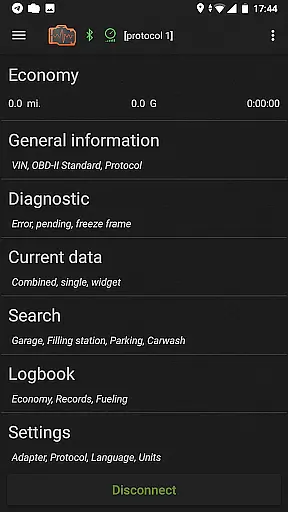
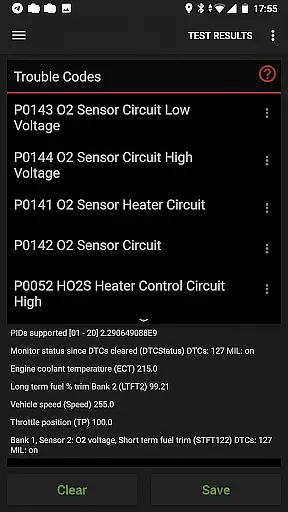
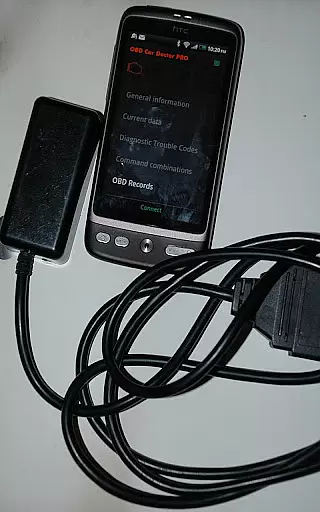
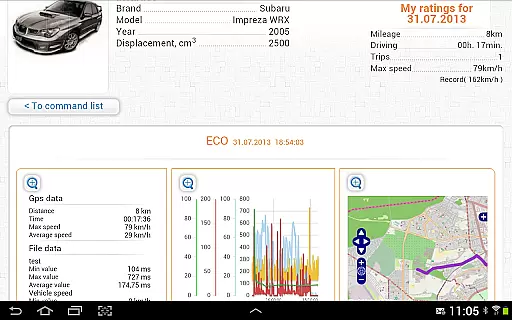
inCarDoc Pro is a comprehensive vehicle diagnostics tool designed for car owners and automotive professionals. This application serves as a virtual mechanic by reading real-time and stored diagnostic parameters from the Engine Control Unit (ECU) of OBD-II compliant vehicles. It requires an ELM327 or compatible OBD scanner to function optimally, though limited functionality is available in GPS-only mode.
The app's core features include engine diagnostics, real-time parameter monitoring, and trip computer functions. Users can read and clear Check Engine Light codes, view freeze frame data, and track fuel economy metrics. The application also provides advanced functionalities like background parameter recording, GPS trace support, and server upload capabilities through incardoc.com. These features make it an essential tool for both personal vehicle maintenance and professional repair services.
A key use case is when a car owner experiences a Check Engine warning light. Using inCarDoc Pro with a compatible OBD-II scanner, they can quickly diagnose the issue, potentially saving hundreds in unnecessary repair costs. The app's ability to store and share diagnostic data helps users communicate effectively with mechanics, ensuring accurate and efficient repairs.
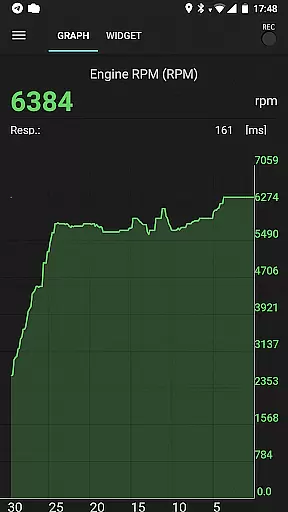
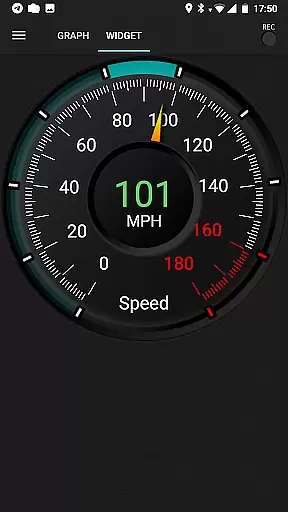
inCarDoc Pro offers an extensive set of features that cater to various automotive diagnostic needs. The application stands out with its comprehensive real-time parameter monitoring system, capable of reading multiple PIDs simultaneously. These include crucial metrics such as speed, RPM, coolant temperature, pressure, and O2 sensor readings, presented through customizable charts and widgets.
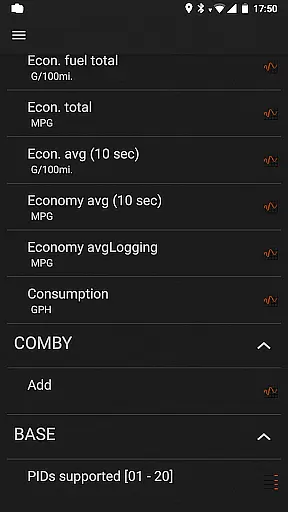
One of the app's distinguishing characteristics is its advanced logging capabilities. Users can record diagnostic sessions in the background while continuing other activities on their device. The pro version removes advertisements and adds valuable features like extended widgets for fuel economy and acceleration monitoring, plus an overlay function that displays economy data over any application screen.
The application's logbook functionality allows users to maintain detailed records of fueling, service events, and maintenance activities. When combined with GPS data tracking and server upload capabilities, this creates a complete vehicle management solution. Additionally, the console mode caters to advanced users who need to send direct OBD2 and ELM327 commands, making it suitable for both casual users and automotive professionals.
Accessing detailed vehicle information is crucial for effective car maintenance and diagnostics. inCarDoc Pro provides comprehensive data directly from your vehicle's ECU, offering real-time parameters such as speed, engine rotation, coolant temperature, and more. This level of detail allows users to monitor their vehicle's performance accurately.
The application supports multiple OBD-II standards, ensuring compatibility with a wide range of vehicles. By connecting via ELM327 or similar OBD scanners, it reads and displays various diagnostic parameters. These include essential metrics like pressure and oxygen sensor readings, giving users a complete picture of their car's health.
With this detailed information, car owners can make informed decisions about maintenance and repairs. The app not only presents current data but also records parameters over time, providing valuable insights into potential issues before they become serious problems. This proactive approach helps extend the lifespan of the vehicle while ensuring optimal performance.
Price transparency in automotive tools is essential for users seeking value without hidden costs. inCarDoc Pro offers a clear pricing model through its Pro version, which includes advanced features without additional in-app purchases. Users can access functionalities like real-time parameter recording, extended widgets, and GPS trace support at a one-time cost.
The app provides a free version with limited capabilities, allowing users to test compatibility with their vehicle before committing financially. This approach ensures that customers understand exactly what they are paying for and can make an informed decision based on their specific needs. The availability of both versions enhances trust and satisfaction among users.
Furthermore, inCarDoc Pro maintains transparency by detailing all features available in the Pro version. From background mode recording to server uploads, each premium feature adds tangible value. This straightforward pricing strategy benefits users by delivering professional-grade diagnostics without unexpected expenses or subscription fees.
Comprehensive diagnostics
Real-time monitoring
Background recording
Professional-grade tools
Extensive parameter support
Requires separate hardware
Complex for beginners
Vehicle compatibility issues
Advanced features costly
Bluetooth connection issues

Take Control of Your Car
 4.80
4.80
Monitor specific TOYOTA parameters by adding this plugin to Torque Pro.
2.00
Ferrari inspired analog & digital watch face with quick access and premium style
4.0
Practice the drills within MotoJitsu Master Riding Program Volume 1 & 2!
4.80
CVT diagnostics with ELM327 for Nissan-based vehicles
4.40
Your Path to Driving Licensing Success Begins Here! Develop your driving skills.
4.40
Available in select states.
4.00
Trip computer+car diagnostic tool with widest variety of features and dashboard!
4.70
Shop, finance, or sell today.
4.80
MySubaru: Download. Connect. Love.
4.70
Quick and easy car diagnostics to get you the right fix.
4.70
Find Fast EV Chargers | Charge Your Vehicle at 1,100+ Fast Car Charging Stations
4.60
Autolist - The Largest Selection of Local Used Cars and Trucks
4.50
Launcher for use in the car
4.40
Realtime Charts is a plugin for the Torque Pro App (OBD 2 & Car)
4.20
* This app needs an adapter cable and a certain OBD2 adapter to work *
4.20
Monitor your behind-the-wheel behavior to become a safer driver and save.
4.10
ODB2 based monitoring application for the Chevy Bolt (2017-2021)
4.00
By enthusiasts, for enthusiasts
4.00


User Reviews