
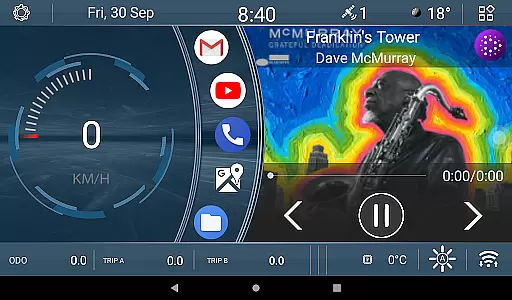
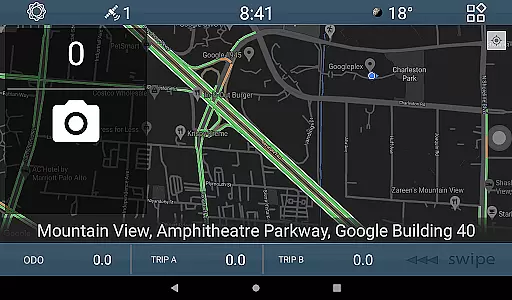
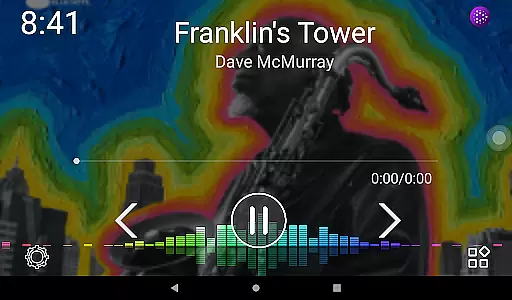
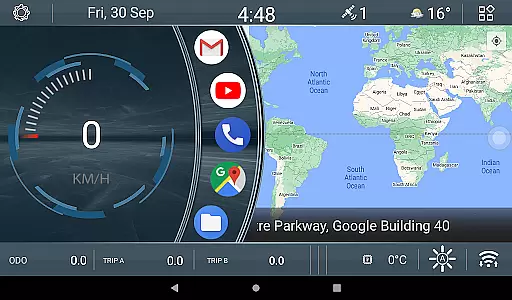
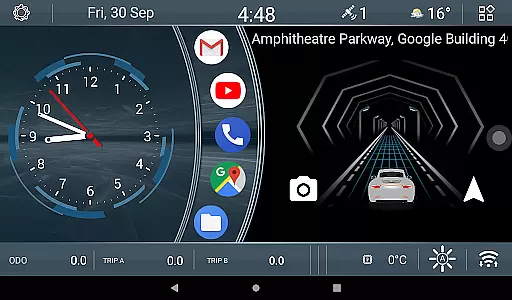
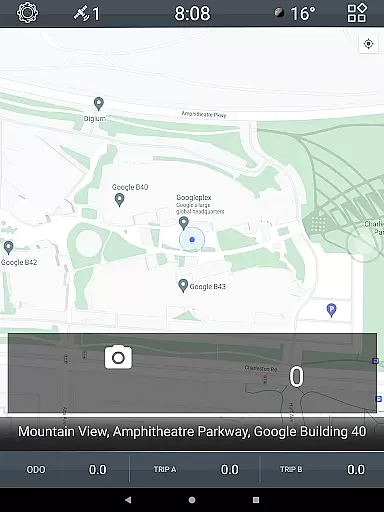
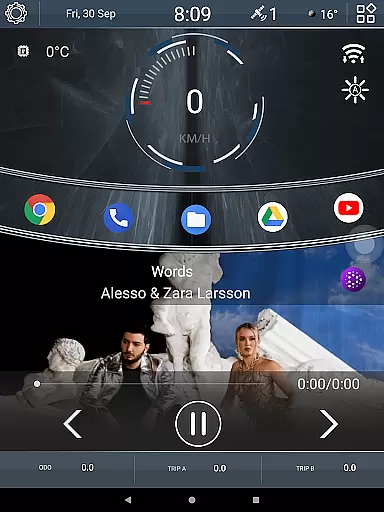

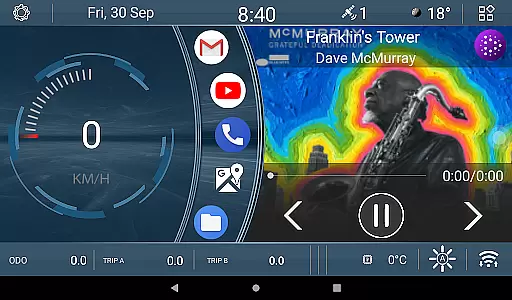
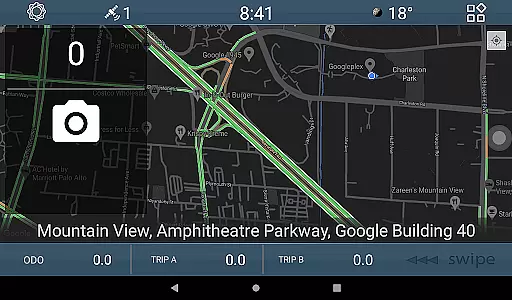
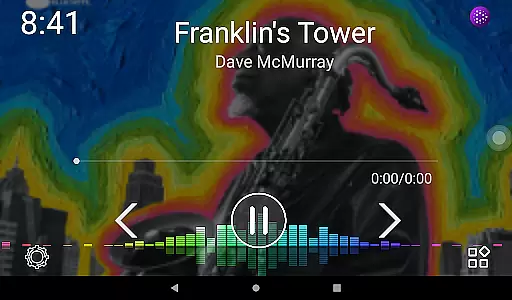
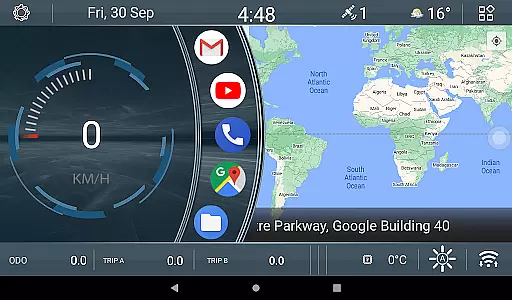
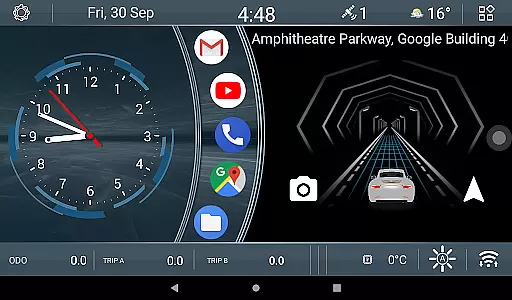
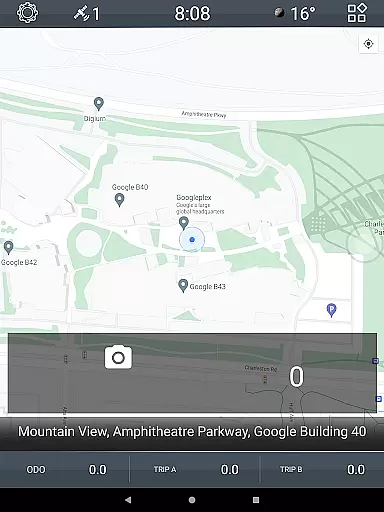
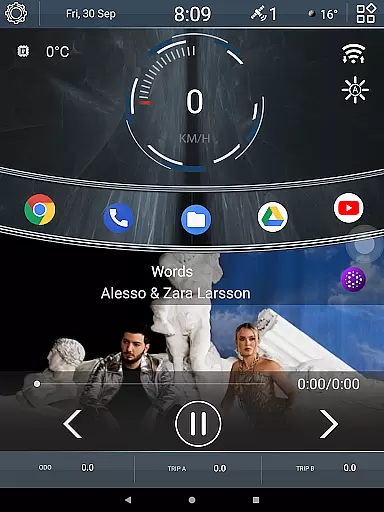

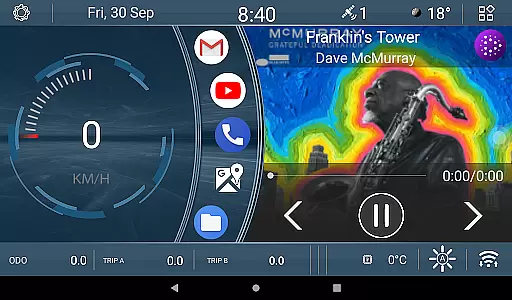
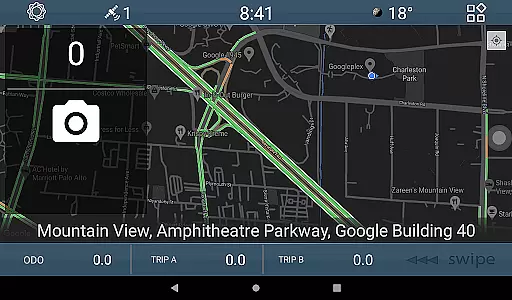
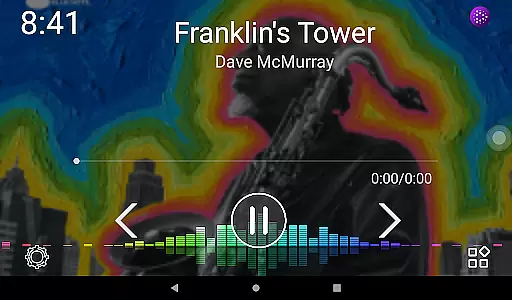
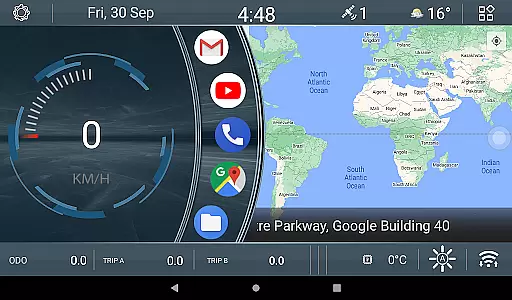
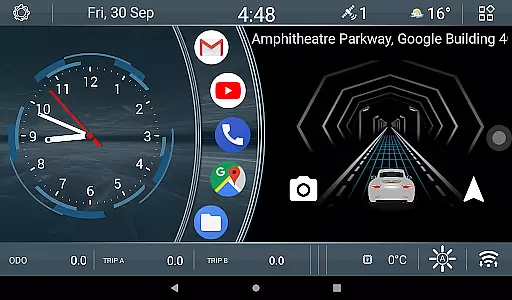
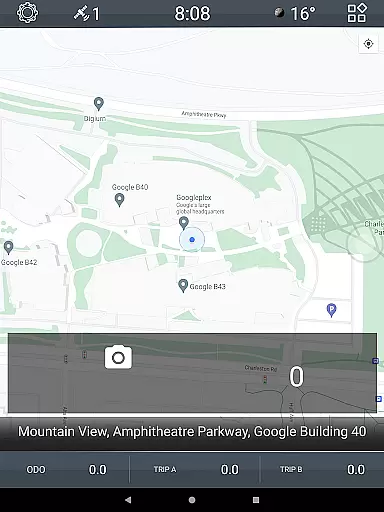
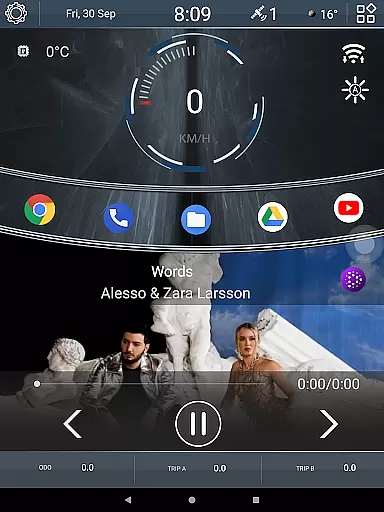

CL Theme V1 is a specialized theme designed for Car Launcher, offering users an enhanced and visually appealing interface for their in-car experience. This theme features three interactive screens that can be navigated through intuitive left-right gestures. When the map is maximized to full screen, navigation controls are conveniently relocated to a bottom bar. The theme also includes engaging widgets such as an animated car movement indicator that responds to speed changes, providing real-time visual feedback on your driving performance.
In addition to the dynamic animation widget, CL Theme V1 provides three customizable odometer widgets. These display distance traveled over different time periods - all-time, monthly, and daily. Users have the flexibility to modify these settings with a simple long-press action on the widget. This level of personalization allows drivers to tailor their dashboard according to their preferences, making every journey more enjoyable and informative.
This theme is particularly beneficial for those who spend significant time driving and desire both aesthetic appeal and functional utility from their vehicle's digital environment. By combining sleek design with practical features, CL Theme V1 transforms the standard Car Launcher interface into a sophisticated driver-centric display, enhancing both usability and entertainment value during travels.
CL Theme V1 stands out with its unique set of features tailored specifically for automotive use. One notable feature is the gesture-based navigation across three distinct home screens, allowing drivers to easily access different functions without taking their eyes off the road. When using full-screen maps, essential navigation buttons are thoughtfully positioned at the bottom of the screen, ensuring uninterrupted access to critical controls while maintaining focus on the route ahead.
The animated car widget is another highlight, dynamically responding to changes in vehicle speed. As you accelerate or decelerate, the animation reflects these variations, creating an engaging visual representation of your driving behavior. Furthermore, the inclusion of three separate odometer widgets offers comprehensive tracking capabilities. Each widget can be configured to show mileage data for various durations: lifetime, monthly, or daily. With just a long press, users can adjust these settings to suit their specific tracking needs.
These features collectively contribute to a safer and more personalized driving experience. The combination of intuitive navigation, responsive animations, and customizable tracking tools demonstrates CL Theme V1's commitment to enhancing both the functionality and enjoyment of in-car technology. By focusing on these practical yet innovative elements, the theme successfully bridges the gap between aesthetics and utility in modern automotive interfaces.
CL Theme V1 offers comprehensive details about your vehicle's performance through its innovative interface. The theme includes three functional screens that display crucial vehicle metrics.
Users can navigate between these screens using simple left-right gestures, ensuring an intuitive and seamless experience. When the map is in full-screen mode, navigation controls are conveniently placed at the bottom bar for easy access.
The application features odometer widgets that track speed over different time periods - all-time, monthly, and daily. These widgets provide valuable insights into your driving patterns and vehicle usage.
With customizable options available through long-press gestures on widgets, users have the flexibility to adjust settings according to their preferences. This level of detailed vehicle information empowers drivers with better control and understanding of their car's performance.
One of the key advantages of CL Theme V1 is its transparent approach to pricing and feature availability. Unlike many other automotive applications, this theme provides clear information about what users can expect without hidden costs.
All core functionalities, including the interactive map, animation widgets, and odometer displays, are included in the standard package. Users can enjoy complete access to these features without worrying about in-app purchases or subscription fees.
The application's description clearly outlines all available features, ensuring customers know exactly what they're getting before downloading. This straightforward pricing model helps build trust with potential users.
By offering a comprehensive set of tools for vehicle monitoring and management at a clear price point, CL Theme V1 establishes itself as a reliable choice for car owners seeking value and functionality in their automotive applications.
User-friendly interface
Dynamic speed animation
Customizable odometers
Intuitive gesture control
Enhanced driving visuals
Limited device compatibility
Premium version required
Occasional performance lag
Complex initial setup
Restricted customization options

Listings of Tesla's with FSD - Included package
 4.60
4.60
* This app needs an adapter cable and a certain OBD2 adapter to work *
4.20
Play what you want through Android Auto
4.90
Launcher for use in the car
4.40
Get your personalized financing options and shop for used cars today!
4.20
AI Powered - Automotive Mechanic Assistant
4.30
Earn and save with Fuel Rewards®
3.20
A smarter way to park and reserve your spot ahead of time.
4.40
Get price alerts, vehicle history details and more for cars near you!
4.50
Take Control of Your Car
4.80
Get more out of your AAWireless adapter with this companion app | aawireless.io
4.80
Buy and sell your boat
4.70
DMV practice test 2025: Driver License permit test & written test for all states
4.70
Find Fast EV Chargers | Charge Your Vehicle at 1,100+ Fast Car Charging Stations
4.60
Digital Car Key/Launcher, Screen Mirror, Android Dashboard, Remote Wireless Link
4.40
Car Sounds Engine Sounds app welcomes Auto Lovers to feel Car Simulator Sound
4.20
Available in select states.
4.00
Simplify your drive
3.90
The Smarter Way Forward
3.30


User Reviews