



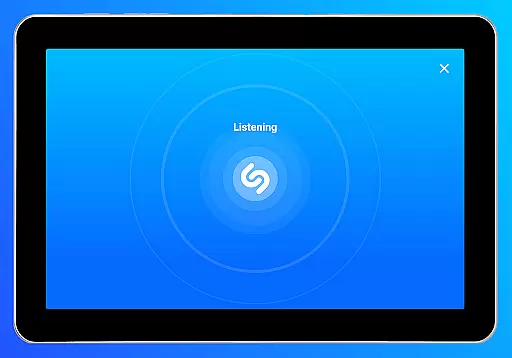


Shazam is a powerful music recognition app designed for Android Wear users. The core functionality allows you to instantly identify songs playing around you or in other apps, even while wearing headphones. With over 2 billion installs globally, this app not only recognizes tracks but also provides additional features like time-synced lyrics, artist discovery, and concert information. Whether you're commuting or exploring new music, Shazam enhances your experience by integrating with platforms such as Apple Music, Spotify, and YouTube Music.
Beyond song identification, Shazam offers offline capabilities, Auto Shazam for continuous tracking, and localized charts to discover trending music in your area. Its intuitive interface and cross-platform support make it an essential tool for any music enthusiast looking to expand their library and stay connected to the music world.
Shazam stands out with its robust feature set tailored for both casual listeners and dedicated music fans. One of its key strengths is the ability to identify songs across various scenarios—whether you're using the app directly, leveraging the Notification Bar, or utilizing the Shazam Widget from your Home Screen. This versatility ensures that no matter where you encounter music, Shazam can recognize it.
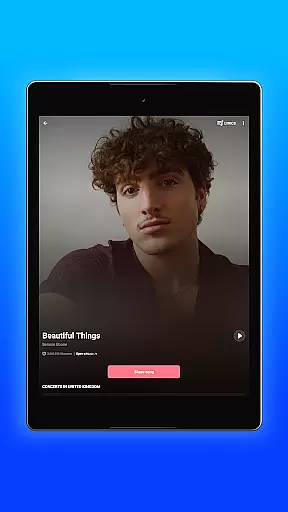
In addition to identification, Shazam enriches user engagement through time-synced lyrics, music videos via Apple Music or YouTube, and personalized recommendations. The Auto Shazam feature allows uninterrupted song detection, even when the app runs in the background. Furthermore, integration with wearable devices like Wear OS expands its accessibility, making it a comprehensive solution for discovering and managing music on the go.
Shazam offers seamless companion app integration, allowing users to identify songs across various platforms and apps. Whether you're on Instagram, YouTube, or TikTok, Shazam can recognize music playing within these apps through your Notification Bar.
The app's Auto Shazam feature continues to identify songs even when you exit the app, ensuring you never miss a track. This functionality extends to offline use as well, making it versatile for different scenarios where connectivity might be an issue.
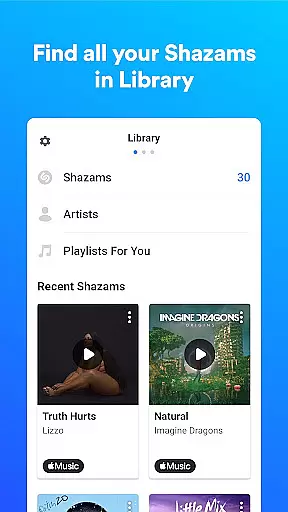
Users benefit from this integration by having a centralized location for their song history, which they can then open directly in popular music services like Apple Music, Spotify, YouTube Music, and Deezer. This interconnected ecosystem enhances user experience by streamlining music discovery and accessibility.
Shazam supports Wear OS, providing users with the convenience of identifying songs directly from their smartwatches. This compatibility ensures that whether you're commuting, exercising, or unable to reach your phone, you can still capture song information effortlessly.
The application is designed to work efficiently on wearable devices, maintaining core functionalities without compromising performance. Quick access to song identification via the Shazam Widget on your Home Screen makes interactions swift and intuitive.
This compatibility highlights Shazam's commitment to accessibility and convenience, allowing users to enjoy its features across multiple devices seamlessly. By extending its service to Wear OS, Shazam caters to tech-savvy individuals who value instant access to music recognition tools.
Instant song recognition
Offline functionality
Cross-platform support
Time-synced lyrics
Personalized recommendations
Limited offline features
Ads in free version
Regional restrictions
Occasional inaccuracies
High battery usage

Precision analog watch face with 7 complications and style options
 4.3
4.3
A heartwarming Christmas scene featuring a cute image of Santa and Rudolf
4.1
Wear Os Watch Face - Animated Snow Effect & Magic Spark - 6 Scenes
4.10
Digital watch face. For Wear OS devices.
4.40
Ideal for surviving in the wasteland left after nuclear fallout
4.50
Kia Access makes getting your vehicle information easier than ever
4.60
Hybrid Vibrant Health Watch Face for Wear OS
4.3
A white realistic classic analog watch face with many customization options.
4.40
Back up your contacts & access them anywhere
4.30
Period, ovulation & pregnancy tracker. Fertility insights & menstrual calendar.
4.90
Diet tracker for weight loss - track calories, food and macros. Simple and easy!
4.70
Rose gold watch face with festive lights & customizable features.
4.60
Fast and smart typing with Emojis, GIFs, and more
4.50
The ultimate destination for kids ages 3-8 to explore the Marvel Universe!
4.30
Snowflake Rose Gold Watch Face - Digital, modern, & sleek with GYRO effect.
4.10
Daily Weather forecast with 15 weather images for Day & Night plus Big Bold time
4.10
Stay in touch with your friends and family using LINE!
3.40
Wear Os Watch Face - Animated Snow Effect & Christmas Lights
4.2
an Analog Watch Face for winter season with freeze winter background for Wear OS
4.5


User Reviews