
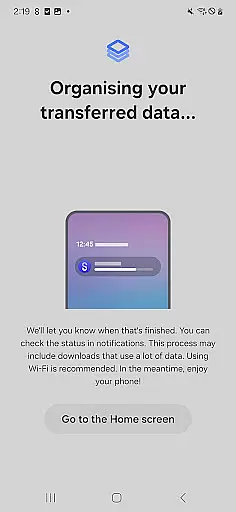
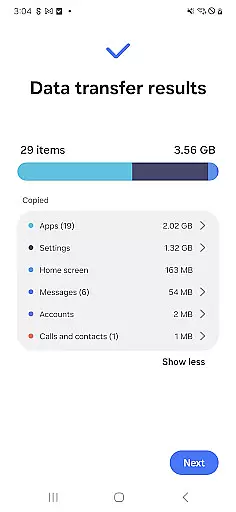

Samsung Smart Switch Mobile is a powerful migration tool designed to seamlessly transfer your digital life to a new Galaxy device. The app supports the transfer of contacts, music, photos, calendar entries, text messages, device settings, and more, ensuring a smooth transition from your old Android or iOS device.
What sets Smart Switch apart is its versatility in handling data from various sources. Android users can wirelessly transfer content from devices running Android 5.0 or higher, while iPhone users have multiple options including wired transfers using their device cable or importing data from iCloud. The app also facilitates PC/Mac transfers through iTunes integration, making it an all-in-one solution for device migration.
This application is particularly useful when upgrading within the Samsung ecosystem, as it preserves app data and home screen layouts for Galaxy devices. With support for a wide range of Android manufacturers and models, Smart Switch represents a comprehensive solution for users seeking to consolidate their digital content across different platforms and devices.
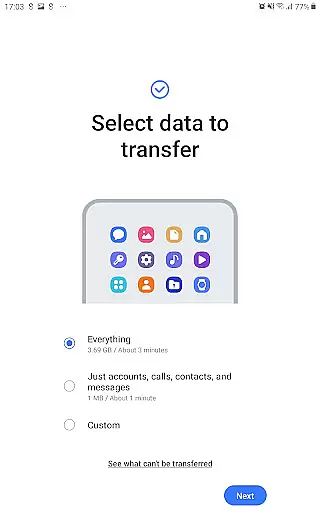
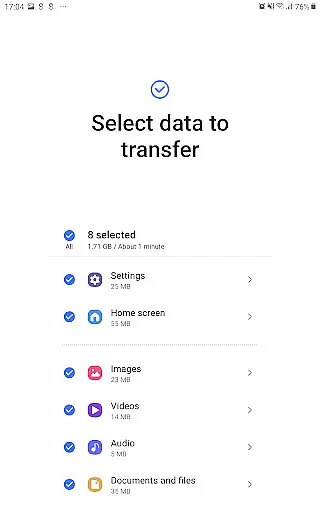
The application's feature set extends beyond basic data migration capabilities. Smart Switch offers advanced functionality such as transferring DRM-free media files, call logs, memos, alarms, Wi-Fi settings, wallpapers, and documents. For Galaxy-to-Galaxy transfers, users can even migrate app data and home screen layouts, provided both devices are running compatible versions of the operating system.
Smart Switch stands out with its intelligent app management system. When transferring from non-Samsung devices, the application not only moves existing apps but also suggests similar alternatives available on Google Play. The software maintains compatibility with recent Galaxy mobile devices and tablets (from Galaxy S2) while supporting various Android manufacturers including HTC, LG, Sony, Huawei, and others.
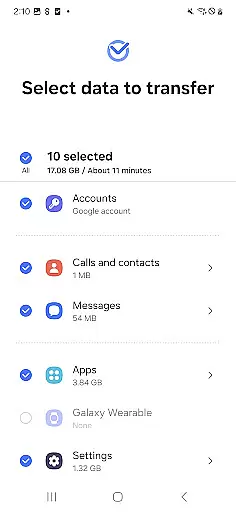
Security and reliability are built into every aspect of the migration process. The application requires specific permissions to handle different types of data, with clear explanations for each permission request. These include access to contacts, calendar, SMS, storage, and location services, ensuring that all transferred information remains secure and properly organized throughout the migration process.
Smart Switch Mobile exemplifies core function accuracy by ensuring seamless data migration across devices. The application supports a comprehensive range of data types including contacts, calendar entries, messages, and media files, all transferred with precision.
The effectiveness of Smart Switch is highlighted by its broad compatibility. It facilitates transfers from various Android devices and iOS platforms to Galaxy devices, using either wired or wireless methods. This versatility ensures users can migrate their digital lives without leaving any critical data behind.
For users upgrading within the Galaxy ecosystem, Smart Switch offers added benefits. It can transfer app data and home screen layouts, provided the new device runs on M OS or higher. This feature significantly enhances user experience by maintaining continuity in their device usage patterns.
Security and reliability are at the core of Smart Switch's operations. With required permissions for accessing different data types, the app ensures that all information is transferred safely and accurately. Users can trust that their personal and device data will be securely moved to their new Galaxy device.
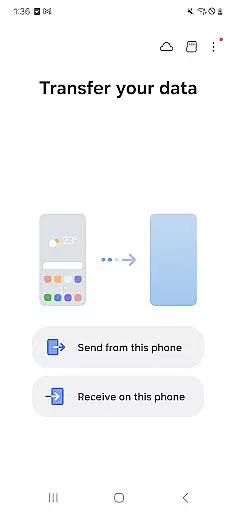
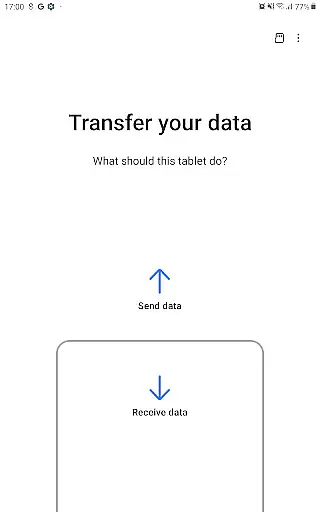
The interface design of Smart Switch Mobile prioritizes simplicity and intuitive navigation. Upon launching the app, users are greeted with clear options for the type of device they are transferring from, making the initial setup straightforward and easy to follow.
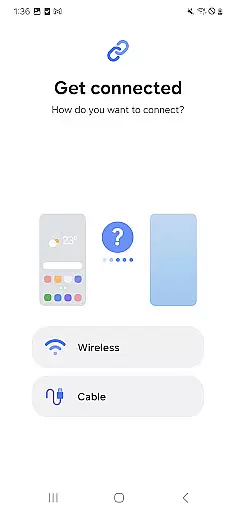
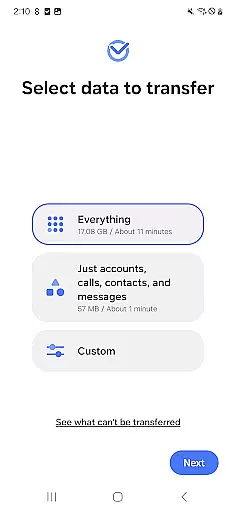
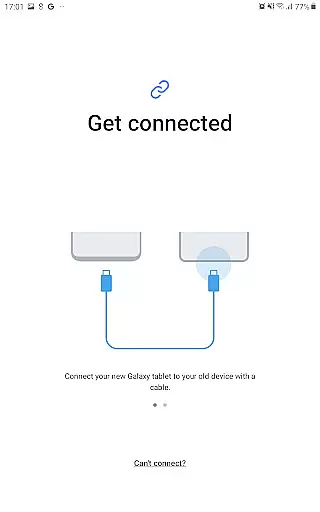
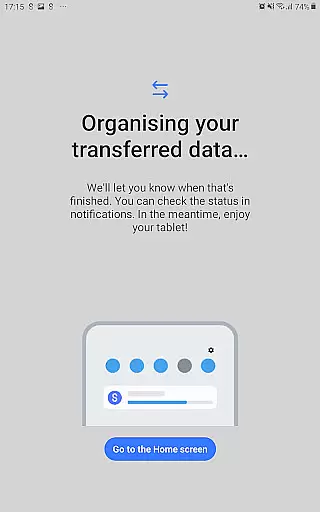
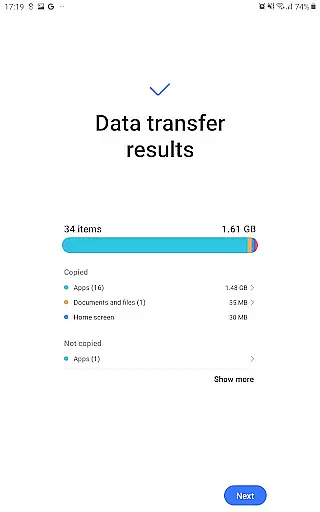
Throughout the data transfer process, Smart Switch provides step-by-step guidance. This approach eliminates confusion and ensures that users understand each phase of the migration, from connecting devices to selecting specific data categories for transfer. Such clarity is crucial for a stress-free user experience.
Smart Switch also incorporates smart suggestions for app replacements when exact matches aren't available on Google Play. This feature demonstrates an understanding of user needs beyond mere data transfer, enhancing the transition to a new device with thoughtful recommendations.
Accessibility is another cornerstone of the app's interface. By supporting multiple connection methods and providing clear instructions for each, Smart Switch caters to users of varying technical backgrounds. Whether through wired connections or wireless networks, the process remains intuitive and user-friendly.
Comprehensive data transfer options
Wide device compatibility
Intelligent app suggestions
Secure migration process
User-friendly interface
Limited iOS functionality
DRM content restrictions
Storage space requirements
Occasional connection issues
OS version limitations

 4.50
4.50 4.50
4.50
pdf merge, word to pdf, jpg to pdf, edit pdf, convert to pdf and much more!
4.20
A powerful, easy-to-use flight computer on your phone or tablet!
3.80
Just swipe the edge to do something!
4.40
Forza Tuning Calculator App for Forza Horizon 5, Motorsport and Earlier Titles
4.40
WiFi Signal Strength Meter help you detect WiFi Signal Strength in real time.
4.80
With videos, electrical calculators, and built-in ebook, Ugly’s has your answer.
4.50
Planner and Tracker for Stardew Valley
4.60
Support Fossify apps with a warm thank you!
5.00
Small and simple app to Verify Root Access and BusyBox Install!
4.70 4.50
4.50
Game Booster, GFX Tool is now compatible with newer game update
4.50
Pro Emulator is an easy to use game console emulator for a range of consoles.
4.40
Fluid navigation gestures for all of us!
4.30
View detailed information about your Nissan Leaf the dealer never shows you.
4.10
Automate everything from settings to photos, SMS to speech. ADC2 prize winner.
4.10
1-Click close all background apps on Android TV
3.90
A recovery soft,it features photo recovery, video recovery, file recovery.
3.40


User Reviews