
QR & Barcode Scanner Launcher

4.20

Information

Category:

Tools

Price:

Free

Rank:

36

Rating:

4.20

Overview

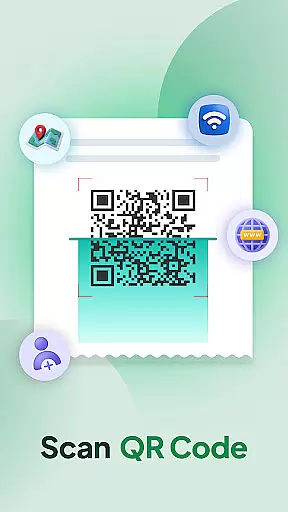
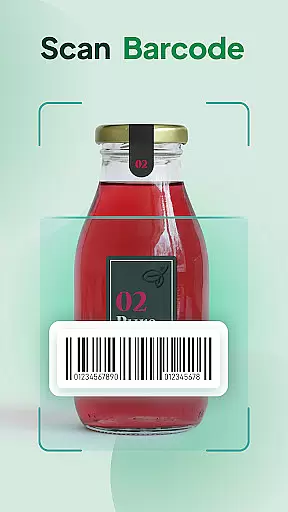
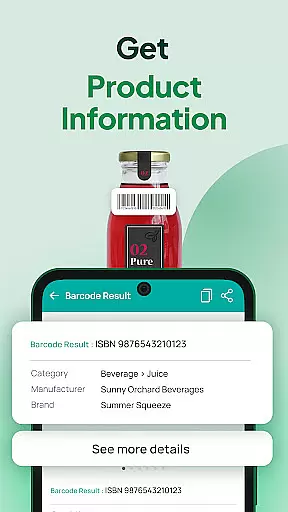
QR & Barcode Scanner Launcher is a powerful tool application that allows users to scan QR codes and barcodes with remarkable speed and accuracy. It offers a variety of features including one-swipe access, home screen widgets, personalized wallpapers, and multi-touchpoint search. This app can be used on Android devices, making it a versatile tool for scanning URLs, checking product details, or accessing information. One of the best things about QR & Barcode Scanner Launcher is its ability to provide quick, secure, and seamless user experiences. This means that users can effortlessly scan any QR code or barcode by simply swiping right from their home screen. And, if you're using QR & Barcode Scanner Launcher on your Android device, you can even enjoy added benefits like vibration or beep notifications, auto-copy to clipboard, and scan history. Overall, QR & Barcode Scanner Launcher is an excellent application for anyone looking to enhance their scanning capabilities. Whether you're interested in scanning QR codes, barcodes, or accessing detailed product information, this app is a great option.

Features

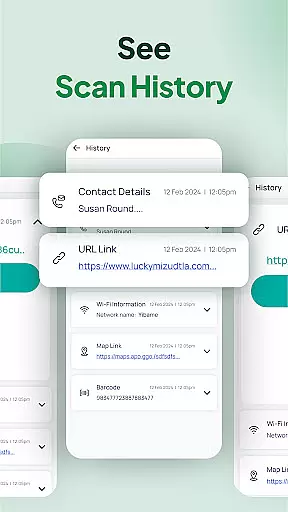
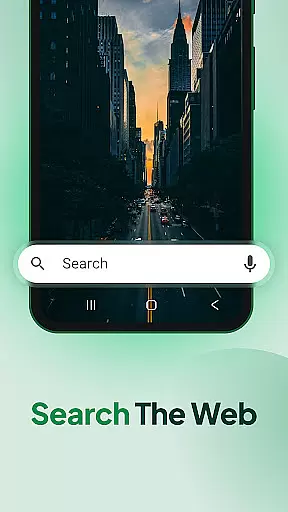
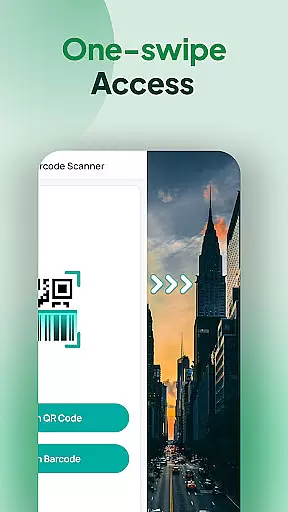
QR & Barcode Scanner Launcher is a popular app with a ton of features and customization options. Here are five of our favorites: 1. One-swipe access - Effortlessly scan QR codes and barcodes instantly by simply swiping right from your home screen. This feature ensures quick access to scanning functionalities without the need to navigate through multiple screens. 2. Home screen widget - See the time, weather, and more, conveniently on your home screen with the customized widget. This feature provides users with essential information at a glance, enhancing productivity and convenience. 3. Personalized wallpapers - Customize your home or lock screen with a wide selection of beautiful themed wallpapers. This feature allows users to personalize their devices, making them more enjoyable to use. 4. Multi-touchpoint search - Search for installed apps or the web (powered by Yahoo) from multiple access points. This feature streamlines the search process, allowing users to find what they need quickly and efficiently. 5. Scan History - Keep your scanning experience organized and efficient with the Scan History feature. This intuitive function automatically stores all your previously scanned QR codes and barcodes in one convenient location, allowing you to easily revisit important links, product details, and information whenever you need.

Core function accuracy & effectiveness

QR & Barcode Scanner Launcher stands out for its exceptional core functionality, ensuring both accuracy and effectiveness in scanning. The app leverages your smartphone's built-in camera to effortlessly decode QR codes and barcodes with precision.

This application is engineered to provide real-time results, whether you're accessing URLs, product details, or other essential information. Its advanced scanning algorithm guarantees that every scan delivers accurate data, making it a reliable tool for both personal and professional use.

Users benefit from the app's intuitive design, which simplifies the scanning process. With features like auto-copy to clipboard and instant notifications through vibration or beep, the app ensures a seamless experience. These capabilities not only save time but also enhance productivity by streamlining access to critical information.

The true value of QR & Barcode Scanner Launcher lies in its ability to combine speed with reliability. Whether you're managing inventory, tracking event invitations, or accessing Wi-Fi credentials, this app provides an efficient solution that meets diverse scanning needs.

Interface simplicity & intuitiveness

A hallmark of QR & Barcode Scanner Launcher is its commitment to interface simplicity and intuitiveness. The app offers a user-friendly experience that makes scanning accessible to everyone, regardless of technical expertise.

Upon installation, users can access the scanner with just a swipe from the home screen. This one-swipe access eliminates unnecessary steps, allowing for instant scanning of QR codes and barcodes. Additionally, the home screen widget provides quick access to essential features like time, weather, and search functionalities.

The app's design emphasizes ease of use without compromising on functionality. With customizable wallpapers and multiple touchpoints for web searches powered by Yahoo, users enjoy both convenience and personalization. These elements contribute to an engaging yet straightforward interface.

By focusing on intuitive navigation and simple controls, QR & Barcode Scanner Launcher ensures that users can harness the full power of their device's scanning capabilities without a steep learning curve. This approach enhances overall usability while maintaining high performance standards.

FAQs

What is this app and what can I use it for?

QR & Barcode Scanner Launcher is a tool application that allows users to scan QR codes and barcodes with remarkable speed and accuracy.

How do I download and install this app on my device?

To download and install QR & Barcode Scanner Launcher, visit the Google Play Store on your Android device, search for the app, and follow the installation instructions.

How do I get started after opening the app for the first time?

After opening QR & Barcode Scanner Launcher for the first time, grant necessary permissions, explore the home screen widget, and familiarize yourself with one-swipe access functionality.

What are the main features and capabilities of this app?

The main features of QR & Barcode Scanner Launcher include one-swipe access, home screen widgets, personalized wallpapers, multi-touchpoint search, and scan history.

How can I customize my experience and adjust preferences?

Customize your experience in QR & Barcode Scanner Launcher by adjusting preferences for notifications, wallpaper settings, and widget configurations.

How do I save or bookmark my favorite content for later access?

Save or bookmark your favorite content in QR & Barcode Scanner Launcher by utilizing the scan history feature to revisit important links and product details.

How can I share content with friends or on social media?

Share content with friends or on social media by scanning QR codes or barcodes and using the auto-copy to clipboard feature to paste the content wherever needed.

How do I access detailed information and explore more content?

Access detailed information and explore more content in QR & Barcode Scanner Launcher by utilizing the multi-touchpoint search feature powered by Yahoo.

What permissions does this app need and how do I manage them?

QR & Barcode Scanner Launcher needs permissions for camera access and storage to function properly; manage these permissions in your device settings.

How do I check for updates and keep the app running smoothly?

Check for updates and keep QR & Barcode Scanner Launcher running smoothly by regularly visiting the Google Play Store and downloading the latest version of the app.
Show more

User Reviews

{{ comment.reviewer_name }}
{{ comment.review_date_formatted}}
{{ comment.review_content }}
{{ tab.name }}
{{ comment.reviewer_name }}
{{ comment.review_date_formatted}}
{{ comment.review_content }}
No reviews with this rating


















