
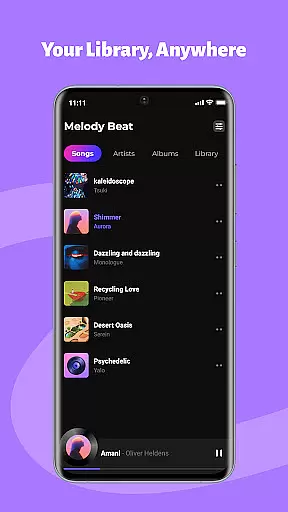
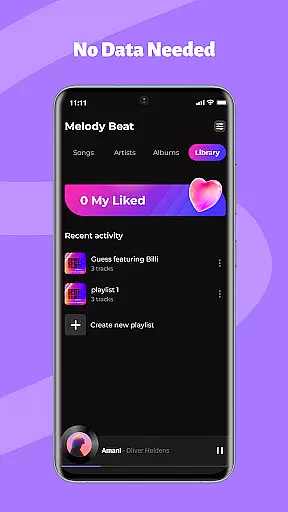
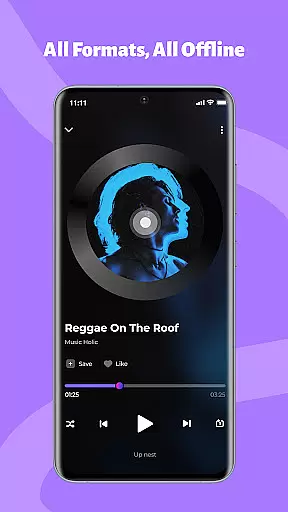
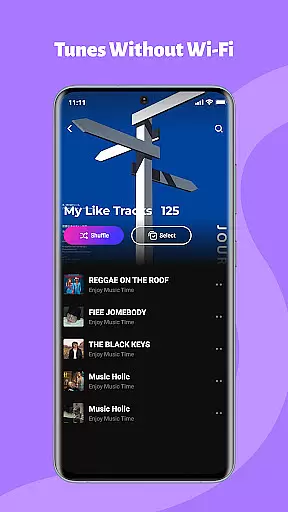
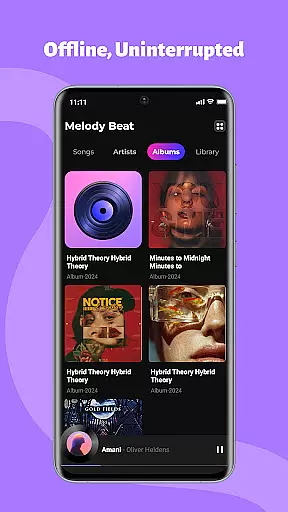
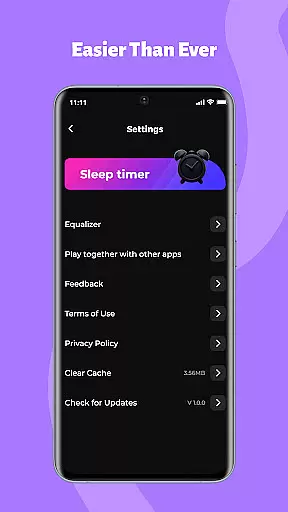
Melody Beat is a premium offline music player designed for audiophiles who value quality and control. Supporting over 30 audio formats including MP3, FLAC, and WAV, it delivers lossless playback without the need for file conversion. The app's smart library management automatically organizes your music collection by artist, album, genre, or folder, while offering seamless offline lyric support.
With its advanced equalizer featuring bass boost, virtualizer, and multiple presets, users can customize their listening experience to match their preferences. Designed for various lifestyles, Melody Beat ensures uninterrupted playback during travel, workouts, or commutes. Its privacy-first approach guarantees that all music files remain local, providing a secure and subscription-free experience.
Melody Beat stands out with its universal format compatibility, supporting more than 30 audio formats without compromising quality. The smart library management system simplifies music organization through automated sorting and quick filter options, ensuring effortless navigation. Its professional-grade equalizer offers customizable sound profiles, including specialized modes for Pop, Rock, Jazz, and Classical genres.
The app provides uninterrupted background and lockscreen playback, allowing users to control music directly from notifications. Whether you're traveling, working out, or commuting, Melody Beat adapts to your needs with features like offline lyric support and persistent notification controls. Regular updates ensure continuous improvement, bringing new functionalities and enhanced performance to deliver an unparalleled music experience.
When it comes to music applications, the size and authenticity of the music library are crucial factors. Melody Beat offers an extensive collection of tracks in over 30 formats including MP3, FLAC, WAV, and AAC, all with lossless quality. This vast array ensures that users have access to a diverse range of music without the need for format conversion.
The application's commitment to copyright authenticity is evident through its local storage approach. All files are stored directly on the user's device, ensuring that there is no unauthorized cloud storage or data tracking. This not only respects the intellectual property rights of artists but also provides peace of mind to users who are concerned about privacy.
Melody Beat's smart library management system automatically organizes music by artist, album, genre, or folder, making it easy for users to find exactly what they're looking for. The inclusion of lyrics support further enriches the listening experience, allowing users to sing along even without an internet connection.
Audio quality is paramount for any music enthusiast, and Melody Beat excels in providing superior sound customization options. With a professional equalizer, bass boost, virtualizer, and pre-set modes for various music genres such as Pop, Rock, Jazz, and Classical, users can tailor their listening experience to match their preferences perfectly.
The app supports high-quality audio formats, which means listeners can enjoy their music in the best possible fidelity. Whether you're using high-end headphones or standard earbuds, Melody Beat ensures that every note is crisp and clear.
Moreover, the background and lockscreen playback feature allows uninterrupted music enjoyment while saving battery lifeu2014an essential aspect for those long commutes or workouts. Control your music directly from the notification bar or lockscreen, ensuring convenience without compromising on audio quality.
Lossless audio playback
Smart library organization
Advanced equalizer presets
Offline lyric support
Privacy-focused design
No cloud streaming
Limited social features
Manual library updates
No built-in radio
Android only

The Skullcandy App Experience
 3.20
3.20
Full-featured, High-Quality Groovebox Workstation, perfect for Live Performance!
4.80
Your song collections with lyrics and chords on Android smartphones and tablets.
4.80
The ultimate media player for Android devices
3.90
Music Streaming suite for Ampache, Nextcloud Music and compatible backends.
4.5
Help you quickly get started with Shokz headphones
4.40
Full featured mp3 and audio player with Chromecast and Android Auto support.
4.40
Offline Tunes, Unlimited Vibes
3.90
Travel To The Music Universe
3.40
Tune in to the greatest hits on UK Radio | The home of Capital, Smooth & Heart.
4.90
Voice recorder - Audio recorder. Best recorder for recording
4.90
More downloads than any other metronome. Includes drum machine & tempo trainer.
4.80
Listen to live FM radio stations, sports, music and news on global radios online
4.70
Recording studio w/ 10k beats, pro vocal FX and a network of 20M rappers & fans!
4.60
Reverse your voice & songs instantly! Fun singing challenge with cool effects.
4.60
DJ Music Mixer Pro is a real DJ controllers and DJ Music Studio to remix DJ.
4.40
USB audio recording and playback finally possible on Android 3.1 or higher!
3.90
Slow music down without changing pitch.
3.70
Control your MIDI USB or Bluetooth devices in app and avoid some trampling
3.30


User Reviews