
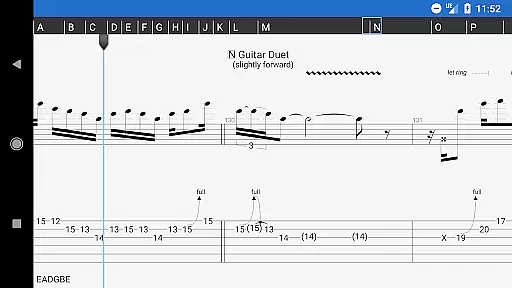
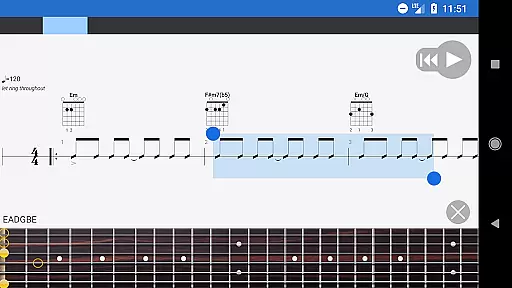
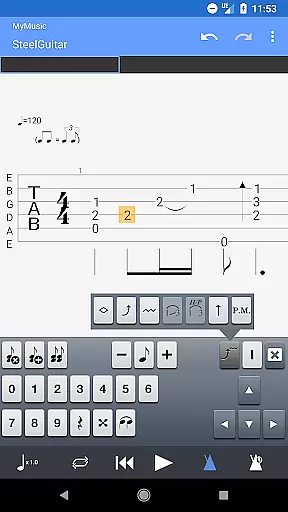
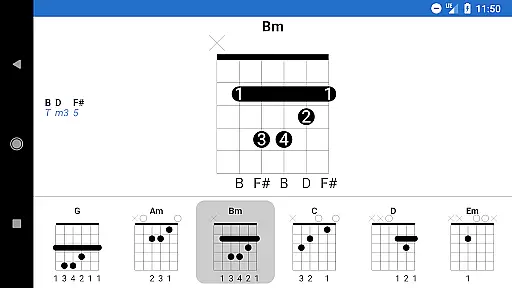
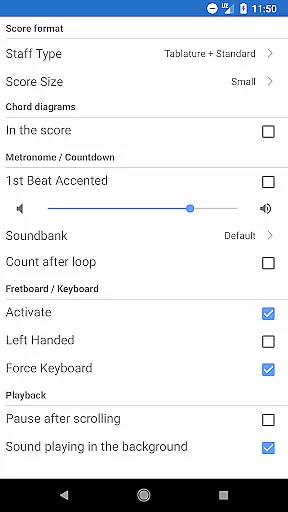
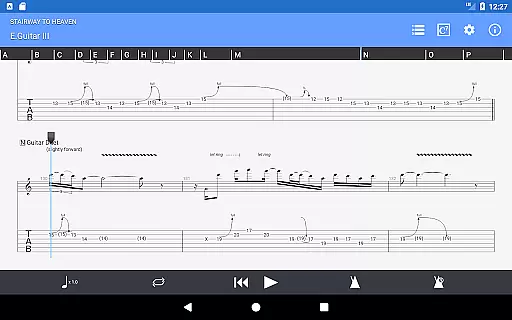
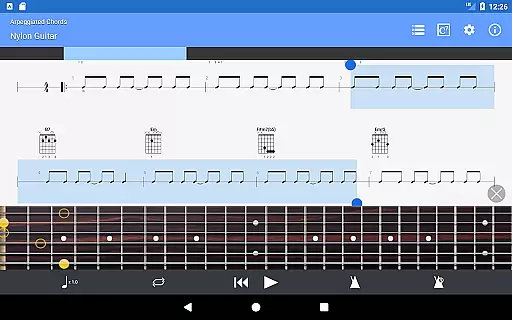
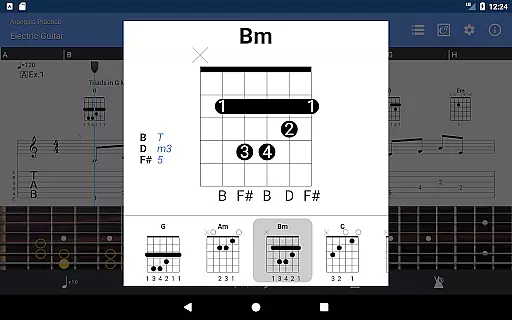
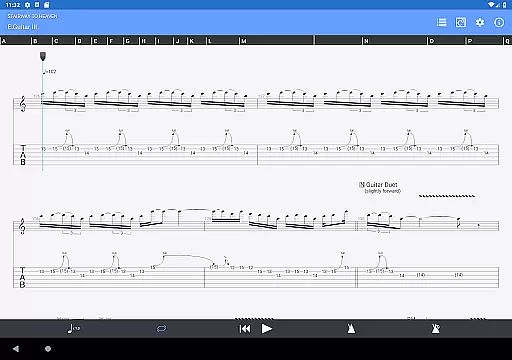
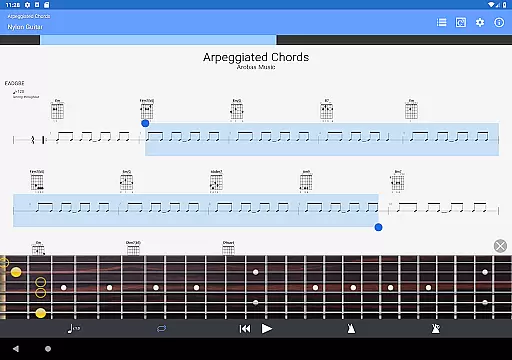
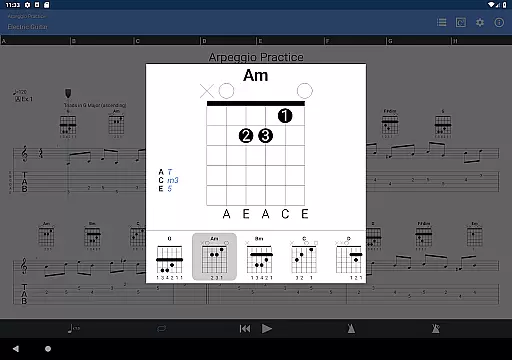
Guitar Pro is a comprehensive mobile application designed specifically for musicians who want to create, edit, and play back guitar tablatures directly on their devices. The app supports multiple file formats including GP3/4/5/6/7/8 (.gp), making it versatile for various users. With its powerful score player, users can view tabs with rhythms, slash notations, and standard notations, ensuring an authentic representation of music pieces.
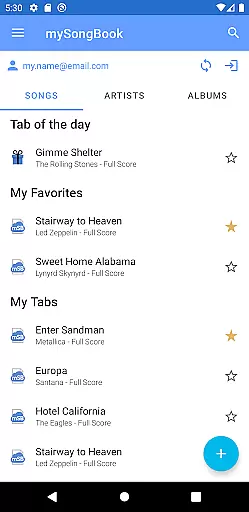
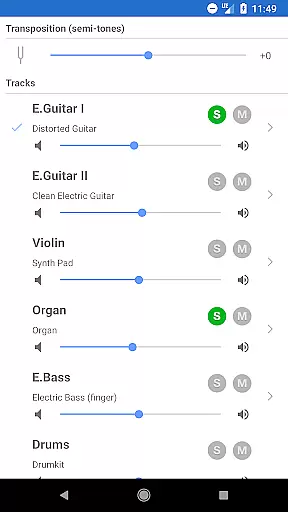
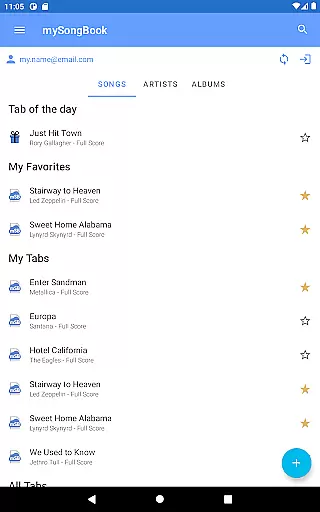
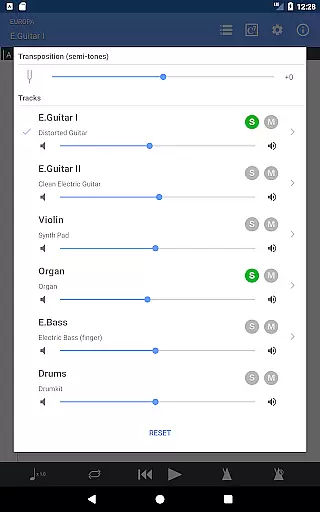
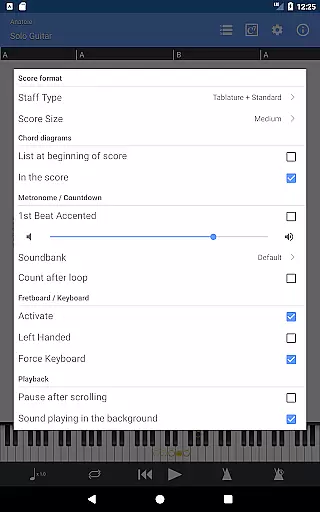
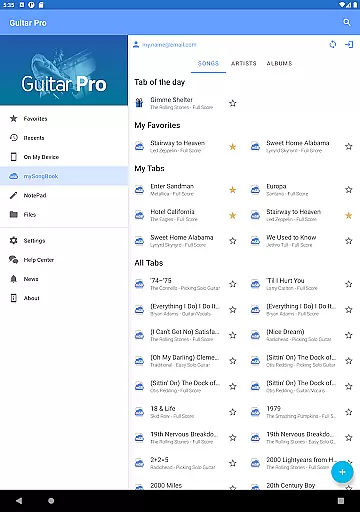
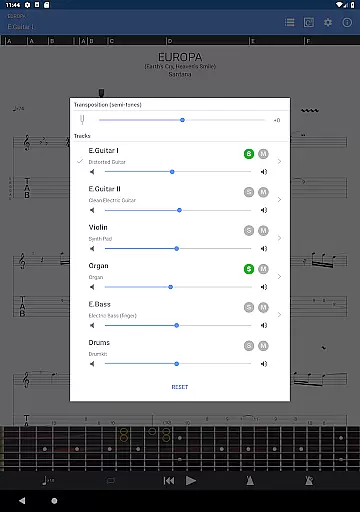
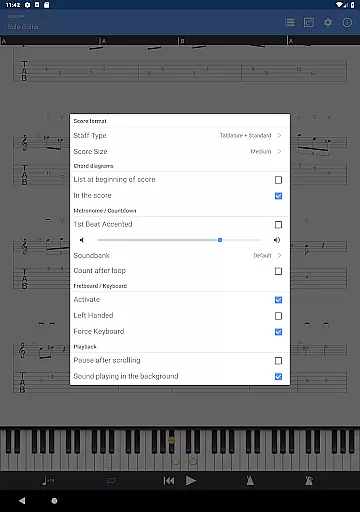
One of the standout features of Guitar Pro is its compatibility with the mySongBook portal, which provides access to a vast library of sheet music (subscription required). Additionally, the integrated sheet-music library includes search, filter, and favorite functions, enhancing user experience. The multitrack player comes with a soundboard that allows adjustments in volume, solo/mute options, and soundbank selections. Other notable functionalities include a metronome, visual countdown, zoom levels, fretboard display for both right- and left-handed players, and virtual keyboard support.
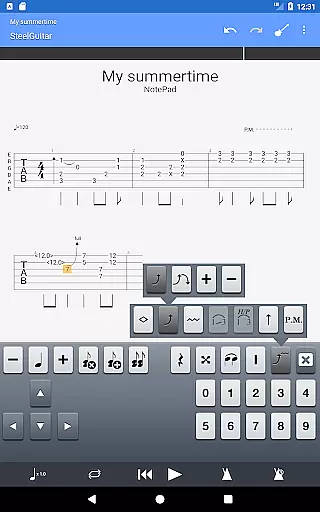
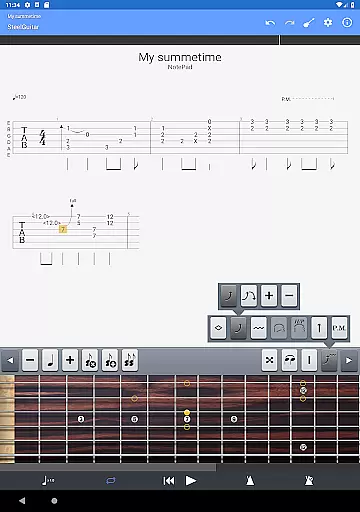
The NotePad tool within the app enables users to create single-track tablatures for instruments like guitar, bass, banjo, ukulele, and mandolin. It supports 4- to 8-string instruments and offers 19 built-in sounds along with customizable tuning and tempo settings. Users can export their compositions into Guitar Pro 6 and 7 formats, allowing further refinement on desktop versions. Whether you're practicing your favorite songs or jotting down new musical ideas, Guitar Pro serves as an indispensable tool for musicians on the go.
Guitar Pro stands out due to its extensive feature set tailored for musicians. One of its primary strengths is the robust score player, which supports multiple file formats such as GP3/4/5/6/7/8 (.gp). This ensures that users can open and play a wide range of tablature files seamlessly. The app also provides detailed notation views, including tablature with rhythms, slash notations, and standard notations, catering to different preferences and requirements.
Another significant feature is the compatibility with the mySongBook portal, offering users access to a vast repository of sheet music. While a subscription is needed for full access, the ability to load files via WiFi, web browser, and email adds convenience. The integrated sheet-music library enhances usability with search, filter, and favorite functions. Moreover, the multitrack player includes a soundboard where users can adjust volumes, apply solo/mute settings, and choose from various soundbanks, providing a rich audio experience.
The NotePad tool is another highlight, enabling users to craft single-track tablatures for several stringed instruments. It supports 4- to 8-string configurations and offers 19 built-in sounds. Customizable tuning and tempo settings allow for personalized compositions. Furthermore, the capability to export projects into Guitar Pro 6 and 7 formats facilitates continued work on desktop platforms. These features collectively make Guitar Pro a versatile and powerful tool for musicians seeking to compose and practice efficiently.
Guitar Pro offers an extensive music library that supports GP3/4/5/6/7/8 file formats, ensuring compatibility with a wide range of tablature files. This vast library is further enriched by integration with the mySongBook portal, which provides access to additional sheet music, although a monthly subscription is required for full access.
The app allows users to load files via various methods including WiFi, web browser, and email. This flexibility ensures that musicians can easily import their preferred tabs and practice them on the go. The built-in search, filter, and favorites functionality within the integrated sheet-music library makes it simple to organize and retrieve music scores.
Copyright authenticity is taken seriously, as Guitar Pro enables musicians to work with officially licensed content from mySongBook. This means users can trust the legitimacy of the sheet music they are accessing and practicing with, providing peace of mind while engaging with their favorite songs.
While the Guitar Pro mobile application does not support the audio track feature available in its desktop counterparts for Windows and Mac, it still delivers robust audio playback capabilities. Users can play local Guitar Pro files with included audio tracks, though the audio track itself won't be displayed or played within the app.
The NotePad tool allows for the creation of single-track tablatures for various stringed instruments, complete with 19 built-in sounds. These sounds offer a satisfactory representation of how compositions will sound when fully produced on a desktop version of Guitar Pro, thus aiding in the creative process.
For those seeking high-quality audio output, compositions started on the mobile app can be exported in Guitar Pro 6 and 7 formats. This export feature enables musicians to continue refining their work on the desktop version, where advanced audio settings and features such as VST instruments and effects can be utilized to achieve professional-grade audio quality.
Comprehensive tablature support
Versatile file format compatibility
Integrated sheet-music library
Multitrack player with soundboard
NotePad tool for composition
No audio track editing
Limited notation editing
Subscription required for full access
Export limited to specific formats
Drum track editing unavailable

Simple & Intuitive Metronome
 4.70
4.70
Next generation modular control surface
4.10
Enjoy singing any song, no matter how high or low it is
4.30
Offline Music Player&MP3 Player with themes, equalizer, lyrics, music play mode
4.60
Sheet music reader, piano & music note player. Play music score & learn to read.
3.90
Master Salsa Rhythm quickly and with a lot of fun!
4.30
Ringtone Maker is free app create ringtone from music files or your recording.
4.40
Travel To The Music Universe
3.40
Play your music offline without limits
4.80
JBL PartyBox APP works with 110/310/710/120/320/520/Encore/Encore 2/Encore Ess 2
4.80
Play your hearts out on TouchTunes jukeboxes & connect with fellow music lovers.
4.80
Performance-Synthesizer & Multi-Track-Sequencer, polyphonic + multi timbral!
4.70
Walkout Song DJ is the most intuitive app to manage your sports music.
4.70
Taal player that lets you sing any Indian & Western song with Tabla & Tanpura
4.60
AI Music Maker: Generate And Compose AI Tunes & AI Songs & AI Music & AI Melody!
4.60
A complete sound package for the sound engineer or enthusiast
4.60
Learn and play 2M+ music tabs & chords on guitar, ukulele, bass, and more
4.30
The alternative folder based music player.
4.20
Learn to play the piano using falling notes!
3.80


User Reviews