
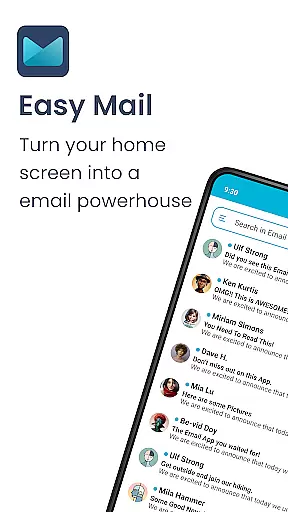
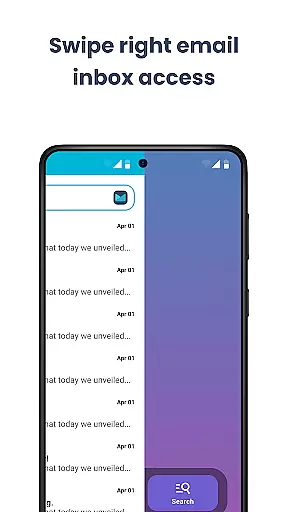
Easy Mail is a productivity-focused email launcher that simplifies your daily communication by bringing emails directly to your homescreen. With its clutter-free interface, the app eliminates unnecessary distractions, allowing you to focus on what matters most. The average person spends over two hours managing their emails, but Easy Mail streamlines this process with an intuitive design and unified inbox system.
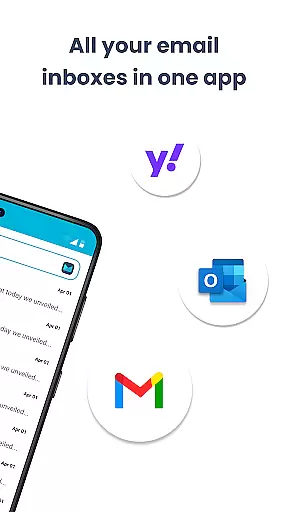
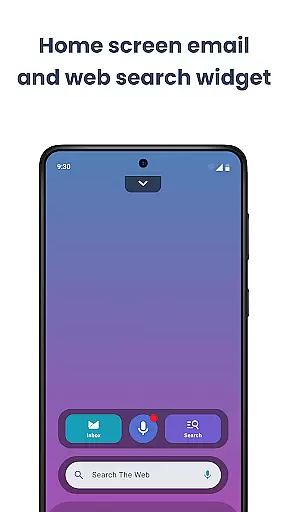
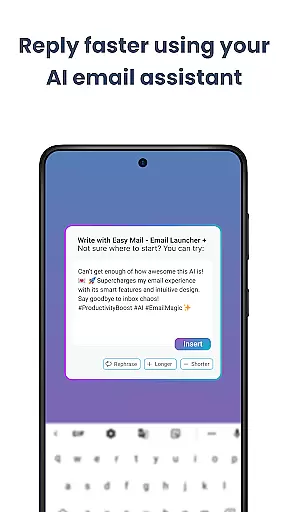
The app supports unlimited email accounts from providers like Gmail, Outlook, and Yahoo, offering both consolidated and individual account views. Its AI-powered assistance helps users write emails more effectively by rephrasing or polishing text while maintaining a natural tone. Additionally, the built-in web search feature powered by Yahoo Search allows for quick information lookup without leaving your inbox. Designed with privacy in mind, Easy Mail ensures all your data stays local and secure.
Easy Mail offers a comprehensive suite of features designed to enhance email management. The app's homescreen is meticulously crafted for productivity, presenting a clean layout centered around your inbox. This minimalist approach removes unnecessary elements, providing a focused environment for handling emails efficiently.
One standout feature is the support for unlimited email accounts. Whether you use Gmail, Outlook, or other providers, Easy Mail consolidates all your inboxes into one easy-to-navigate feed. The AI Email Assistance tool is another highlight, enabling users to refine their email content effortlessly. It can rephrase, shorten, or polish messages while preserving the sender's original tone. Privacy is prioritized, ensuring that your email data remains confidential and local. Moreover, the integrated web search functionality allows users to find information quickly, enhancing overall productivity.
Additional features include an organized app drawer, widget support, and a content feed for news and entertainment. These elements work together to create a seamless experience that extends beyond just email management, making it an essential tool for anyone looking to simplify their digital life.
Customization is at the heart of Easy Mail, offering users a versatile and personalized email management experience. The app provides a clean homescreen built specifically around mail and productivity, ensuring that your workspace remains uncluttered and focused on what truly matters.
With the ability to add unlimited email accounts from providers such as Gmail, Outlook, and Yahoo, you can tailor your inbox exactly how you want it. Whether you prefer a unified inbox for all your emails or separate views for different accounts, Easy Mail adapts to your unique workflow with just a tap.
The AI Email Assistance feature further enhances customization by allowing you to rephrase, shorten, or polish your messages while retaining your natural tone. This ensures that every email you send is crafted precisely according to your preferences and style.
Moreover, the launcher includes essentials like an organized homescreen, quick access to the email inbox, app drawer, widget support, and even trending content. These elements combine to create a highly customizable environment where managing emails becomes not only simple but also enjoyable.
Easy Mail excels in theme compatibility, providing users with a visually consistent and aesthetically pleasing interface. The app's design philosophy centers around creating a clutter-free homescreen that aligns perfectly with various themes, enhancing both functionality and visual appeal.
Users can enjoy seamless integration with their preferred themes without compromising on performance or aesthetics. Whether you favor a minimalist look or something more vibrant, Easy Mail adjusts effortlessly to match your chosen theme, ensuring a harmonious user experience.
In addition to its adaptable appearance, Easy Mail supports essential features like widget integration and an organized app drawer. This means that regardless of the theme applied, all functionalities remain easily accessible and visually coherent, maintaining a high standard of usability.
By prioritizing theme compatibility, Easy Mail ensures that every user enjoys a personalized yet consistent interface. This attention to detail makes certain that whether you're checking emails, searching the web, or accessing apps, the transition between tasks is smooth and visually engaging.
User-friendly interface
Unified inbox view
AI-powered assistance
Privacy-focused design
Integrated web search
Limited customization options
No advanced filtering tools
Occasional sync issues
Basic widget functionality
Fewer third-party integrations

A retro cartoon style watch face and a punch right in the face of the copyright
 4.60
4.60
3D, live, and moving wallpapers & themes in 4K and HD for your device.
4.50
Want to make your phone more special than ever?
4.60 4.50
4.50 4.50
4.50
⭐ OneUI inspired Fluffy Icon Pack – Soft. Stylish. Standout. ⭐
4.5
300+ Beautifully crafted widgets inspired by OneUI.
4.60
350+ widgets with a premium glass-style finish, perfect for home & lock screens.
4.70
Create unique, fun emojis with Funny Emoji Maker! Unlimited creativity!
4.00
Winter's Journey: digital watch face for Galaxy Watch & Wear OS
4.80
Customizable Glass widgets. Over 360+ stunning widgets and more!
4.70
300+ Stunning and well-designed widgets inspired by NOTHING.
4.70
Add cute Shimeji pets to screen, interact with them and relax with cute motions
4.60
Transform your phone with Launcher iOS 26 - Smooth & elegant iOS experience
4.50
Aesthetic Widgets, HD Wallpapers, Themes in Mico Widget for Home and Lock Screen
4.50
Color phone with cool effects for call screen, flash alert & ringtones music
4.50
Fingerprint Lock Screen & Live Animations with 4K Wallpapers as Live Wallpaper
4.40
Run multiple accounts of the same app on a single device
4.10
Prank your friends with realistic broken screen and cracked HD effects!
4.3


User Reviews