

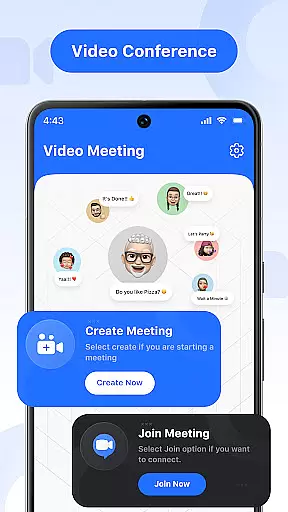

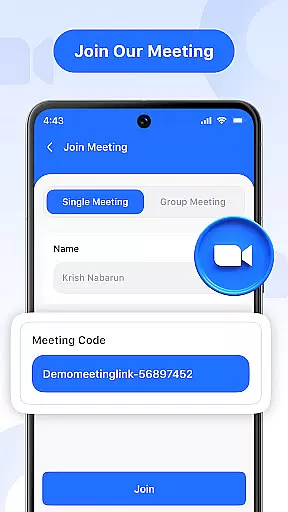
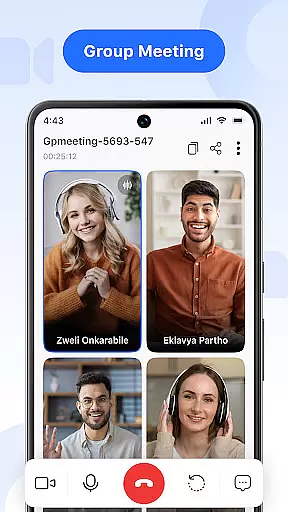

Video Meeting is a cutting-edge video conferencing app designed to enhance virtual communication and collaboration. With crystal-clear HD video calls, real-time interaction, and seamless screen sharing, it caters to both professional and personal needs. The app supports various meeting formats, from one-on-one chats to group hangouts, making it versatile for business meetings, project discussions, or casual catch-ups.
Key features include instant meeting hosting, secure code invitations, real-time chat, and multi-language support. Whether you're leading a team discussion, conducting virtual classrooms, or connecting with friends, Video Meeting ensures a smooth and productive experience across different scenarios.
This app is particularly valuable for remote teams and global collaborators who need reliable communication tools. By providing encrypted access and flexible meeting controls, it delivers both security and convenience, helping users stay connected regardless of location.
Video Meeting stands out with its comprehensive feature set tailored for modern communication needs. The app allows users to instantly host meetings and join sessions through secure codes or shared links, ensuring quick and protected access. Its real-time chat functionality enables seamless messaging without disrupting ongoing calls, while audio and video controls provide the flexibility to manage personal preferences during conversations.
One of the standout capabilities is its robust screen sharing feature, which lets users present documents, slides, or applications with ease. This is complemented by options like muting/unmuting audio and toggling video on or off based on individual comfort levels. Additionally, the app offers multi-language support, breaking down communication barriers for international teams.
The user-friendly interface combines simplicity with powerful functionality, making it accessible for everyday users while still delivering advanced tools for professionals. These features collectively create an efficient platform that adapts to diverse use cases, from business meetings to social interactions.
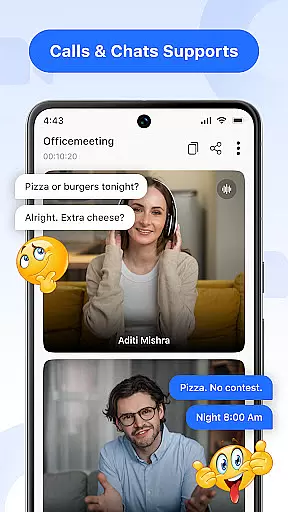
Real-time messaging speed and reliability are crucial for effective communication in video conferencing applications. This feature ensures that messages are delivered instantly and consistently, without delays or failures.
Video Meeting app excels in this area by providing a robust infrastructure that supports uninterrupted message delivery. Whether you're sending a quick text during a meeting or sharing important updates, the app guarantees that your messages reach the recipients immediately.
The benefit to users is significant. With reliable messaging, participants can engage in seamless discussions, ask questions, and provide feedback without interrupting the flow of the meeting. This enhances collaboration and ensures that everyone stays informed and engaged throughout the session.
Moreover, the app's real-time messaging system is designed to handle high volumes of traffic, making it suitable for both small team meetings and large-scale webinars. This scalability ensures that the messaging feature remains fast and dependable, regardless of the number of participants.
Media sharing support in video conferencing apps allows users to share various types of content, such as images, videos, and documents, enhancing the collaborative experience. This feature is essential for presentations, training sessions, and creative collaborations.
Video Meeting app offers comprehensive media sharing capabilities. Users can easily share their screens, present slideshows, or showcase multimedia files during a call. The app supports multiple file formats, ensuring compatibility and ease of use.
This functionality provides immense value to users. It enables them to deliver engaging presentations, conduct interactive workshops, and collaborate on projects more effectively. By integrating media sharing into the video call, participants can communicate ideas more clearly and efficiently.
In addition, the app ensures that media sharing is secure and private, protecting sensitive information from unauthorized access. This makes it an ideal choice for businesses and educational institutions that require confidentiality and data protection during virtual meetings.
User-friendly interface
HD video quality
Secure meeting access
Real-time messaging
Multi-language options
Limited free features
Occasional lags
No offline mode
Premium subscription cost
Device compatibility issues

Fast and simple walkie talkie app
 4.20
4.20
Call Forwarding is easy and simple application to use.
3.80
The ultimate productivity solution for all your email communication needs.
4.40
WazzapMigrator: transfer your WhatsApp history from iPhone to Android
4.00
A softphone with crystal clear SIP Calling & Reliable VoIP dialer
4.00
Use this SMS app standalone or as a TREK: Total Interface companion.
4.30
Stay in touch with the people who matter most.
4.60
Get through your inbox faster with the mail app designed to simplify your life.
4.40
Build your web browser around you with private search, and more.
4.60
Enhance browsing with AI-powered features and Copilot.
4.70
Identify unknown numbers, block spam calls, customize calls with cool themes.
4.60
Welcome to the future of phone service.
4.60
Simplify texting with Messages SMS, offline messaging, themes & smart tools!
4.30
Enjoy secure messaging & calling. Safe Messenger: group chats, calls, messages.
4.20
SMS Messenger is a lightning-fast messaging app.
4.20
Fast Dialer & Contact Manager with Caller ID and Spam Protection
4.00
Messages is Private SMS Messenger 2023 with text message, instant messaging.
4.00
Telegram is a messaging app with a focus on speed and security.
4.00
Manage and Fund Calling Accounts and Schedule and Join Video Sessions
3.60


User Reviews