


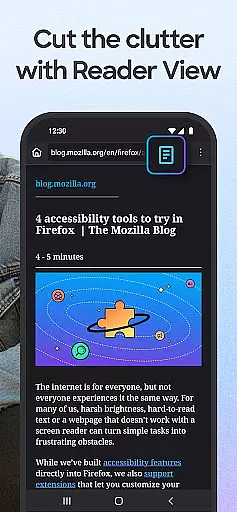
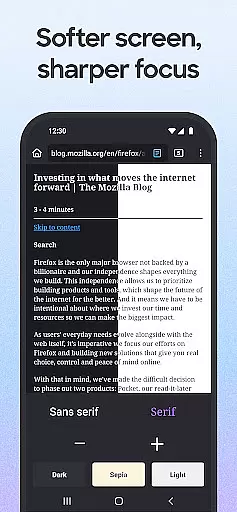
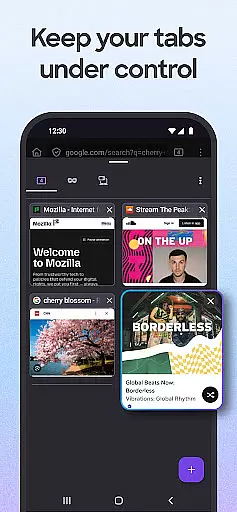
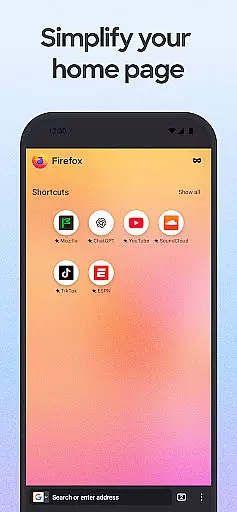
Firefox Fast & Private Browser is a top-tier communication tool designed to provide users with a secure and customizable browsing experience. As a privacy-focused browser, Firefox offers automatic tracker blocking, enhanced tracking protection, and private browsing modes that ensure your online activities remain confidential. The browser allows you to manage passwords efficiently across devices when synced with your Mozilla account, making it an essential tool for both personal and professional use.
In addition to its robust security features, Firefox stands out with its user-friendly interface. The easy-to-use tab system lets you organize multiple tasks seamlessly, while the innovative search engine options enable quick access to your favorite sites. With helpful add-on extensions, dark mode for battery saving, and video pop-out features, Firefox empowers users to tailor their browsing experience according to their preferences. Whether you're at home or on the go, Firefox ensures a fast, secure, and enjoyable browsing session every time.
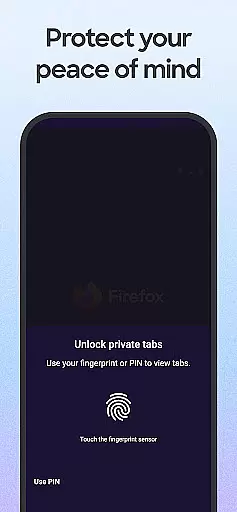
Firefox Fast & Private Browser boasts an impressive array of features that cater to various user needs. One of its standout capabilities is the automatic tracker blocking, which prevents social media trackers, cross-site cookie trackers, and other invasive scripts from monitoring your online behavior. This feature, combined with enhanced tracking protection, provides users with peace of mind knowing their data remains private.
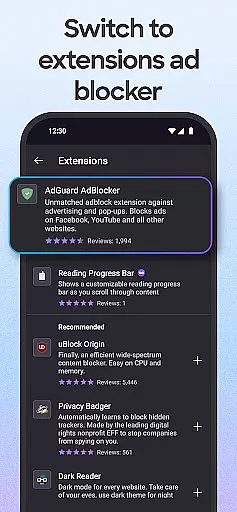
The browser also excels in customization options. Users can choose their preferred search engine, install ad blocker extensions, and even adjust the search bar location for one-handed navigation. Additionally, Firefox's password management system simplifies login processes by remembering credentials across synced devices. Its tailored search engine options, including suggestions and previously searched results, further enhance the browsing experience by offering quick access to frequently visited sites.
For those seeking convenience and multitasking capabilities, Firefox delivers with its unique functionalities. The browser supports video pop-outs, allowing you to watch videos while using other apps. Its sharing feature enables quick distribution of web pages or specific items on a page through recently used apps. Moreover, the Firefox Home Screen provides easy access to bookmarks, top sites, and popular articles, ensuring you stay informed and organized throughout your browsing journey.
Real-time messaging speed and reliability are crucial for a seamless communication experience. Firefox Fast & Private Browser ensures that your interactions with web applications, chats, and other real-time services remain smooth and uninterrupted.
The browser's optimized performance architecture minimizes latency by efficiently managing network requests. This means that whether you're participating in an important work chat or engaging with friends on social media platforms, messages appear instantly without delays.
Firefox also prioritizes connection stability. By intelligently handling intermittent connectivity issues, it prevents disruptions during critical conversations. Users can rely on consistent message delivery even when switching between different networks or experiencing brief signal losses.
Moreover, the enhanced tracking protection does not compromise speed; instead, it contributes to faster page loads which is essential for dynamic content updates like live chats. With these features combined, Firefox delivers dependable real-time messaging capabilities while maintaining user privacy and security.
Media sharing support within a browser enhances user engagement by allowing easy distribution of photos, videos, and documents across various platforms. Firefox Fast & Private Browser excels in this area through its intuitive interface designed to facilitate quick media transfers without compromising quality or privacy.
With just a few taps, users can share links directly from their browsing session to recently used apps. This streamlined process makes collaborating on projects or simply sharing interesting finds effortless and efficient. The ability to send specific items on a webpage ensures precise communication tailored to the recipientu2019s needs.
Security remains paramount during media exchanges. Even when using private browsing modes, all shared data maintains encryption standards ensuring safe transmission over the internet. Additionally, customizable settings let users control what information gets sent alongside shared contentu2014offering peace of mind regarding personal details exposure.
Furthermore, integration with popular services allows direct uploads to cloud storage solutions or social media accounts right from the browser window. Such versatility empowers individuals and businesses alike to manage their digital presence effectively while enjoying top-notch protection against unauthorized access thanks to robust ad-blocking extensions available within Firefoxu2019s ecosystem.
Fast browsing speed
Strong privacy protections
Customizable interface
Cross-device syncing
Free to use
Limited mobile features
Occasional bugs
Heavy on resources
No built-in cloud
Complex settings

Enables Plus features of Quick Search.
 4.1
4.1
A web browser that respects your privacy.
4.30
Phone Dialer with Caller ID, Address Book & Contacts Manager.
4.30
Auto Reply SMS, Text Messaging, Away SMS Response, Busy SMS messages, Block Text
3.10
A softphone app with seamless SIP calling and an intuitive VoIP dialer
3.50
FolderSync enables easy sync of files between cloud storage and Android devices.
4.60
Get through your inbox faster with the mail app designed to simplify your life.
4.40
Simple tool for businesses to talk to their customers.
4.40
Caller ID, Spam Call & SMS Blocker
3.80
Fast internet with AI, Adblock & VPN. Browse on a safe, incognito web browser.
4.70
Identify unknown numbers, block spam calls, customize calls with cool themes.
4.60
Say “hello” to privacy.
4.60
An agentic AI browser for Android, built by Perplexity
4.50
Smart and simple anti-wiring application - IMSI-catchers catcher
4.40
Use this SMS app standalone or as a TREK: Total Interface companion.
4.30 3.90
3.90
Tether to Windows, OS X, Linux PCs or Android tablets. No root. No tether fees.
3.90
Message and video call your family and friends in HD!
3.80
Call & Text Anywhere With A Canadian Number.
3.60


User Reviews