
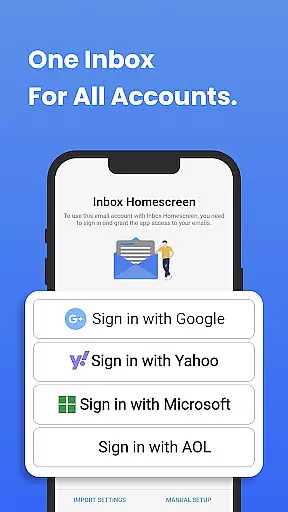
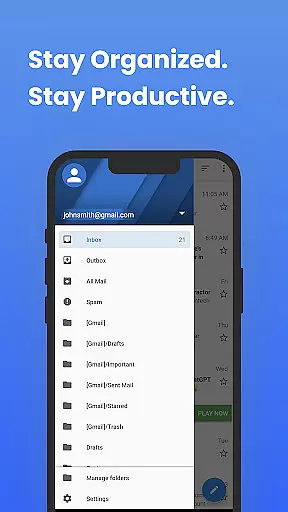
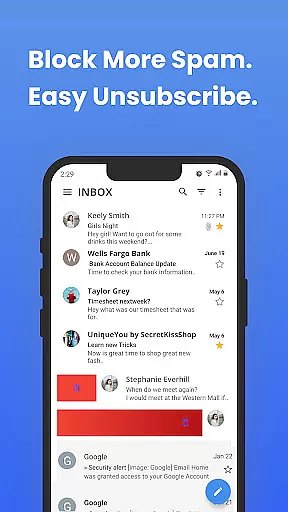
Inbox Homescreen is a communication app designed to streamline email management across multiple accounts. This powerful tool consolidates Gmail, Outlook, Yahoo, and other email services into a single interface, enabling users to send, receive, and organize messages with ease.
The app's standout feature is its advanced organizational tools. Users can set up filters for automatic email sorting, prioritize critical messages, and schedule emails for later delivery. Additionally, Inbox Homescreen offers customizable themes and layouts, ensuring a personalized user experience tailored to individual preferences.
Perfect for professionals and individuals seeking efficiency, this app transforms the way users interact with their inboxes. By integrating essential email functions into one accessible platform, Inbox Homescreen significantly boosts productivity and simplifies daily communication tasks.
Inbox Homescreen distinguishes itself through its comprehensive feature set designed for optimal email management. The app's multi-account integration allows seamless access to various email services without needing to switch between different applications or web interfaces.
Organization is taken to the next level with advanced filtering options. Users can create custom rules to automatically categorize incoming emails, ensuring important messages are prioritized while less urgent communications are appropriately filed away. The scheduling feature enables precise timing of email delivery, perfect for maintaining professional correspondence across different time zones.
Customization options extend beyond mere aesthetics. While theme selection allows personalization of visual elements, the layout configuration provides control over how information is displayed and accessed. These features combine to create a communication hub that adapts to each user's unique workflow requirements.
In the realm of digital communication, the speed and reliability of message delivery are paramount. Inbox Homescreen excels in providing real-time messaging capabilities that ensure your emails are sent and received instantly without delays. This immediacy is crucial for both personal and professional correspondence where timing can be everything.
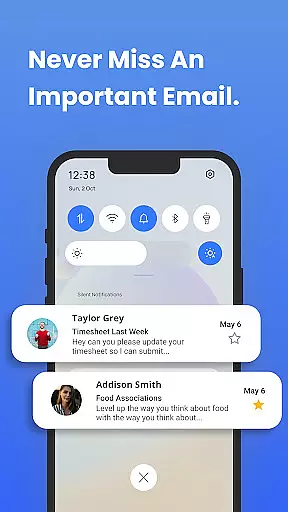
The app achieves this through robust server integration and optimized data transmission protocols. Regardless of the email service you use, whether it's Gmail, Outlook, or Yahoo, Inbox Homescreen maintains a steady and reliable connection to ensure that your messages are always up-to-date. This seamless synchronization means you'll never miss an important email or update again.
For users, this translates into peace of mind knowing that their communications are timely and dependable. The assurance that emails will not be delayed or lost in transit enhances the overall trust in managing digital conversations through Inbox Homescreen.
In today's multimedia-driven world, the ability to share various types of media easily through email is essential. Inbox Homescreen supports comprehensive media sharing capabilities, allowing users to attach and send images, videos, documents, and more without hassle. This feature ensures that all your communication needs are met within a single application.
The app facilitates this by offering broad compatibility with different file formats and sizes. Whether you need to send large video files or high-resolution images, Inbox Homescreen handles them efficiently, maintaining the quality and integrity of your media. Additionally, the intuitive interface simplifies the attachment process, making media sharing accessible even to those who may not be tech-savvy.
By integrating advanced features such as drag-and-drop attachments and cloud service links, Inbox Homescreen further streamlines media sharing. Users benefit from enhanced productivity and ease of use, ensuring they can communicate effectively and share content effortlessly across their personal and professional networks.
User-friendly interface
Multi-account support
Advanced filtering system
Email scheduling capability
Highly customizable themes
Limited third-party integrations
Occasional sync delays
No offline functionality
Basic attachment handling
Premium feature costs

Enables Plus features of Quick Search.
 4.5
4.5
Radio communication simulator for gaming communities
4.3
SMS Messenger ensures that communication become effortless and accessible.
3.80
Messenger app for faster and simpler SMS text messaging, and personalized themes
4.10
Call Blocker app: Identify unknown callers, block spam calls, fraud & robocalls
4.30
Weargram is an unofficial Telegram Client for Wear OS.
3.50
Stay in touch with the people who matter most.
4.60
Fast internet with AI, Adblock & VPN. Browse on a safe, incognito web browser.
4.70
Useful. Social. Expressive.
4.70
Enhance browsing with AI-powered features and Copilot.
4.70
Say “hello” to privacy.
4.60
Connect and browse the internet with a fast VPN proxy server and IP blocker.
4.50
An agentic AI browser for Android, built by Perplexity
4.50
Caller ID App! Add names & photos to unknown calls & Call Recording
4.40
A web browser that respects your privacy.
4.30
Fast and simple walkie talkie app
4.20
Messages is Private SMS Messenger 2023 with text message, instant messaging.
4.00 3.90
3.90
A Browser with powerful ad blocker to help focus on what really matters.
3.00


User Reviews