
Files by Google is a powerful file management tool designed to help users efficiently organize, secure, and optimize their mobile storage. The app offers cleaning recommendations to free up space, advanced search features for faster file discovery, and offline sharing capabilities through Quick Share. With support for cloud backups and enhanced security options like PIN protection, it ensures both convenience and data safety.
This app is particularly useful for Android users who need to manage large media libraries or frequently share files with others. Its intuitive interface and smart suggestions make it an essential utility for maintaining an organized device while maximizing available storage space.
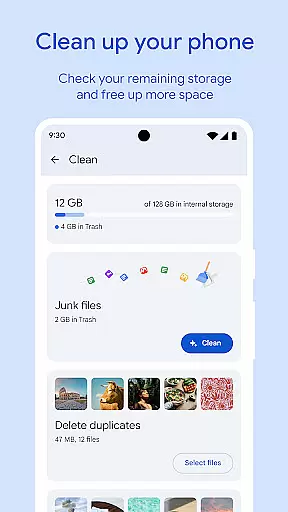
One of the standout features of Files by Google is its comprehensive set of tools for managing device storage. Users can easily identify and remove unnecessary files such as duplicates, cached data, and old chat photos. The app also provides detailed insights into storage usage across internal memory, SD cards, and USB drives.
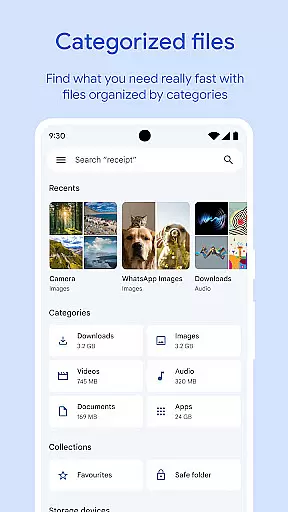
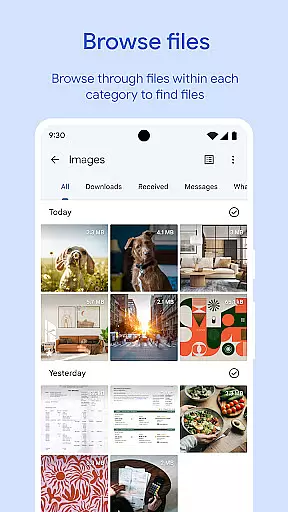
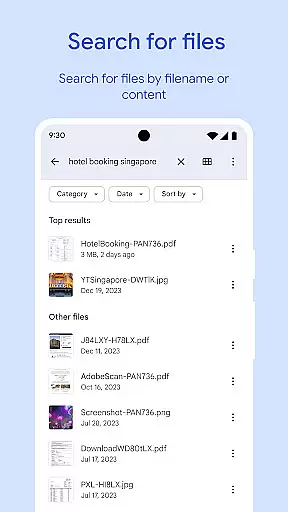
In addition to storage optimization, Files by Google excels in file discovery and sharing. Its robust search functionality allows users to quickly locate specific files, while categorized browsing makes it easy to find media types like GIFs or videos. Offline file sharing via Quick Share enables fast transfers at speeds up to 480 Mbps, all secured with end-to-end encryption.
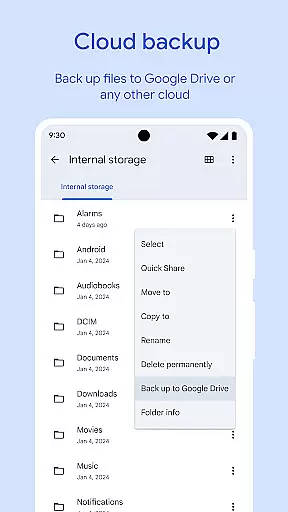
For added security, the app includes a separate lock feature that protects sensitive files with a unique PIN or pattern. It also supports cloud backups to Google Drive and other services, ensuring important data remains safe even if the device is lost or damaged.
Files by Google excels in providing accurate and effective core functions that cater to users' file management needs. The app offers precise recommendations for freeing up space by identifying old photos, duplicate files, and cache data that can be removed safely.
In addition to storage optimization, the app facilitates efficient file search and browsing. Users can quickly locate photos, videos, and documents through an intuitive interface, with sorting options that help identify large files consuming significant space.
The effectiveness of Files by Google is further enhanced by its offline file-sharing feature, Quick Share, which allows fast and secure transfers at speeds up to 480 Mbps without requiring an internet connection. This ensures private and encrypted file exchanges between Android and Chromebook devices.
Overall, Files by Google delivers a seamless experience by combining essential tools for managing device storage, securing files, and optimizing media playback, making it an indispensable utility for maintaining an organized digital environment.
A standout feature of Files by Google is its commitment to interface simplicity and intuitiveness, ensuring users can navigate and manage their files with ease. The app's design emphasizes clarity, presenting users with straightforward options for handling storage issues, such as cleaning recommendations and cache clearing.
Files by Google simplifies file discovery with features like quick search and categorized browsing. Whether searching for specific GIFs or recently downloaded videos, users benefit from an uncluttered layout that prioritizes speed and accessibility.
Moreover, the app provides advanced yet easy-to-use security settings, allowing users to protect sensitive files with unique PINs or patterns separate from their device locks. This intuitive approach extends to its offline sharing capabilities, where users can transfer files effortlessly with clear instructions and feedback.
By focusing on user-friendly design principles, Files by Google ensures that even those unfamiliar with complex file management systems can utilize its powerful features without a steep learning curve, enhancing overall productivity and satisfaction.
User-friendly interface
Efficient storage management
Fast offline sharing
Enhanced security options
Smart recommendations
Limited iOS compatibility
Requires Google account
Occasional bugs
No advanced editing tools
Dependent on Google services

 4.50
4.50 4.50
4.50
pdf merge, word to pdf, jpg to pdf, edit pdf, convert to pdf and much more!
4.20
Easily install aab(Android App Bundle) files on your Android device with our app
4.80
Transfer Files, APK from Phone to Watch & Install.
4.5
Complete kernel toolbox with features to manage and tweak your rooted device
4.30
Canon PRINT is a companion app for your Canon printer.
4.60
Carry a FTP server in your pocket and avoid USB cables for file transfer
4.20
Navigate with Ease and Style
4.90
Best leveling tool for your Android device. Hang paintings like a pro.
4.90
Extremely fast, secure, and protects your privacy
4.80
HD Video player and downloader for all formats, fast & smooth 4K video playback.
4.60
Head tracking for PC sim games such as MSFS 2024 or Elite:Dangerous. No headset!
4.50
Forza Tuning Calculator App for Forza Horizon 5, Motorsport and Earlier Titles
4.40
Just one-tap to easy translate in any language after calls within seconds.
4.20
VESC Tool can monitor and configure VESC-compatible devices over BLE and Wifi
4.20
Detect hidden spy camera with advanced scanning {{ Premium version }}
4.00
card-reader app
2.20
Download any file easily and quickly with Downloader
4.1


User Reviews