
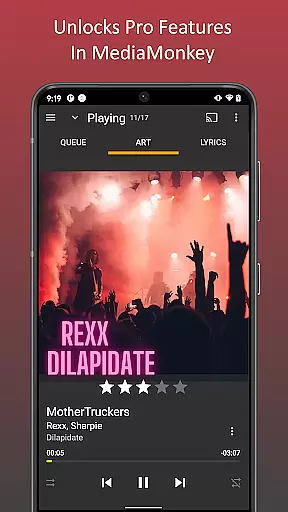
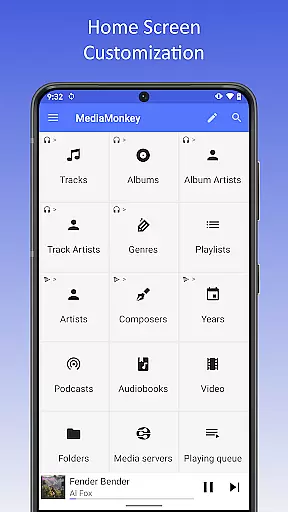
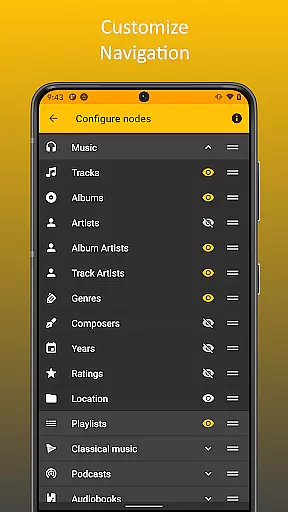
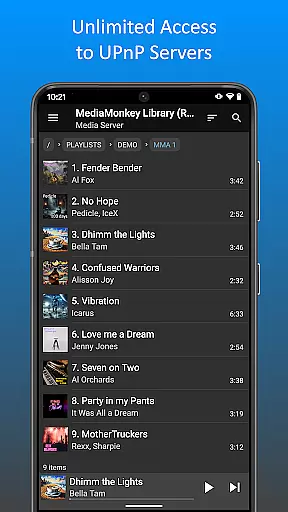
MediaMonkey Pro is a premium music management application designed for serious music collectors who require advanced features to organize and enjoy their extensive audio libraries. This app serves as an unlock key for the free version of MediaMonkey, providing access to exclusive functionalities such as Wi-Fi Sync, UPnP/DLNA support, folder browsing, and a configurable home screen.
The app's standout feature is its ability to wirelessly synchronize your device's music library with a Windows PC, including metadata like ratings and play history. Additionally, users can stream or download content from UPnP/DLNA servers, browse files through a physical folder hierarchy, and customize the home screen layout. These capabilities make MediaMonkey Pro ideal for audiophiles seeking a seamless, feature-rich experience across multiple devices.
MediaMonkey Pro offers a robust set of features tailored for advanced music management. One of its core strengths is Wi-Fi Sync, which allows users to effortlessly sync their entire music library—including metadata such as ratings, play counts, and volume levels—between their mobile device and a Windows PC without the need for cables.
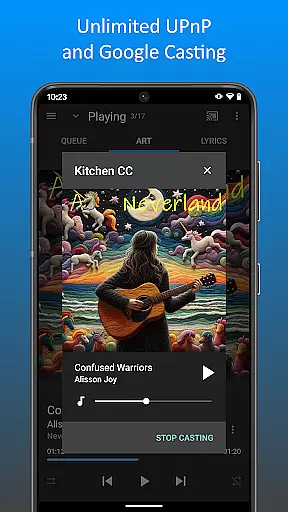
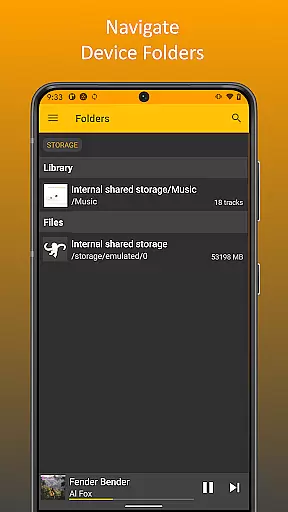
In addition to synchronization, the app supports UPnP/DLNA functionality, enabling users to stream or download multimedia content from compatible servers on their local network. Folder browsing provides another layer of control by allowing users to navigate their library using the device's actual file structure. The configurable home screen further enhances usability by letting users personalize what content is displayed, ensuring quick access to frequently used features. These tools collectively empower users to manage large music collections with precision and ease.
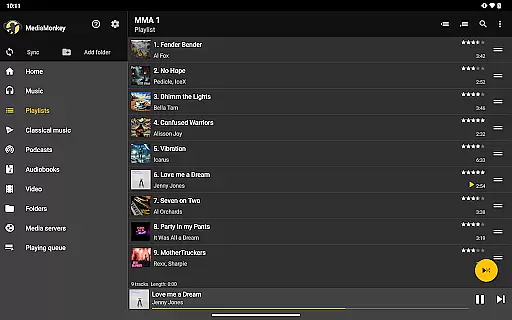
MediaMonkey Pro offers an extensive music library management system that caters to serious music collectors. The application allows users to manage large collections, ensuring that all content is properly organized and categorized.
The app supports advanced features such as Wi-Fi Sync, which enables wireless synchronization of your device's library with a Windows PC. This includes metadata like ratings, play history, and volume levels, making it easier for users to maintain consistency across multiple devices while respecting copyright laws.
Additionally, MediaMonkey Pro provides access to UPnP/DLNA servers, allowing users to stream or download content legally from their home network or other sources. This ensures that users can enjoy their music collection without worrying about copyright infringement.
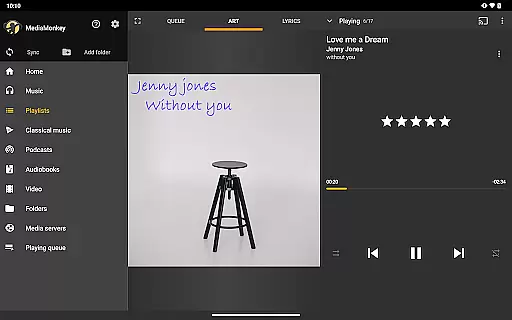
With the ability to navigate libraries using the device's physical file hierarchy and customize the home screen, MediaMonkey Pro gives users complete control over how they interact with their music library, enhancing both its size and authenticity.
One of the standout features of MediaMonkey Pro is its support for high-quality audio options. Users can enjoy superior sound quality through various enhancements and configurations tailored to audiophiles' needs.
The app includes configurable settings that allow users to adjust audio output parameters according to their preferences. Whether you're listening via headphones or external speakers, MediaMonkey Pro ensures optimal playback performance by providing detailed audio settings.
Moreover, the inclusion of UPnP/DLNA support means that users can stream lossless audio formats directly from compatible servers, preserving the original quality of the music files. This feature is particularly beneficial for those who prioritize audio fidelity in their listening experience.
By unlocking these premium features within the free version of MediaMonkey, users gain access to a comprehensive suite of tools designed to enhance every aspect of their digital music library, including unparalleled audio quality options.
Advanced music management
Seamless Wi-Fi Sync
UPnP/DLNA support
Customizable home screen
Ideal for large libraries
Requires free version
No standalone use
Windows-only sync
Premium cost
Complex for beginners

Fun & Easy Voice Changer – Record, Edit & Add Hilarious Effects!
 4.50
4.50
A synth that really lets you shape your sounds!
4.50
DJ Music Mixer - DJ Remix: remix songs, make beat music & record mix of DJ.
4.40
A High-Precision Audio Spectrum Analysis App
4.20
The only true audiophile music player with Hi-Fi audio rendering and DSP engine
3.90
Make songs with AI! Any genre, custom lyric, song generator for music creation!
4.80
Responsive piano with great sounds, graphics, and songs
4.80
Travel To The Music Universe
3.40
Play your music offline without limits
4.80
24,000 free audio books and no ads!
4.90
Your song collections with lyrics and chords on Android smartphones and tablets.
4.80
Play your hearts out on TouchTunes jukeboxes & connect with fellow music lovers.
4.80
Music, News & Sports Radio Tuner App. Tune in Live FM & AM Radio Stations.
4.80
Performance-Synthesizer & Multi-Track-Sequencer, polyphonic + multi timbral!
4.70
Unleash your creativity! Turn simple prompts into full fledged songs.
4.70
Over 100 million tracks available for high quality streaming and download
4.60
Help you quickly get started with Shokz headphones
4.40
Network/Cloud Streaming, Visualization, Graphic Equalizer and Sound Effects.
4.20
Remove ads permanently from Music Visualizer
4.1


User Reviews