
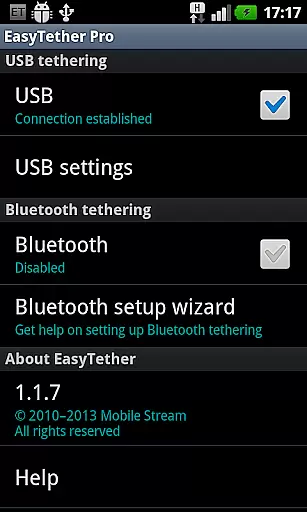
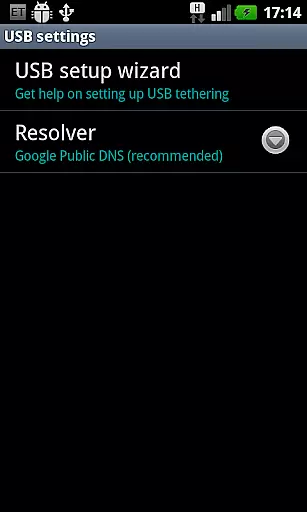
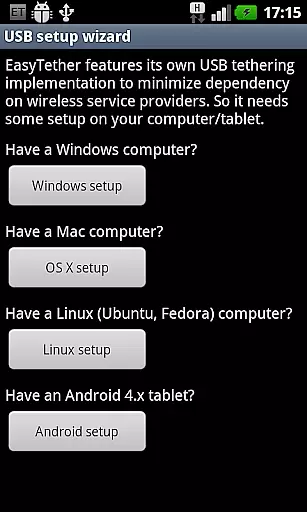
EasyTether Pro is a communication app designed to share your smartphone's Internet connection with other devices. It enables users to tether their Android device to computers or tablets via USB or Bluetooth, supporting Windows, Mac OS X, Linux, and Android 4.x platforms. The app eliminates the need for root access or additional tethering plans, making it an accessible solution for sharing Internet on the go. With compatibility for gaming consoles like PS3, Xbox, and Wii through Internet connection sharing, EasyTether Pro offers versatile connectivity options.
This app is ideal for users who require a stable Internet connection across multiple devices without relying on Wi-Fi hotspots. Its straightforward setup wizard ensures that even non-technical users can configure tethering effortlessly. Whether for work, gaming, or general browsing, EasyTether Pro provides reliable tethering capabilities in a user-friendly package.
EasyTether Pro stands out with its robust feature set tailored for seamless tethering. The app supports both USB and Bluetooth tethering, catering to different user preferences and device compatibilities. For USB connections, it works with Windows, Mac OS X, and Linux systems, while Bluetooth tethering is compatible with Windows PCs and Android 4.0.3+ tablets. This dual-mode support ensures maximum flexibility in how users share their Internet connection.
Another notable feature is its ability to tether gaming consoles such as PS3, Xbox, and Wii using Internet connection sharing on Windows or Mac. The app does not require root access, nor does it impose carrier-specific restrictions, allowing users to bypass hidden limitations from certain carriers. With a one-time payment model, EasyTether Pro delivers premium tethering functionality without recurring fees, ensuring long-term value for users.
Real-time messaging speed and reliability are crucial for seamless communication in any application. EasyTether Pro excels in this area by ensuring that the connection between your smartphone and computer or tablet remains stable and fast.
The app employs advanced tethering technology, supporting USB tethering for Windows, Mac OS X, or Linux computers, as well as Android 4.x tablets. This ensures a consistent and reliable internet connection is shared without interruptions.
Moreover, EasyTether Pro supports Bluetooth tethering for Windows computers and Android 4.0.3+ tablets, providing an additional layer of connectivity options. This dual support guarantees that users can maintain their internet access even if one method fails or is unavailable.
By not requiring root access or special tethering plans, EasyTether Pro simplifies the process, making it accessible and reliable for all users regardless of their technical expertise.
Media sharing support is essential for users who need to transfer files, stream content, or share internet connections across multiple devices. EasyTether Pro offers comprehensive media sharing capabilities that cater to various needs.
With its ability to share an internet connection from a smartphone with a computer or tablet, EasyTether Pro enables users to stream media, download files, and browse the web seamlessly. The app's support for PS3, Xbox, and Wii tethering through Internet connection sharing on Windows or Mac further enhances its media sharing prowess.
EasyTether Pro stands out by removing barriers such as the need for root access or special tethering plans. This makes media sharing more accessible and hassle-free, allowing users to focus on enjoying their content rather than troubleshooting connectivity issues.
In summary, EasyTether Pro delivers robust media sharing support, empowering users to connect and share effortlessly across different platforms and devices.
Wide platform support
No root access required
One-time payment only
Compatible with gaming consoles
User-friendly setup
Limited free version
Carrier restrictions may apply
Bluetooth speed varies
Removal of older versions needed
Setup complexity for beginners

We’re taking the yada yada out of wireless—now we’ve taken it out of your app.
 4.70
4.70
Browse fast on Opera Mini, with Data Saving, News, Football Scores, and Download
4.60
Connect and browse the internet with a fast VPN proxy server and IP blocker.
4.50
Fast and mini browser with Ad Blocker,Video Downloader and Video Player
4.40
A softphone app with seamless SIP calling and an intuitive VoIP dialer
3.50
Bringing the functionality of Winlink to your Android device
4.4
FolderSync enables easy sync of files between cloud storage and Android devices.
4.60
Get through your inbox faster with the mail app designed to simplify your life.
4.40
Enhance browsing with AI-powered features and Copilot.
4.70
Stay in touch with the people who matter most.
4.60
Call Blocker app: Identify unknown callers, block spam calls, fraud & robocalls
4.30
RemoteHams.com Android RCForb Client Pre-Release
4.30
Messages is Private SMS Messenger 2023 with text message, instant messaging.
4.00
Telegram is a messaging app with a focus on speed and security.
4.00
Message and video call your family and friends in HD!
3.80
Secure Messaging App to Enhance Messenger Texting Experience and Organize SMS.
3.50
Official NDI app: turn your phone into a professional live-streaming IP camera.
3.20
Watchgram for Telegram: Experience seamless Telegram messaging on your watch
1.80
Radio communication simulator for gaming communities
4.0


User Reviews