
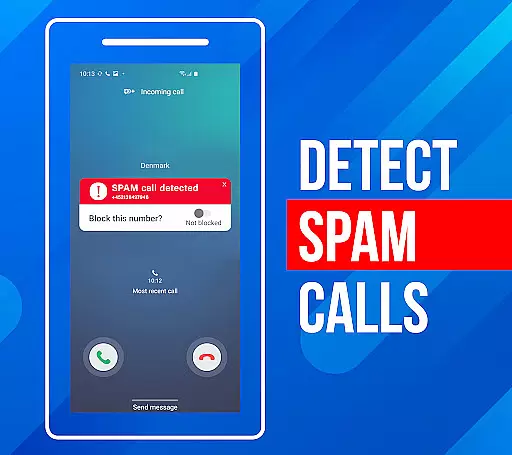
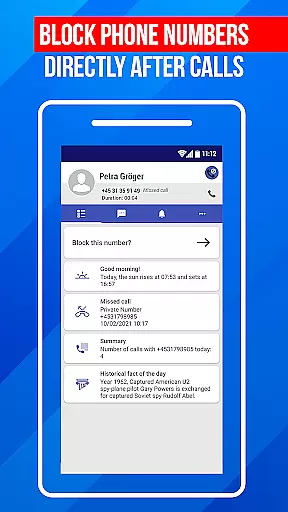
Call Block is a powerful communication app designed to help users take control of their incoming calls. The app's core functionality revolves around blocking spam calls and unwanted numbers, ensuring a more peaceful communication experience. Using advanced call filtering algorithms, it can automatically identify and block robocalls, telemarketers, and potential scams.
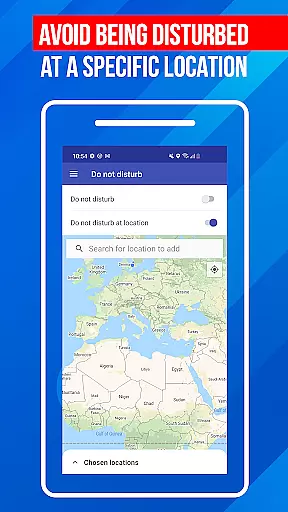
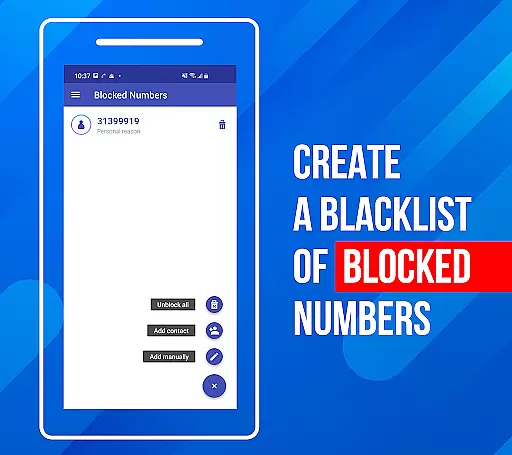
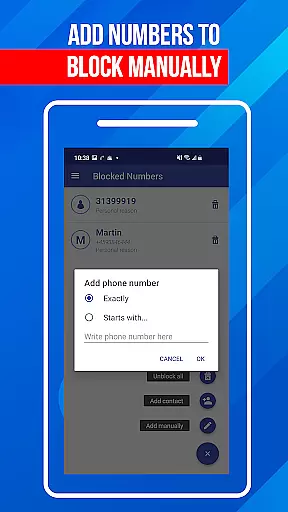
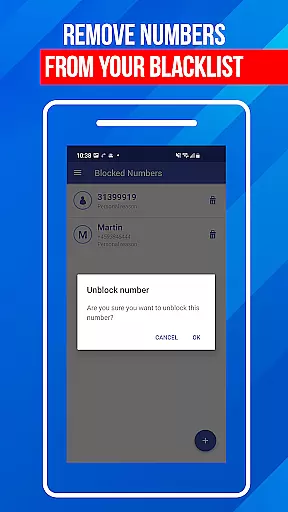
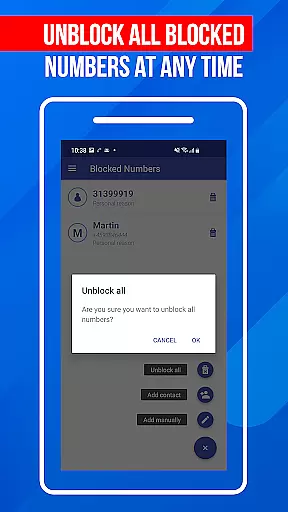
In addition to its automatic filtering capabilities, Call Block allows users to create personalized blacklists. This feature lets you manually add specific numbers or number patterns that you want to avoid. The app also includes a 'Do Not Disturb' mode that provides the option to block all calls during specific times or in certain locations. These features make the app particularly useful for professionals who need uninterrupted focus during work hours or individuals seeking protection from fraudulent calls.
The value of Call Block lies in its ability to provide users with peace of mind and control over their phone communications. With access to a database of over one billion numbers, the app offers accurate caller identification and effective protection against unwanted calls, making it an essential tool for anyone looking to maintain a spam-free phone experience.
Call Block distinguishes itself through several key features that enhance the user's ability to manage incoming calls effectively. One of its standout capabilities is the automatic spam call blocker, which uses sophisticated algorithms to detect and prevent unwanted calls from reaching the user. This feature is particularly effective against common nuisances like telemarketing calls, surveys, and various types of fraud attempts.
The app's blacklist functionality represents another crucial aspect of its feature set. Users can create customized blacklists containing specific numbers or number patterns they wish to block. This granular control allows for precise management of blocked numbers while maintaining accessibility for trusted contacts. Additionally, the 'Do Not Disturb' function provides situational blocking options, enabling users to silence all calls during important meetings or when entering specific locations.
What sets Call Block apart from similar applications is its commitment to continuous improvement. The app maintains an extensive, regularly updated database of known spam numbers, ensuring users receive protection against the latest threats. Its intuitive interface makes these powerful features accessible to users of all technical backgrounds, while the well-organized settings allow for easy management of blocked numbers and call preferences. This combination of advanced technology and user-friendly design creates a comprehensive solution for modern communication challenges.
In the realm of communication apps, real-time messaging speed is crucial for effective interaction. Call Block ensures optimal performance by filtering out spam calls instantly as they come in. This immediate action prevents unwanted interruptions and maintains the natural flow of your legitimate communications.
The app's advanced call filtering algorithms work tirelessly behind the scenes to identify potential spam numbers. By cross-referencing incoming calls against an extensive database of known spam numbers, the app can quickly determine which calls to block. This process happens in milliseconds, ensuring that your phone remains free from disturbances without any noticeable delay.
Reliability is another cornerstone of Call Block's functionality. The app consistently delivers on its promise to protect users from unwanted calls, regardless of whether they're from scammers, telemarketers, or specific numbers added to a personal blacklist. Users can trust that their communication experience will remain uninterrupted by nuisance calls.
By maintaining high standards of both speed and reliability, Call Block empowers users to take control of their phone communications. With this app, you can enjoy seamless conversations without worrying about spam calls disrupting your day-to-day activities.
While Call Block primarily focuses on stopping unwanted calls, it indirectly supports media sharing by creating a safer environment for genuine communication. By blocking spam and scam calls, the app ensures that your attention remains on meaningful interactions, including those involving media sharing.
The app's ability to maintain a clean communication channel means that when you do receive calls or messages intended for media sharing, these exchanges occur without interference from fraudulent entities. This focused communication space allows users to share photos, videos, and other media files with confidence, knowing their connections are secure.
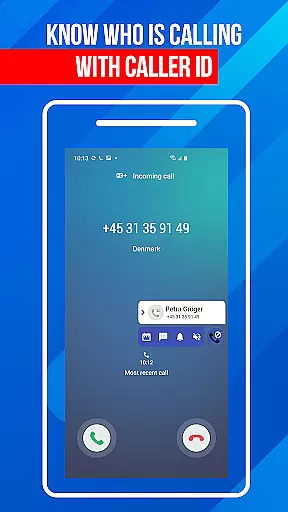
Moreover, Call Block's sophisticated caller ID system provides detailed information about incoming calls, even from unknown numbers. This feature enhances security during media sharing sessions, as users can verify the identity of callers before engaging in any file transfers or sensitive discussions.
Although not directly involved in media sharing, Call Block creates a foundation of trust and safety that benefits all forms of mobile communication, including the exchange of digital media between trusted contacts.
Effective spam blocking
User-friendly interface
Customizable blacklist
Regular database updates
Global number recognition
Limited iOS support
Occasional false positives
Premium feature costs
Drains battery life
Complex settings

Fast and mini browser with Ad Blocker,Video Downloader and Video Player
 4.40
4.40
Messenger, an MMS & SMS messages app with Blockers, Driving mode & Private box
4.60
HD Video Meeting app is a fast & unlimited video conferencing app across world.
4.30
Fast, Simple And Secure Application That Provides SMBv3 Server On Your Device
3.30
A softphone with crystal clear SIP Calling & Reliable VoIP dialer
4.00
Stay in touch with the people who matter most.
4.60
A browser that does more than load page, like keeping your privacy safe.
4.70
Build your web browser around you with private search, and more.
4.60
Say “hello” to privacy.
4.60
We’re taking the yada yada out of wireless—now we’ve taken it out of your app.
4.70
Identify unknown numbers, block spam calls, customize calls with cool themes.
4.60
Adblock & VPN Browser: Blocks banners, pop-ups and video ads, fast downloader!
4.60
Caller ID App! Add names & photos to unknown calls & Call Recording
4.40
SMS Messenger is a lightning-fast messaging app.
4.20
Google's fast and secure browser
4.10
SMS Messenger ensures that communication become effortless and accessible.
3.80
This app enables the phone to receive and send FT8 traffic!
3.80
Secure Messaging App to Enhance Messenger Texting Experience and Organize SMS.
3.50
Official NDI app: turn your phone into a professional live-streaming IP camera.
3.20


User Reviews