
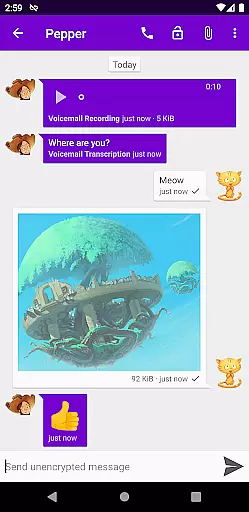
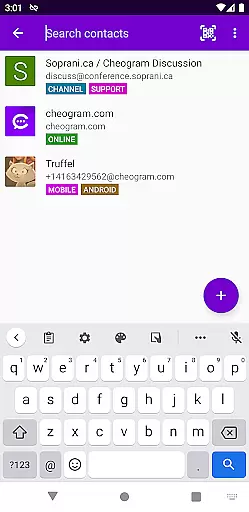
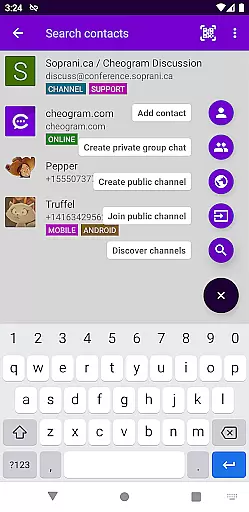
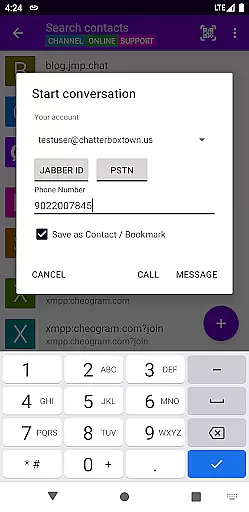
Cheogram is a communication app that connects users to a global network, emphasizing cross-platform interaction. It supports messaging with media and text, including animated content, and integrates seamlessly with Android's native phone functionalities.
With features like address book integration, tagging, and sticker packs, Cheogram enhances user engagement. The app also offers a free one-month trial of the JMP.chat service, making it an attractive option for those seeking versatile communication tools.
Cheogram stands out with its robust feature set tailored for seamless communication. Users can send messages combining media and text, view subject lines discreetly, and see links to contacts by name.
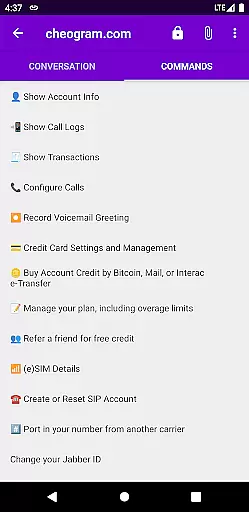
The app excels in gateway integration, allowing users to add contacts and interact with phone network gateways through the native Android Phone app. Additional features include address book integration, tagging capabilities, a command UI, lightweight threaded conversations, and sticker packs.
Real-time messaging speed and reliability are crucial for any communication app, and Cheogram excels in this area. The app ensures that messages are delivered instantly across its worldwide network, maintaining a seamless flow of conversation.
Cheogram's architecture is designed to handle both media and text messages efficiently, even supporting animated media. This robust infrastructure supports an uninterrupted messaging experience, regardless of the message type or size.
Users benefit from the unobtrusive display of subject lines and the integration with gateways' add contact flows, which enhance the overall messaging reliability. These features ensure that users can focus on their conversations without technical disruptions.
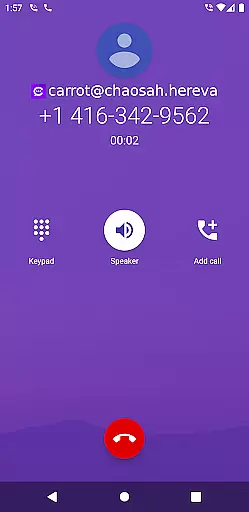
The app also integrates with the native Android Phone app when using a gateway to the phone network, further enhancing the real-time messaging experience. This integration provides a cohesive communication platform, making Cheogram a reliable choice for instant messaging needs.
Media sharing support is a vital feature for modern communication apps, allowing users to share various types of content effortlessly. Cheogram offers comprehensive media sharing capabilities, including messages with both media and text, ensuring a rich and engaging user experience.
The app supports links to known contacts displayed with their names, stickers packs, and even animated media. This diverse media support enables users to express themselves more vividly and interact with their contacts in a more personalized manner.
Additionally, Cheogram's lightweight threaded conversations make it easy to follow discussions and keep track of different topics. Users can tag contacts and channels and browse by tag, streamlining the process of organizing and accessing shared media content.
With address book integration and command UI, Cheogram simplifies the media sharing process, allowing users to quickly find and share content with their contacts. This combination of features makes Cheogram a versatile tool for all media sharing needs within a global communication network.
User-friendly interface
Free trial available
Robust feature set
Seamless integration
Global connectivity
Limited to Jabber services
No direct SMS support
Requires third-party hosting
Complex setup process
Interface may feel dated

Fast and simple walkie talkie app
 4.20
4.20
Browse fast on Opera Mini, with Data Saving, News, Football Scores, and Download
4.60
Our Black Friday sale is here. Unlock special discounts on Proton Mail now.
4.30
Block spam calls & scam - no more annoying calls with the call blocker function
4.30
Fast and mini browser with Ad Blocker,Video Downloader and Video Player
4.40
TeamSpeak - Secure Chat for Gaming & Business
3.10
Threema is the messenger with the most consistent focus on security and privacy.
4.00
Measure BHP, Torque & 0-60 Clear car OBD faults View engine data in Google Earth
4.00
Enhance browsing with AI-powered features and Copilot.
4.70
Use this Dialer app alone or as a TREK: Total Interface companion.
4.70
A browser that does more than load page, like keeping your privacy safe.
4.70
Useful. Social. Expressive.
4.70
Chill zone on your phone: relax with fun reels & hype shorts!
4.20
A customizable phone number in the cloud
4.20
Google's fast and secure browser
4.10
Send SMS and chat messages easily with a fast text messaging app for Android.
4.10
Messages: Fast, simple SMS app with scheduling and smart features.
4.00
Pure modern IRC experience for Android
3.70
Radio communication simulator for gaming communities
4.3


User Reviews