
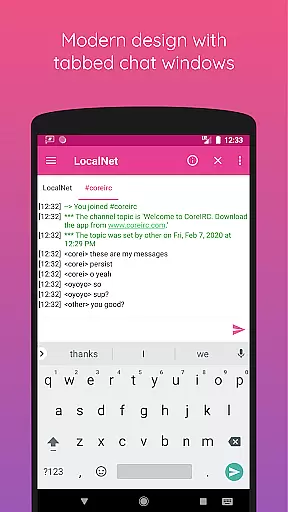
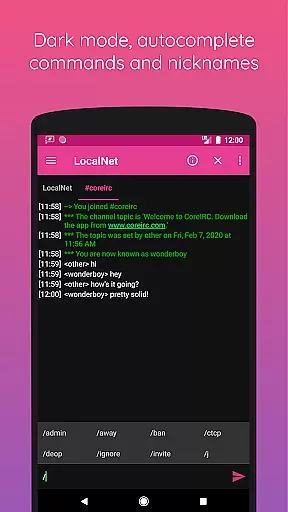
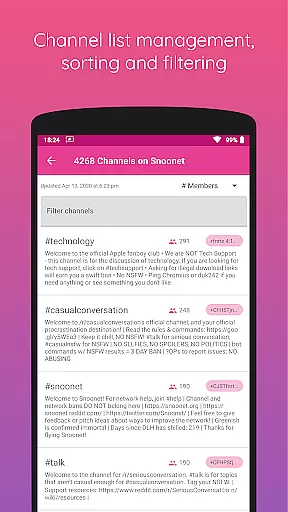
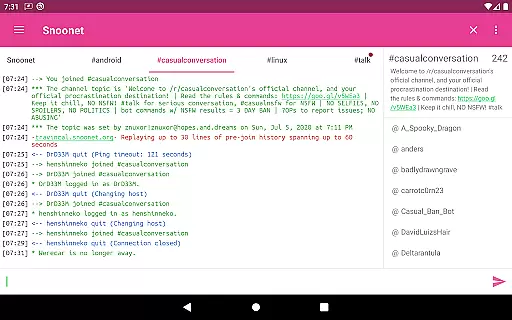
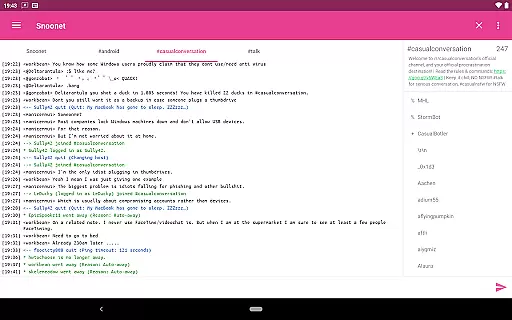
CoreIRC is a feature-rich IRC client designed for secure and seamless communication across multiple Internet Relay Chat (IRC) networks. The app supports SSL encryption, ensuring that your connections remain private and protected from unauthorized access. With support for advanced authentication methods like IRCv3 SASL and NickServ, users can securely log in to their preferred servers using modern protocols such as SASL PLAIN, SASL EXTERNAL, or SASL SCRAM-SHA-256.
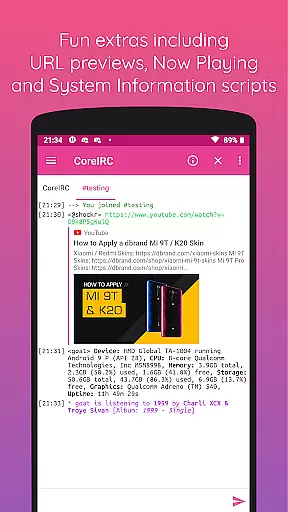
In addition to its robust security features, CoreIRC offers a comprehensive notification system that allows users to customize alerts based on channels, senders, or specific messages. This ensures you never miss important conversations. The app also includes practical extras like inline URL previews, which allow you to preview links directly within the chat, and a Now Playing script that shares your current music activity with others in real-time. Whether you're managing multiple networks or simply looking for an intuitive IRC experience, CoreIRC provides all the tools necessary for efficient and enjoyable communication.
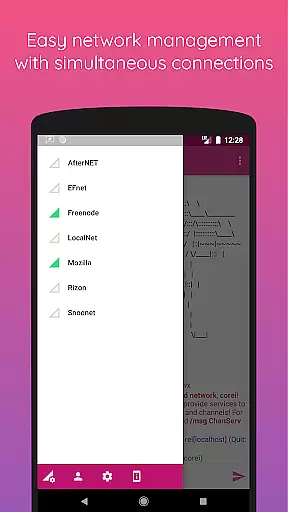
CoreIRC stands out with its extensive set of features tailored for both casual users and power users alike. One of its key strengths is the ability to handle multiple secure IRC connections simultaneously, making it ideal for users who need to stay connected to various networks at once. The inclusion of modern IRCv3 capabilities, such as account-notify, away-notify, and server-time, enhances the overall user experience by providing timely updates and synchronization across devices.
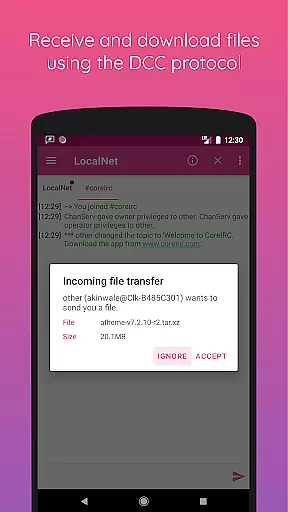
The app's DCC file transfer functionality supports resume options, allowing interrupted transfers to pick up where they left off. Additionally, CoreIRC incorporates a flexible notification system that lets you create custom rule sets for different networks, ensuring you receive only the most relevant alerts. For those interested in device monitoring, the System Information script offers detailed insights through simple commands like /sysinfo and /cpuinfo. With Material Design principles guiding its interface, CoreIRC delivers a sleek and intuitive user experience while maintaining compatibility with essential IRC standards and extensions.
CoreIRC offers real-time messaging with exceptional speed and reliability, ensuring that users experience seamless communication across multiple IRC networks. By supporting SSL encryption, the app secures your conversations while maintaining swift delivery.
The app's robust infrastructure allows you to connect to several Internet Relay Chat (IRC) networks simultaneously without compromising on speed or security. This ensures that messages are delivered instantly, regardless of the number of active connections.
With features like background connectivity using Android services and support for modern IRC protocols, CoreIRC guarantees a dependable messaging experience. Users can trust that their communications will be both fast and secure, making it ideal for both casual chats and professional discussions.
CoreIRC provides comprehensive media sharing support, allowing users to exchange files through the DCC protocol with resume functionality. This feature ensures that file transfers can be paused and resumed without losing progress, offering flexibility and convenience.
In addition to traditional file sharing, CoreIRC enhances user interaction by enabling inline URL previews. Users can preview URLs shared in chat before opening them in a browser, streamlining the process of viewing shared content.
The app also supports various character sets and mIRC color codes, enriching text-based media sharing. Whether exchanging documents, images, or links, CoreIRC ensures that all shared media is accurately rendered and easily accessible within the chat interface.
Secure multi-network connectivity
Advanced authentication options
Customizable notification rules
Modern Material Design UI
Comprehensive feature set
Complex for beginners
Limited third-party integrations
No built-in voice chat
Occasional connection issues
Heavy resource usage

 3.90
3.90
Radio communication simulator for gaming communities
4.5
The ultimate productivity solution for all your email communication needs.
4.40
Connect and browse the internet with a fast VPN proxy server and IP blocker.
4.50
Simplify texting with Messages SMS, offline messaging, themes & smart tools!
4.30
Smart and simple anti-wiring application - IMSI-catchers catcher
4.40
Watchgram for Telegram: Experience seamless Telegram messaging on your watch
1.80
Federated instant messaging for your mobile device (Jabber, XMPP, Snikket)
4.10
Threema is the messenger with the most consistent focus on security and privacy.
4.00
We’re taking the yada yada out of wireless—now we’ve taken it out of your app.
4.70
Fast internet with AI, Adblock & VPN. Browse on a safe, incognito web browser.
4.70
Enhance browsing with AI-powered features and Copilot.
4.70
Manage BoostMobile Account
4.60
Group Chat That’s Fun & Games
4.30
Fast and simple walkie talkie app
4.20
BiP is a fast, secure, free messaging and HD video calling app!
4.10
WazzapMigrator: transfer your WhatsApp history from iPhone to Android
4.00
Fast Dialer & Contact Manager with Caller ID and Spam Protection
4.00
Enables Plus features of Quick Search.
4.5


User Reviews