
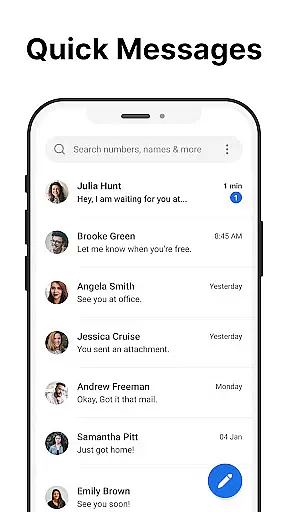
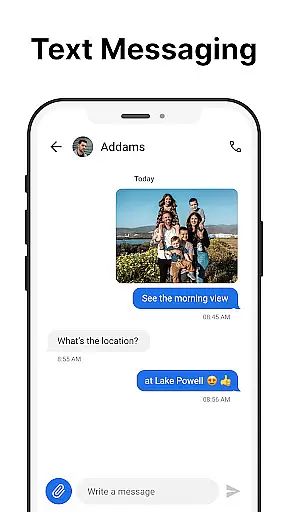
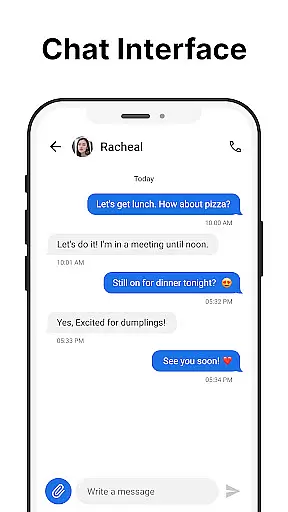
Messages is a robust SMS messaging app designed specifically for Android users who value simplicity and reliability. The app allows you to send and receive text messages without requiring an internet connection, making it ideal for areas with poor connectivity. With its intuitive interface, Messages makes communication effortless while offering essential features like scheduled messaging and group chats.
One standout feature of Messages is the After Call screen, which provides instant access to your SMS inbox right after each phone call. This functionality streamlines communication by letting users respond quickly to calls with follow-up texts. Whether you're managing personal conversations or professional correspondence, Messages ensures that your interactions remain organized and efficient.
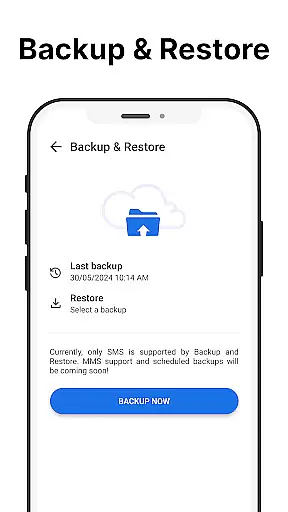
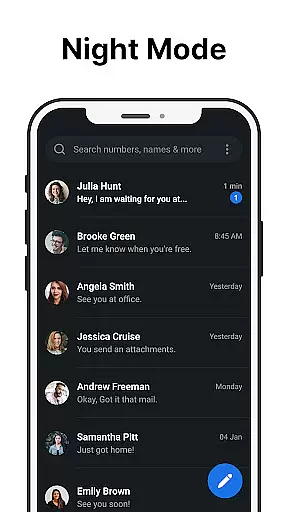
The app also emphasizes user convenience through features like message backup and restore, spam blocking, and customizable notifications. These tools not only enhance productivity but also ensure privacy and security. By combining practicality with modern design elements such as dark mode, Messages delivers a seamless texting experience tailored to meet diverse user needs.
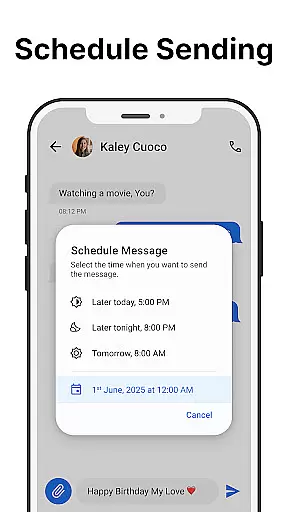
Messages offers a comprehensive suite of features that cater to both casual and power users. At its core, the app enables fast and reliable sending and receiving of SMS messages. Its scheduling feature lets you compose messages in advance and set them to be delivered at a later time, ensuring timely communication even when you're busy.
Group messaging is another key highlight, allowing users to create and manage multiple recipient threads effortlessly. For added peace of mind, Messages includes spam-blocking capabilities and a search function to locate specific conversations quickly. Additionally, the app supports message backups, enabling users to safeguard their data locally on their devices.
Customization options abound in Messages, from personalized ringtones and notification settings to pinned chats for prioritized conversations. The inclusion of a dark mode reduces eye strain and conserves battery life, while the After-Call menu facilitates immediate post-call messaging. Together, these features make Messages a versatile tool for staying connected in today's fast-paced world.
Real-time messaging speed and reliability are crucial for effective communication. The Messages app excels in this area by providing a platform where text messages are sent and received instantly without the need for an internet connection. This ensures that your communications are both fast and dependable, making it ideal for urgent or time-sensitive conversations.
The app's infrastructure is designed to offer seamless performance, ensuring that messages are delivered without delays. Whether you're having a one-on-one conversation or engaging in group messaging, the app maintains its speed and reliability, allowing users to stay connected with friends, family, and colleagues without interruptions.
Moreover, the Messages app includes features like scheduled messages and spam blocking, which contribute to a more organized and efficient messaging experience. These tools not only enhance the speed of communication but also ensure that your inbox remains clutter-free and manageable. With Messages, users can trust that their communications will be handled swiftly and securely.
Media sharing support is an essential feature for modern messaging apps, and Messages does not disappoint. While primarily focused on SMS, the app allows users to share various types of media, enhancing the communication experience beyond just text. This functionality bridges the gap between traditional texting and multimedia messaging, catering to users' needs for richer interactions.
The Messages app facilitates easy sharing of images, videos, and audio files, ensuring compatibility with different formats. This versatility enables users to send important documents or cherished memories without worrying about file type restrictions. The intuitive design of the app makes media sharing a straightforward process, accessible even to those who may not be tech-savvy.
In addition to basic media sharing, Messages offers customization options such as personalized notifications and ringtones. These features add another layer of personalization, allowing users to tailor their messaging experience according to their preferences. By combining reliable text messaging with robust media sharing capabilities, Messages provides a comprehensive communication solution for Android users.
User-friendly interface
No internet required
Free to use
Local backup option
Spam blocking feature
Limited multimedia support
No cloud sync
Basic UI design
In-app advertisements
Few advanced features

Fast and simple walkie talkie app
 4.20
4.20
فیلتر شکن قوی پرسرعت کلید جدید برای اندرویدسریع ترین وی پی ان برای همه اپراتورها
4.70
Enjoy secure messaging & calling. Safe Messenger: group chats, calls, messages.
4.20
Google's fast and secure browser
4.10
A Browser with powerful ad blocker to help focus on what really matters.
3.00
Send SMS and chat messages easily with a fast text messaging app for Android.
4.10
An app dedicated solely to marriage, not dating, and supported by a rigorous verification mechanism to ensure seriousness.
4.4
Manage your mobile phone plan, check unlimited 5g data usage and track rewards
4.50
SMS Messenger is a lightning-fast messaging app.
4.20
We’re taking the yada yada out of wireless—now we’ve taken it out of your app.
4.70
Messenger for SMS - texting message app, faster, simpler & safer, for you.
4.70
Useful. Social. Expressive.
4.70
Faster version of Messages. Messenger for your contacts.
4.50
Caller ID App! Add names & photos to unknown calls & Call Recording
4.40
Manage your data, talk & text - affordable phone plans & data usage made simple
4.30
SMS & MMS Messaging App to easily send messages or schedule SMS on Chat
4.10
A softphone app with seamless SIP calling and an intuitive VoIP dialer
3.50
At select facilities, you now have an easy way to video visit your loved ones!
3.30
Official NDI app: turn your phone into a professional live-streaming IP camera.
3.20


User Reviews