
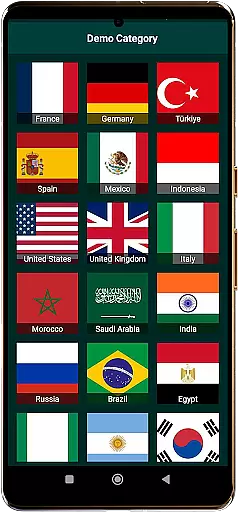
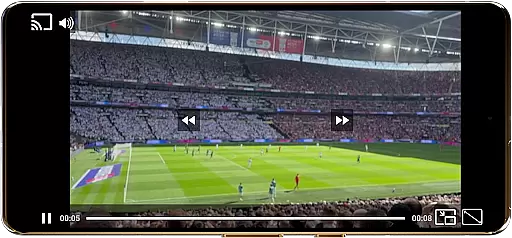
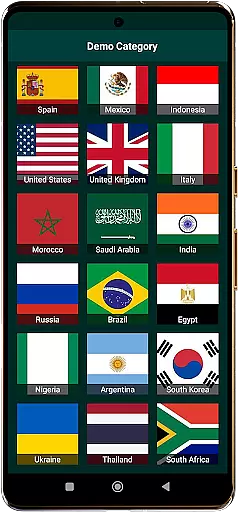
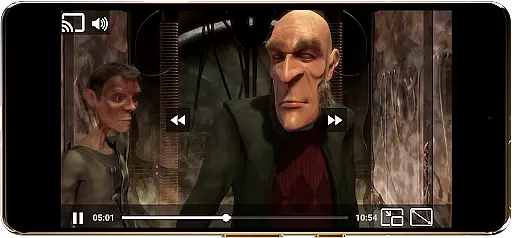
World TV Garden Videos Player is a versatile video player app designed for seamless TV viewing experiences. The app allows users to watch global and local live TV online using their own private streaming links, supporting formats like DASH, HLS, MP4, and direct streams. It offers smooth playback, Picture-in-Picture mode, customizable controls, casting support, and enhanced audio quality.
This application is ideal for those who want to enjoy international TV channels, live news, sports, entertainment, music, and documentaries from around the world. Whether you're interested in USA TV live, UK TV online, or Asian TV live, this app empowers you to access your favorite content effortlessly.
TV Garden serves as an open-source media player that does not host any content but enables users to import their legal streaming links. This ensures a personalized and flexible TV-watching experience while respecting licensing rights.
One of the standout features of World TV Garden Videos Player is its broad format compatibility, supporting various streaming protocols such as DASH, HLS, MP4, and direct links. This ensures users can play almost any type of stream they have access to, making it highly versatile for different types of content.
The app also provides smooth playback with minimal lag, even during high-quality streams. Its Picture-in-Picture mode allows multitasking while watching TV, and customizable controls let users adjust scaling modes and playback settings. Additionally, the Favorites List feature helps save preferred streams for quick access.
With Chromecast support, users can cast their streams to larger screens for an enhanced viewing experience. Enhanced audio quality further enriches the user experience, particularly when enjoying music channels or live events. These features collectively make TV Garden a powerful tool for personalized TV viewing.
In the realm of event management within applications like World TV Garden Videos Player, task creation is pivotal for organizing viewing schedules and preferences. This app allows users to create tasks by adding their favorite streaming links into the Favorites section, effectively personalizing their TV watching experience.
Users can customize details by importing private TV stream links, which enables them to access a wide array of Online TV Channels from around the globe. The flexibility offered by this feature ensures that viewers can tailor their live TV streams according to their interests, whether it's Live News, Sports, or Entertainment Channels.
The benefit of such detailed customization is immense; it empowers users with an effortless way to manage and enjoy diverse content ranging from Music TV Channels to Documentaries without any hassle. By saving preferred channels, users ensure quick and easy access to their go-to streams.
This personalized approach not only enhances user engagement but also simplifies the process of watching global and local live TV online for free using oneu2019s own links. With options like Picture-in-Picture mode and Chromecast support, viewers have control over how they consume media, making every task created truly bespoke.
Reminder settings in applications are essential for keeping users engaged and informed about their scheduled activities. In World TV Garden Videos Player, while there isn't a traditional reminder system, the Favorites section acts as a pseudo-reminder by providing instant access to saved streams, ensuring users never miss out on their preferred Global TV or Live Sports channels.
By tapping any saved stream inside Favorites, playback starts instantly, serving as a prompt for users to engage with their pre-selected content. This seamless integration of user-curated streams into an easily accessible format mimics the function of reminders, encouraging regular use of the app.
For those looking to stay updated with international news or enjoy live sports events, having these streams at their fingertips serves as an effective reminder mechanism. It eliminates the need for manual tracking of broadcast times, thus enhancing the overall convenience and accessibility of desired content.
Ultimately, this setup fosters a more engaging viewing experience where users feel empowered to explore new TV channels from different countries at their leisure, knowing that their selected streams are just a tap away. This pseudo-reminder system aligns perfectly with modern viewing habits, offering both flexibility and ease of access.
User-friendly interface
Wide format support
Smooth streaming performance
Customizable viewing options
Chromecast integration
No hosted content available
Requires personal stream links
Limited to user-provided URLs
Dependent on link legality
Basic offline functionality

Manages display and transfer of tickets from the Mundo Tickets platform
 3.80
3.80
The calendar app in this 2026 year see all dates.
4.20
Manage all your events, leads, ticketing, payments and check-ins.
4.30
Some connections are better kept private
4.1
Local events, contests, and giveaways for local dads
3.70
Clubs, Festivals, Discounted Tickets, Guest Lists & VIP Tables
4.90
No invest, Easy way to earn USDT through crypto cloud mining
3.80
TodayTix is the easiest way to get tickets to the best shows in your city.
4.90
Find Live Event Ticket Deals to Sports, Concerts, Festivals, & Comedy For Less!
4.80
Fantasy of Lights Event App
5.00
Find EDM shows near you! See your favorite artists live, and discover new music.
4.90
Design Invitations & Cards for Any Occasion
4.80
For weddings, parties & events
4.60
Greeting card maker with photos best app| Birthday cards| All wishes eCards FREE
4.50
Everything you need for the Best Thursday Ever.
4.40
Octrober 2025: We've updated the MyGenMobile App with a new look and feel!
4.40
The Official App
3.70
TV.Garden is a video player to play your own TV streams from around the world!
3.40
Community for Mods, Addons, Melsaves, Melmods for Melon Playground
4.4


User Reviews