
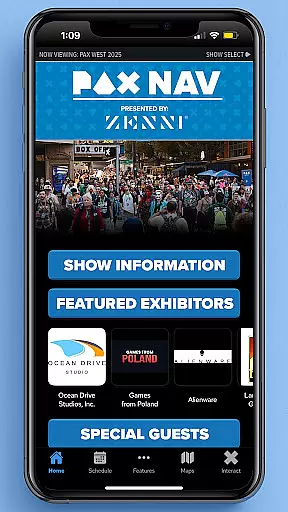
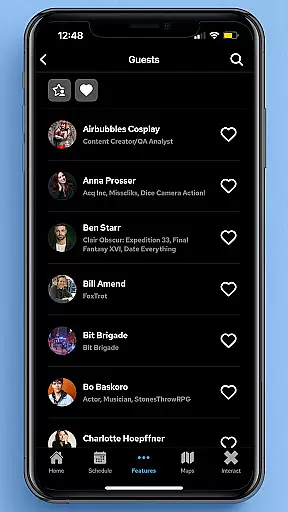
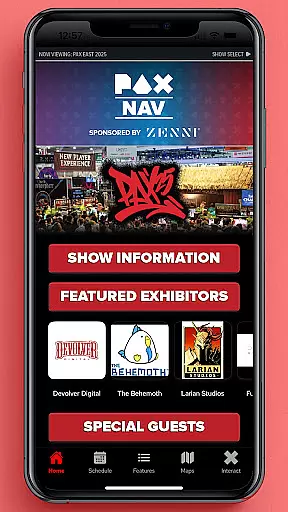
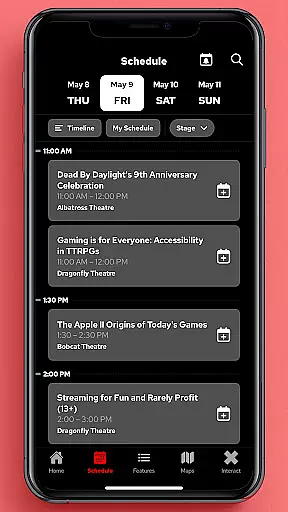
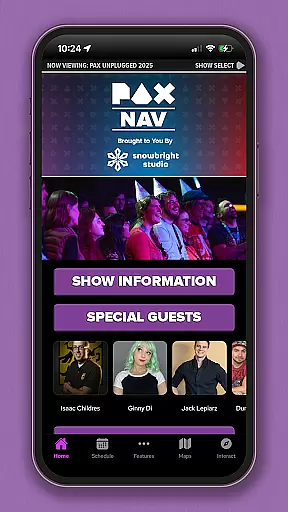
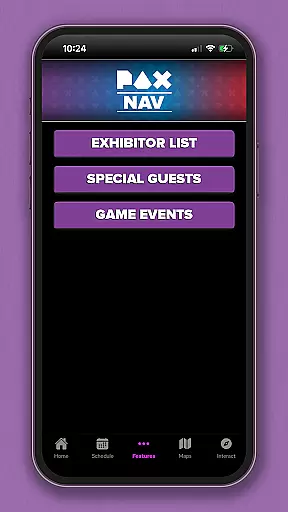
PAX Nav is the official app for PAX West, PAX East, and PAX Unplugged events. It provides users with comprehensive access to event schedules, exhibitor lists, interactive maps, exclusive show specials, and the PAX XP experience. Designed specifically for gaming enthusiasts and event attendees, this app ensures you maximize your PAX event experience by keeping all essential information in one place.
The app's intuitive interface allows for easy navigation through complex event details while offering real-time updates. Whether you're planning your day or exploring on-site opportunities, PAX Nav serves as your ultimate guide to everything PAX. With its robust features, it caters to both first-time visitors and seasoned attendees who want to optimize their event participation.
PAX Nav offers an array of features tailored for event management and exploration. The app includes a complete schedule of all panels, tournaments, and activities, ensuring you never miss an important event. Additionally, it provides detailed exhibitor lists, helping you locate your favorite vendors and discover new ones effortlessly.
One standout feature is the interactive map functionality, which simplifies navigating large convention spaces. Users can also access exclusive show specials available only through the app. Furthermore, integration with PAX XP enhances user engagement by offering gamified experiences that enrich your visit. These tools collectively ensure that attendees have a seamless and enriched event experience.
Task creation and detail customization are essential features for event management applications like PAX Nav. This functionality allows users to create personalized schedules by selecting specific panels, workshops, or exhibitors they want to see.
The app provides a seamless process for adding events to your personal agenda. Users can browse through the full schedule, which includes detailed descriptions of each session, speaker information, and venue details. The ability to filter and search makes it easy to find exactly what you're looking for.
Once an event is added to the personal schedule, users can set custom reminders. These reminders ensure that attendees don't miss important sessions or meetings. The level of detail available for customization includes setting alert times and choosing notification methods.
This feature significantly enhances the event experience by helping attendees organize their time effectively. With PAX Nav, users can maximize their convention experience while minimizing the risk of missing crucial events or activities.
Reminder settings in event applications serve as crucial tools for time management during busy conventions. PAX Nav offers sophisticated reminder features that help attendees stay on top of their schedules.
The application allows users to set multiple types of reminders for different events. Whether it's a panel discussion, gaming tournament, or autograph session, each reminder can be customized according to personal preferences. Users can choose between visual notifications, sound alerts, or vibration reminders.
What sets PAX Nav apart is its intelligent reminder system. The app considers walking distances between venues and queues when suggesting reminder times. This ensures attendees have enough time to move between locations without feeling rushed.
These reminder settings not only keep users punctual but also reduce stress during events. By providing timely notifications and smart scheduling suggestions, PAX Nav helps create a more organized and enjoyable convention experience.
User-friendly interface
Comprehensive event coverage
Real-time updates
Exclusive show specials
Interactive maps
Limited to PAX events
Occasional bugs reported
Heavy on battery usage
Requires constant updates
Some features are event-specific

Create Birthday Cards in Birthday Invitation Maker and Birthday Card Creator App
 3.00
3.00
Community for Mods, Addons, Melsaves, Melmods for Melon Playground
4.4
Purchase line-skip passes, drinks, cover, and more at bars and clubs
3.50
Local events, contests, and giveaways for local dads
3.70
Rocket Monkey - Space rocket launch schedule for launch sites around the world
4.20
Clubs, Festivals, Discounted Tickets, Guest Lists & VIP Tables
4.90
Create invitation cards for birthdays, weddings, Christmas and more.
4.80
Octrober 2025: We've updated the MyGenMobile App with a new look and feel!
4.40
Save money on concert, sport, and theater tickets, and discover upcoming events.
4.80
Fantasy of Lights Event App
5.00
Birthday Greetings provides Birthday Card, Frames, Gifs & Father's day Wishes
4.80
The Ultimate Tournament Hub
4.70
For weddings, parties & events
4.60
Meet people over dinner
4.40
Manage all your events, leads, ticketing, payments and check-ins.
4.30
Track birthdays, habits & goals. Unlimited countdowns and count-ups
4.20
Manages display and transfer of tickets from the Mundo Tickets platform
3.80
Browse events, find transportation, keep up with the latest news from your team
4.4
Thanksgiving Wishes, Thanksgiving Stickers & Animated GIF for Whatsapp Stickers
4.4


User Reviews