
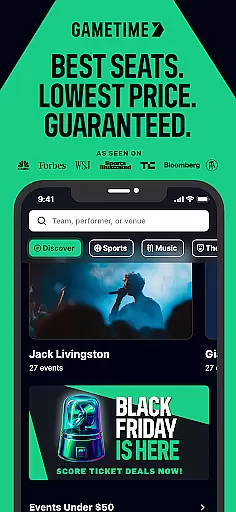

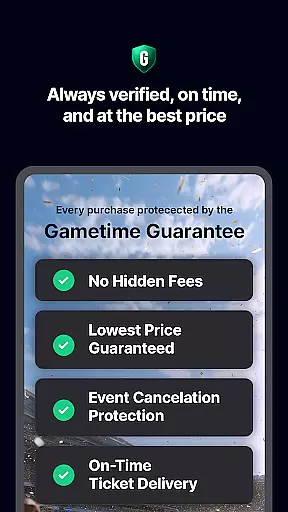

Gametime is a leading mobile application designed to help users secure tickets for live events at optimal prices. The app specializes in offering deals for sports games, concerts, festivals, comedy shows, and theatrical performances. With its unique feature of decreasing ticket prices as the event time approaches, Gametime ensures users can access last-minute deals. Additionally, it provides Gametime Ticket Coverage, a complimentary service policy that includes benefits like the Lowest Price Guarantee and Lightning Refunds.
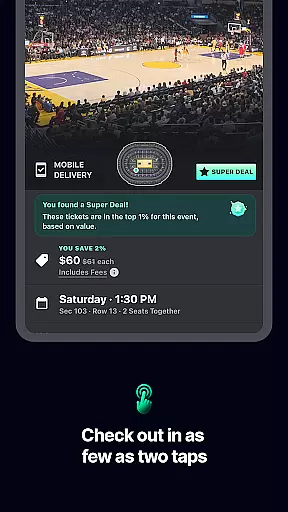
The app's intuitive interface allows users to browse venue maps, compare seat locations, and view panoramic photos of the view from different sections. Its streamlined 2-click checkout process and mobile ticket delivery system make purchasing seamless. Moreover, Gametime promotes eco-friendly practices by eliminating the need for paper tickets and enabling easy mobile sharing among friends.
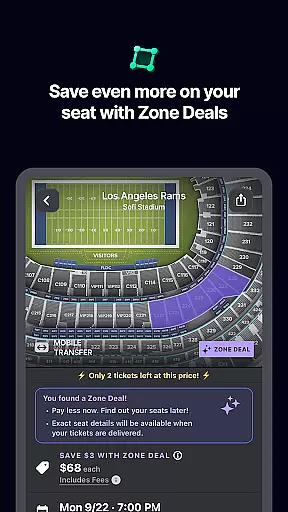
Gametime stands out with its specialized features tailored for live event enthusiasts. One notable aspect is its dynamic pricing model, where ticket prices drop closer to the event start time, allowing users to purchase tickets up to 90 minutes after the event begins. This flexibility is complemented by Zone Deals, which offer additional discounts.
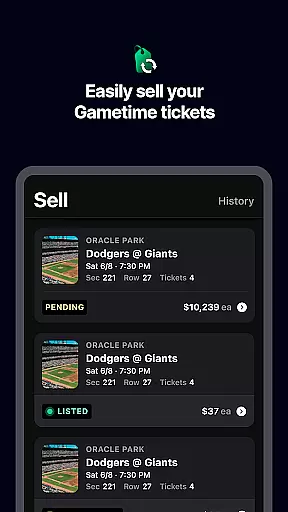
The inclusion of Gametime Ticket Coverage enhances user confidence with comprehensive protections such as Job Loss Protection and quick refunds for canceled events. Furthermore, the app's seat comparison tools, including detailed venue maps and section view photos, empower users to make informed decisions. The absence of hidden fees and the presence of an easy ticket selling platform further solidify Gametime's position as a user-centric ticketing solution.
Task creation and detail customization are essential features for any event management app like Gametime. This functionality allows users to not only find but also tailor their event-going experience with precision. By offering detailed listings that include seat views, price comparisons, and venue maps, Gametime empowers users to make informed decisions about their live event tickets.
Gametime implements this feature by providing comprehensive tools for users to browse through various events. The app showcases panoramic photos of venues, ensuring customers know exactly what view they are purchasing. Additionally, the app's interface is designed to facilitate easy navigation through different sections and prices, allowing users to customize their experience down to the exact seat selection.
The benefit to users is significant; they can ensure their investment in entertainment matches their expectations. With clear visuals and straightforward options, attendees can avoid unpleasant surprises and secure the best possible seats for their preferred events. This level of detail in planning enhances user satisfaction and trust in the platform.
Ultimately, the value lies in giving users control over their event experiences. Whether it's choosing seats for a baseball game or deciding on the perfect spot for a concert, Gametime's attention to task creation and customization details ensures that every ticket purchase is made with confidence and clarity.
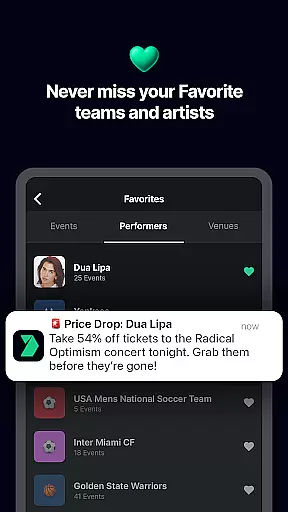
Reminder settings play a crucial role in ensuring that users never miss an event they've purchased tickets for. For an app like Gametime, which specializes in last-minute ticket deals, having reliable reminder functionalities is key to enhancing the user experience. These reminders help users manage their schedules and make timely arrangements to attend their chosen events.
Gametime offers flexible reminder settings that allow users to set notifications according to their preferences. Whether it's a push notification hours before a game starts or an email reminder days in advance of a concert, the app provides multiple ways to stay informed. Users can adjust these settings easily within the app, tailoring them to fit their personal schedules and notification preferences.
This feature brings practical advantages to users by keeping them organized and prepared. Timely reminders mean less stress about missing out on events and more time to plan how to get there. It also supports spontaneous plans by enabling users to jump on last-minute deals without worrying about forgetting the details.
In essence, Gametime's robust reminder settings exemplify its commitment to user-centric design. By prioritizing timely communication and customizable alerts, the app not only keeps users informed but also enhances their overall engagement with live entertainment experiences.
User-friendly interface
Complimentary ticket coverage
Flexible pricing options
Wide range of events
Mobile ticket convenience
Resale market limitations
Not primary ticket provider
Event cancellation risks
Limited international reach
Potential price fluctuations

CUE Live utilizes ultrasonic sound waves to sync devices at CUE enabled events
 4.80
4.80
Create Wedding Invitation and Wedding Anniversary Cards using our app
4.60
For weddings, parties & events
4.60
Beautiful invitation cards + easy RSVP tracking for any event. Design Invites.
4.80
Soft Proxy for Your Online World
4.5
Birthday Greetings provides Birthday Card, Frames, Gifs & Father's day Wishes
4.80
Thanksgiving Wishes, Thanksgiving Stickers & Animated GIF for Whatsapp Stickers
4.0
Introducing the official Magic: The Gathering app for mobile.
4.20
Buy and Sell Tickets for Concerts, Sports, and Theater.
4.70
Fantasy of Lights Event App
5.00
Find EDM shows near you! See your favorite artists live, and discover new music.
4.90
Design Invitations & Cards for Any Occasion
4.80
Plan your wedding for free on the go: vendors, budget, website and checklists!
4.80
Fast Scans. Happy Fans. For Every Hometown!
4.60
Manages display and transfer of tickets from the Mundo Tickets platform
3.80
Local events, contests, and giveaways for local dads
3.70
Audio guide companion APP for SEE's Michelangelo's Sistine Chapel
3.50
Buy event tickets easily with our user-friendly App. Stay updated on hot events
4.3
TV Garden is a video player to play your own TV streams from around the world!
4.2


User Reviews