
Twinkly

4.50

Information

Category:

House & Home

Price:

Free

Rank:

27

Rating:

4.50

Overview

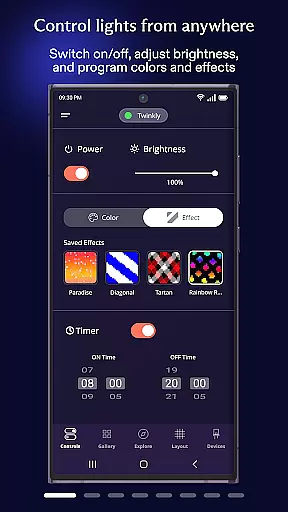
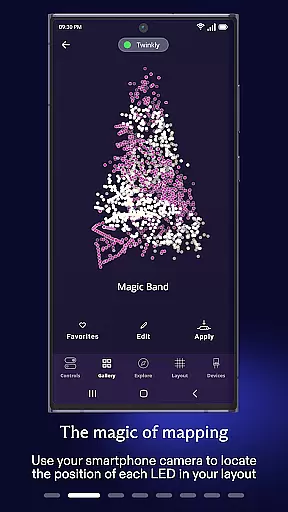
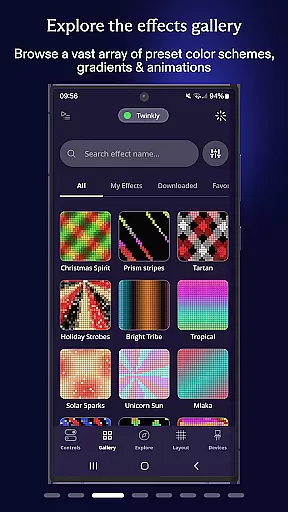
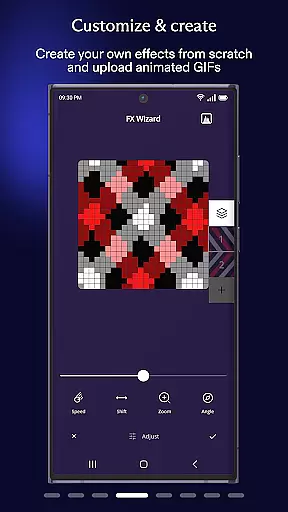
Twinkly is a smart lighting application that allows users to control and manage their Twinkly devices with ease. It offers a variety of features including mapping lights to customize and create effects, grouping devices for installations, setting timers, adjusting brightness, and integrating with Amazon Alexa or Google Assistant for voice control. Twinkly can be used on mobile devices, making it a versatile tool for home decoration and festive lighting setups. One of the best things about Twinkly is its ability to sync lights to sounds and music through Twinkly Music. This means that users can enjoy dynamic lighting experiences that respond to audio in real-time. And if you're using Twinkly on your smartphone, you can even design your own unique lighting effects. Overall, Twinkly is an excellent application for managing smart lighting systems. Whether you're looking to decorate your home, create custom light shows, or control lights with voice commands, it's a great option.

Features

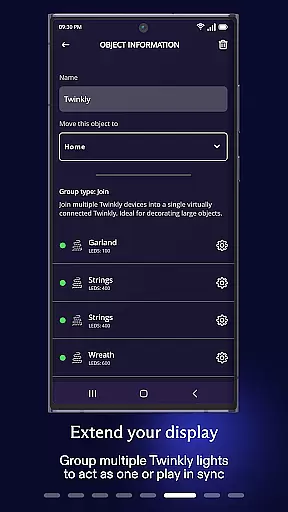
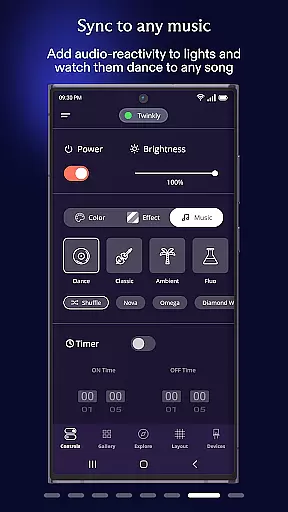
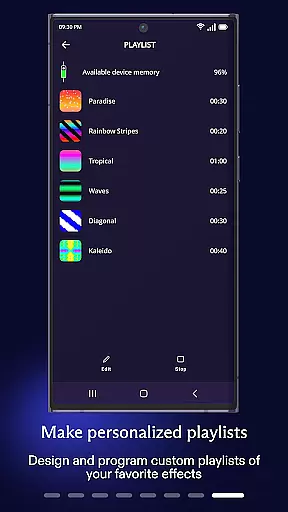
Twinkly is a popular app with a ton of features and customization options. Here are five of our favorites: 1. Light Mapping - The app allows users to map their lights which enables them to play, customize, and create stunning visual effects tailored to their setup. 2. Device Grouping - Users can group multiple devices together, creating complex installations and assigning specific roles to each device for coordinated lighting displays. 3. Timer and Playlist Settings - With the ability to set timers and create playlists, users have complete control over when and how their lights perform. 4. Voice Control Integration - Twinkly supports integration with Amazon Alexa and Google Assistant, allowing for hands-free voice control of lighting setups. 5. Music Syncing - Twinkly Music feature lets users sync their lights to sounds and music, providing an immersive experience where lights dance to the rhythm of songs.

Property listing authenticity

When it comes to managing your smart home devices, the authenticity and accuracy of listings are crucial. The Twinkly App ensures that every device you connect is accurately represented within the app interface.

This includes detailed mapping of your light installations, allowing for precise customization and effect creation. With the ability to group devices and assign specific roles to users, you can trust that your property's lighting setup is managed with utmost fidelity.

The app also supports integration with voice assistants like Amazon Alexa and Google Assistant, ensuring that all connected devices are genuine and fully functional. This level of authenticity in device representation provides peace of mind and a seamless smart home experience.

Home management features

Effective home management is at the core of the Twinkly App's functionality. It offers a comprehensive suite of features designed to streamline the control and customization of your lighting installations.

From setting timers and creating playlists to adjusting brightness levels, the app puts you in complete command of your environment. Its advanced capabilities even extend to synchronizing lights with sound and music through Twinkly Music, offering dynamic ambiance settings tailored to any occasion.

Additionally, the app's user-friendly interface makes it easy to manage multiple devices and installations, providing an intuitive platform for both novice and experienced users to optimize their home's aesthetic and functionality effortlessly.

FAQs

What is this app and what can I use it for?

Twinkly is a smart lighting app that allows users to control and customize lighting effects, manage devices, and sync lights to music.

How do I download and install this app on my device?

To install Twinkly, download it from the Google Play Store or Apple App Store and follow the on-screen instructions to complete installation.

How do I get started after opening the app for the first time?

Upon first opening Twinkly, follow the setup wizard to connect your devices and explore basic settings to familiarize yourself with the app.

What are the main features and capabilities of this app?

Main features include light mapping, device grouping, timer settings, brightness adjustment, and voice control via Amazon Alexa or Google Assistant.

How can I customize my experience and adjust preferences?

Customize your experience by adjusting settings such as light effects, timers, playlists, and user roles within the app's preferences menu.

How do I save or bookmark my favorite content for later access?

Save favorite content by creating custom playlists or saving specific light effect configurations for easy access later.

How can I share content with friends or on social media?

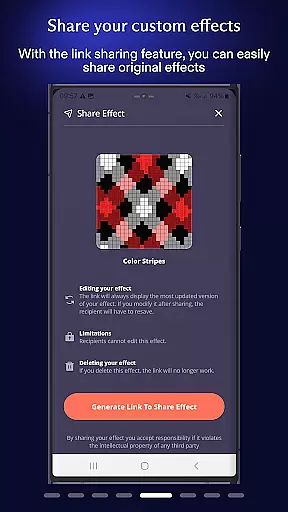
Share your lighting designs by exporting them through the app and sending to friends or posting on social media platforms.

How do I access detailed information and explore more content?

Access detailed information by exploring the app's help section or visiting Twinkly's official website for more resources and guides.

What permissions does this app need and how do I manage them?

The app requires permissions for network access and device management; manage these in your device's settings under app permissions.

How do I check for updates and keep the app running smoothly?

Check for updates by visiting the app store where you downloaded Twinkly and ensure automatic updates are enabled for continuous improvements.
Show more

User Reviews

{{ comment.reviewer_name }}
{{ comment.review_date_formatted}}
{{ comment.review_content }}
{{ tab.name }}
{{ comment.reviewer_name }}
{{ comment.review_date_formatted}}
{{ comment.review_content }}
No reviews with this rating


















