
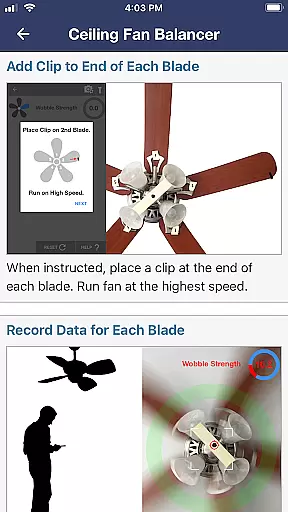
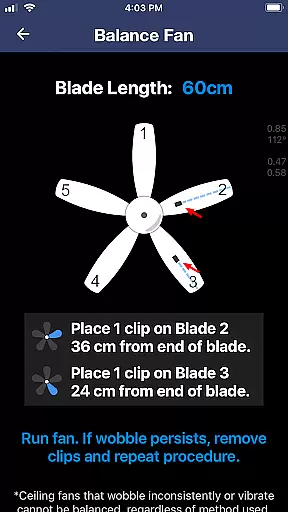
Ceiling Fan Balancer is a revolutionary application designed to help users fix wobbling ceiling fans with precision and ease. By utilizing the phone's sensors, it dynamically analyzes fan movement and determines the optimal placement of counterweights for maximum stability.
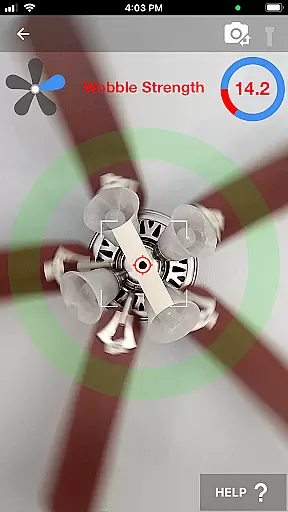
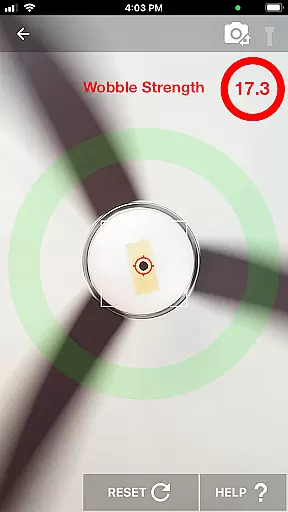
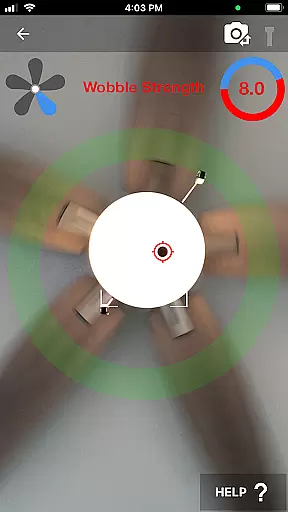
The app provides clear step-by-step instructions, starting from preparing the fan by cleaning and tightening screws, to numbering blades and recording wobble patterns. Its intuitive interface allows users to check wobble strength in real-time simply by pointing the camera at a marked spot on the fan.
Whether you're a homeowner looking to fix annoying fan wobbles or a professional technician seeking an efficient diagnostic tool, Ceiling Fan Balancer offers a reliable solution that eliminates guesswork and trial-and-error methods.
This House & Home app stands out with its innovative use of smartphone technology to solve a common household problem. The core feature is its ability to record and analyze fan wobble patterns, providing precise recommendations on where to place counterweights.
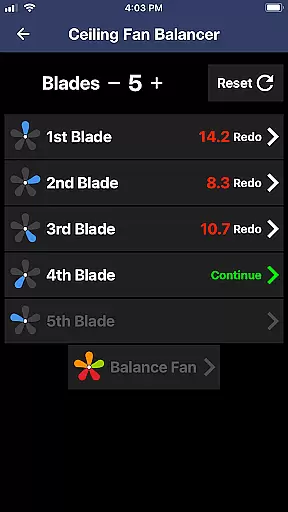
Users can follow detailed instructions within the app, including marking blades, attaching clips, and recording movement data. The real-time wobble strength display ensures accurate adjustments without the need for specialized equipment.
Additional features include comprehensive guidelines available on the official website, making it a complete solution for anyone dealing with unbalanced ceiling fans. The app's scientific approach saves time and effort compared to traditional balancing methods.
When it comes to maintaining ceiling fans, ensuring the information about potential issues is authentic and accurate is crucial. Ceiling Fan Balancer provides genuine data regarding fan wobble, which directly correlates to the condition of your fan.
This app uses your phone's capabilities to analyze the wobble in real-time, providing precise feedback on the stability of the fan. By following the instructions provided, users can trust that the identified wobble issues are true and need addressing.
The preparation steps ensure that any data collected isn't due to external factors like dirt or loose screws, thus preserving the authenticity of the diagnostics. This attention to detail guarantees that any adjustments made will genuinely improve the fan's performance.
Beyond just identifying problems, Ceiling Fan Balancer offers comprehensive home management features for maintaining optimal ceiling fan operation. The app guides users through a systematic process to not only detect but also rectify balance issues efficiently.
With clear instructions that include drawing a dot on masking tape and numbering blades, homeowners are empowered to take matters into their own hands. The app records the wobble of each blade and calculates the best position for placing counterweights, streamlining what could otherwise be a complex task.
Additionally, by offering a direct way to check wobble strength in real time simply by pointing the camera at a reference dot, this tool simplifies ongoing maintenance checks. Such features make managing household items like ceiling fans more accessible than ever before.
User-friendly interface
Real-time wobble analysis
Precise weight placement
Eliminates guesswork
Cost-effective solution
Requires manual input
Limited to fan issues
Needs stable internet
Device compatibility
Learning curve

Draw your floor plan smartly. Make house design blueprint with home planner app
 3.60
3.60
Fully control your Philips TV with this all-in-one remote control app.
4.20
Schlage Lock Company LLC
4.00
Find the perfect paint color with advanced tools to explore and visualize color.
3.80
Find your next home, house, apartment, condo, casa, flat, rental, studio, or bed
4.70
WiZ smart light system
4.40
Turn old phones into security cameras, baby monitors, pet cams, and more.
4.70
An easier way to make payments and maintenance requests from anywhere.
3.50
Set up your devices, customize settings, and monitor your home—from anywhere
4.40
Connect with reliable pros for maintenance services, plumbing, and home design!
4.80
Your guide to apartments & rental homes. Find your next place to rent with AG.
4.60
The Merkury Smart app makes it easy to control your smart devices.
4.50
Control your Daikin, Amana & Goodman heating & cooling systems from anywhere
4.40
SmartRent - Opening Doors To A Smarter World
4.40
Universal Tv Remote Control for all Tv. Cast for chromecast & all Tv Controller
4.20
Floor Plan Creator Home Design with 2D interior design and 3d view.
3.90
Use Home by ShowingTime to easily manage showings, tours, feedback and more
3.60
Calculate baluster spacing with ease and precision.
4.5
Universal TV Remote for TV, control all Smart TVs with your mobile phone.
4.5


User Reviews