
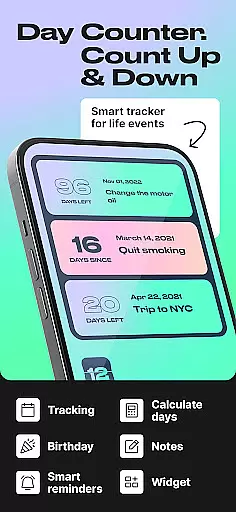
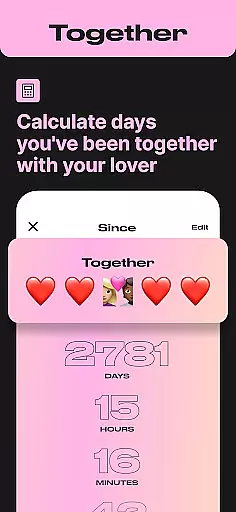
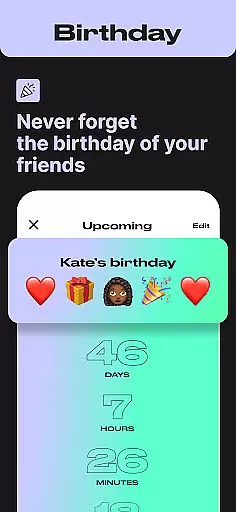
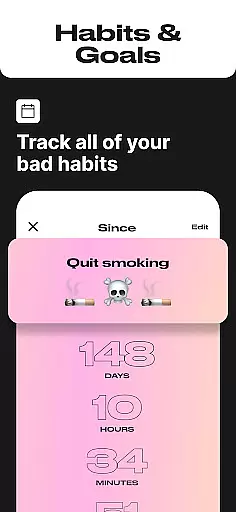
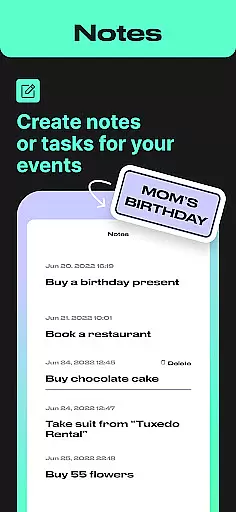
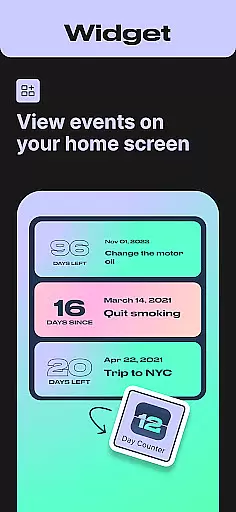
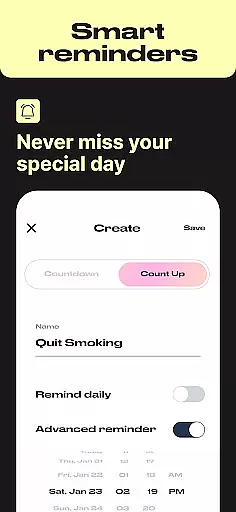
Task creation and detail customization are essential features for any event management app, and Day Counter excels in this area. This functionality allows users to create specific countdowns or count-ups for various events, ensuring that every important moment is tracked accurately.
The app provides a streamlined process for setting up counters with personalized names, dates, and reminders. Users can easily customize each counter to suit their needs, whether it's a birthday, work deadline, or personal milestone. The ability to tailor these details ensures that the countdowns and count-ups remain relevant and meaningful.
Day Counter supports unlimited counters, enabling users to track multiple events simultaneously without any hassle. Each counter can be individually managed, allowing for precise control over notifications and updates. This flexibility empowers users to stay organized and never miss an important date or deadline.
By offering extensive customization options, Day Counter enhances user engagement and satisfaction. The app's intuitive interface makes it easy to create and manage tasks, while its powerful features ensure that users can rely on it for both personal and professional time tracking needs.
Reminder settings in Day Counter play a crucial role in helping users stay on top of their schedules by providing timely notifications for upcoming events. These reminders ensure that users never miss a significant moment, whether it's a birthday, anniversary, or an important deadline.
The app offers customizable notification options, allowing users to set personalized alerts for each counter. This feature enables individuals to receive reminders at specific intervals before or after the target date, ensuring they have ample time to prepare or reflect on past events. Such flexibility enhances the overall user experience by catering to diverse scheduling needs.
Day Counter also includes widget support, which enhances visibility and accessibility of reminders directly from the home screen. Users can quickly glance at their upcoming events and manage their time effectively without needing to open the app constantly. This seamless integration into daily routines boosts productivity and keeps users engaged with their schedules.
Overall, the reminder settings in Day Counter provide a robust solution for managing time-sensitive tasks and events. By combining customizable notifications with user-friendly widgets, the app ensures that users remain informed and prepared for every important occasion in their lives.

The Official App
 4.4
4.4
Manage all your events, leads, ticketing, payments and check-ins.
4.30
Buy event tickets easily with our user-friendly App. Stay updated on hot events
4.3
Some connections are better kept private
4.0
Find EDM shows near you! See your favorite artists live, and discover new music.
4.90
Text message invitations for birthday party, wedding, graduation, baby shower +
4.60
RAISE-365 makes fundraising easy and fun!
3.20
Plan your wedding for free on the go: vendors, budget, website and checklists!
4.80
Find Live Event Ticket Deals to Sports, Concerts, Festivals, & Comedy For Less!
4.80
Invitation card maker for birthday party & Wedding. Digital greeting card editor
4.90
The KRUU app - plan, celebrate, remember
4.80
Birthday Greetings provides Birthday Card, Frames, Gifs & Father's day Wishes
4.80
Design Invitations & Cards for Any Occasion
4.80
The Ultimate Tournament Hub
4.70
PheedLoop Go! is the mobile event app for events powered by PheedLoop.
4.40
Introducing the official Magic: The Gathering app for mobile.
4.20
Buy tickets for any event!
3.90
Manages display and transfer of tickets from the Mundo Tickets platform
3.80
TV Garden is a video player to play your own TV streams from around the world!
4.4


User Reviews