
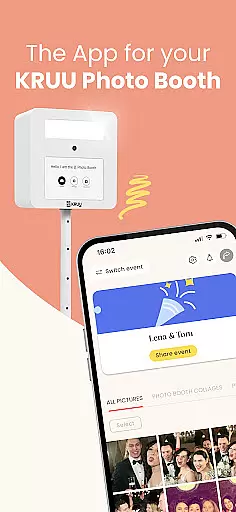
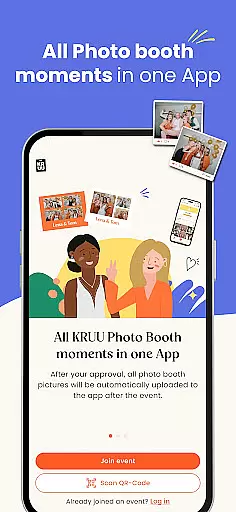
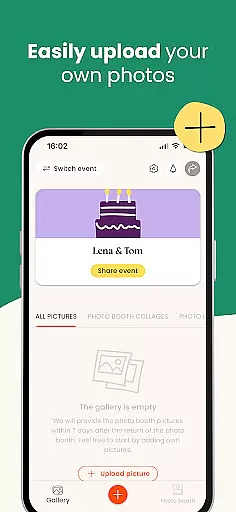
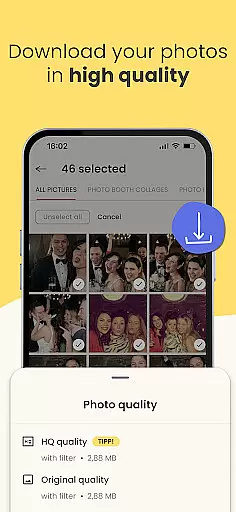
KRUU is an innovative mobile application designed specifically for event photography management, catering to both event organizers and attendees. The app's core functionality revolves around creating a centralized digital space where all event photos can be securely stored, shared, and interacted with. Through its intuitive interface, users can easily upload images from various sources including professional photographers, guests, and the automated KRUU Photo Booth system.
What sets KRUU apart in the Events category is its comprehensive approach to photo management. The app provides automatic synchronization of Photo Booth images, creates dedicated galleries for each event, and enables social interactions through likes and comments. Its GDPR-compliant infrastructure ensures maximum data protection while offering three months of free cloud storage for all captured moments. This makes it particularly valuable for weddings, corporate events, and other significant gatherings where preserving memories is crucial.
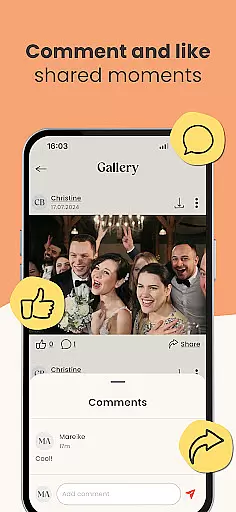
The KRUU app distinguishes itself through several key features that enhance event photography management. First and foremost is its robust gallery system that automatically organizes photos into event-specific collections. Each gallery functions as a dynamic feed where authorized participants can engage with content through commenting and liking features, creating a social media-like experience tailored specifically for private events.
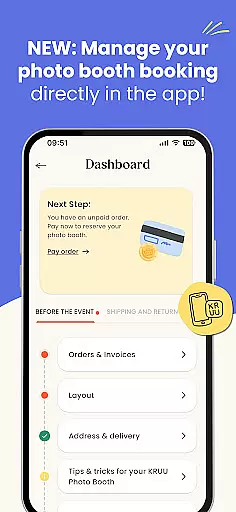
Another standout feature is the seamless integration with KRUU Photo Booth technology. Photos taken at the booth are instantly transferred to the app without any manual intervention. The application also includes sophisticated administrative tools that allow event organizers to manage participant access and monitor sharing permissions. Furthermore, the app's German-based servers ensure top-tier data security while maintaining compliance with strict European privacy regulations, making it one of the most secure event photo management solutions available in the market.
Task creation and detail customization are essential features for event management applications like KRUU. This functionality allows users to set up events with precision, ensuring that every aspect of the celebration is captured and shared effectively.
KRUU enables users to create new events or join existing ones seamlessly. The app provides an intuitive interface where users can input specific details such as event timing, guest lists, and photo-sharing permissions. This ensures that all participants are well-informed and can contribute to capturing the event's best moments.
The benefit to users is significant. Event organizers can manage their events more efficiently by customizing each detail to fit the occasion. Guests can easily upload, like, and comment on photos, making the experience interactive and engaging. This level of customization ensures that no precious memory is lost and everyone involved can relive the celebration's highlights.
By offering such detailed customization options, KRUU enhances user engagement and satisfaction. The ability to tailor each event's specifics not only simplifies the planning process but also enriches the overall experience, making it a must-have tool for any memorable gathering.
Reminder settings in event applications play a crucial role in keeping participants informed and engaged. For an app like KRUU, which focuses on capturing and sharing event memories, having effective reminder functionalities ensures that users never miss an important moment or update.
KRUU incorporates reminder features that notify users about upcoming events, newly uploaded photos, and interactions such as likes and comments. Users can customize these reminders according to their preferences, choosing how often and when they wish to be notified. This flexibility helps maintain user interest and active participation throughout the event duration.
This feature offers tangible benefits to users. By receiving timely reminders, guests can stay engaged with the event activities and contribute by uploading more photos or interacting with existing ones. Organizers can ensure maximum participation and keep the event lively and dynamic.
Ultimately, KRUUu2019s reminder settings enhance the user experience by providing timely updates and encouraging continuous interaction. This keeps the event alive in participants' minds long after it concludes, fostering a sense of community and shared memories among all attendees.
User-friendly interface
Free cloud storage
GDPR compliant
Automatic photo sync
Social interaction features
Limited to events
Three-month storage
Photo Booth required
Regional focus
No video support

The Official App
 4.0
4.0
Create Birthday Cards in Birthday Invitation Maker and Birthday Card Creator App
3.00
Browse events, find transportation, keep up with the latest news from your team
4.5
Fantasy of Lights Event App
5.00
Get live football here
4.30
Instant photo sharing for every occasion
3.80
Microsoft Ignite is an event that showcases latest advancements in technology
4.00
Meet people over dinner
4.40
Design Invitations & Cards for Any Occasion
4.80
Clubs, Festivals, Discounted Tickets, Guest Lists & VIP Tables
4.90
The Ultimate Tournament Hub
4.70
Connect with an ecosystem of 5M+ eventgoers and organizers.
4.50
The world's largest selection of tickets is now at your fingertips
3.90
Watch live football matches and streaming events on our Arabic TV app!
3.50
TV.Garden is a video player to play your own TV streams from around the world!
3.40
RAISE-365 makes fundraising easy and fun!
3.20
TV Garden - World Live TV : Play & cast your videos seamlessly!
3.20
An App for Bhutanese
4.5
The Official Football Ticketing App for Fans in Qatar
4.4


User Reviews