
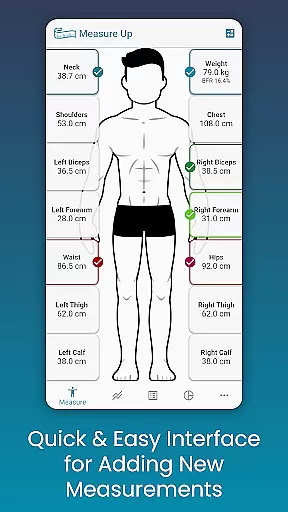
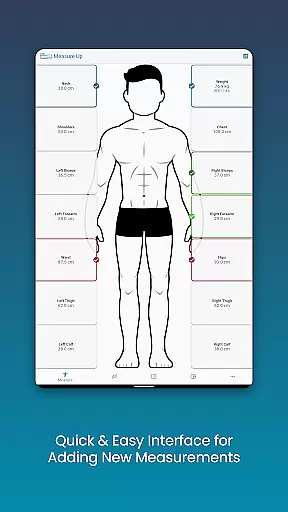
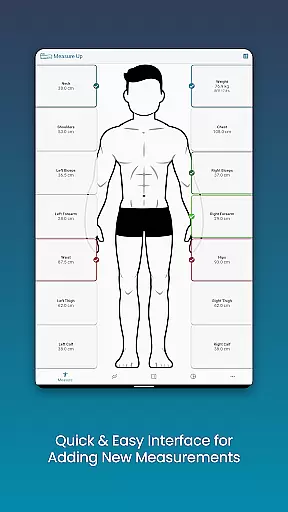
Body Measurement Tracker is a specialized health and fitness application designed to simplify the process of monitoring weight loss or muscle gain progress. The app offers an intuitive interface that allows users to quickly record body measurements, track their history, and visualize progress through charts and tables.
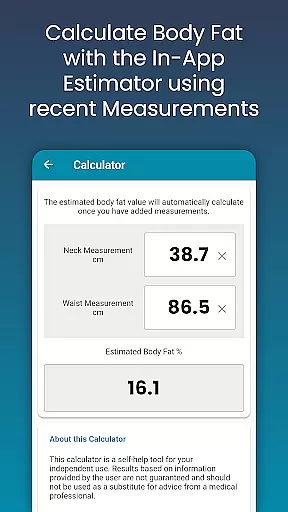
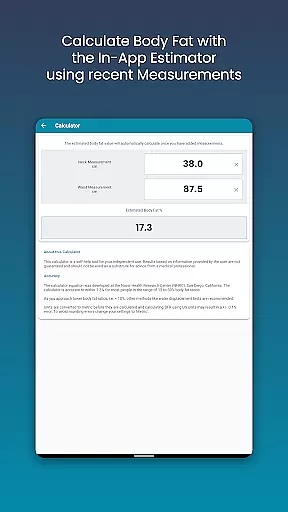
A key feature of this app is its ability to display which body parts have been measured on a given day, ensuring consistent tracking. Users can also integrate with Google Fit, add custom measurements, and utilize a body fat calculator for deeper insights into their physical transformation journey.
This application is particularly useful for individuals who are serious about their fitness goals and need a reliable tool to monitor their progress over time. By providing various data visualization options and seamless cloud backup functionality, Body Measurement Tracker empowers users to stay focused and informed throughout their fitness journey.
The Body Measurement Tracker stands out with its comprehensive set of features tailored for health-conscious individuals. One of its main strengths is the streamlined measurement recording system that supports both current and past date entries, making it easy to maintain an accurate history.
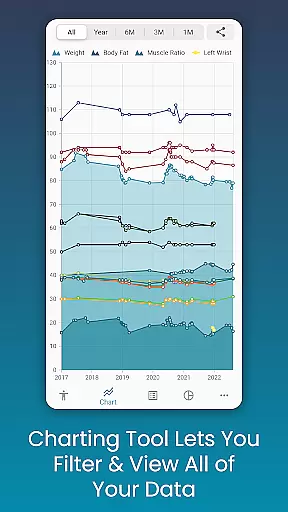
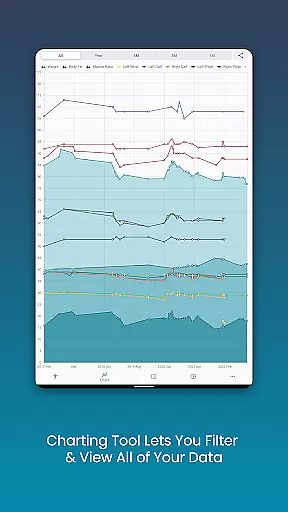
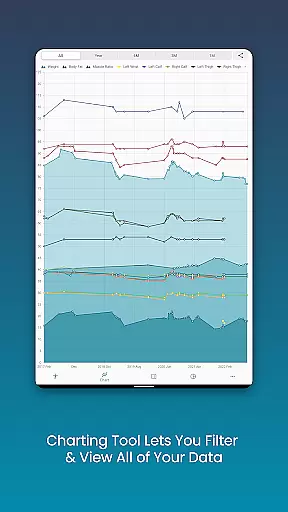
The app's chart analysis tool provides a unique way to visualize progress. Users can toggle different measurements on and off, stack lean mass and body fat data, and even export charts as PNG images for sharing. This level of customization extends to the app's color schemes and measurement types, allowing personalized tracking experiences.
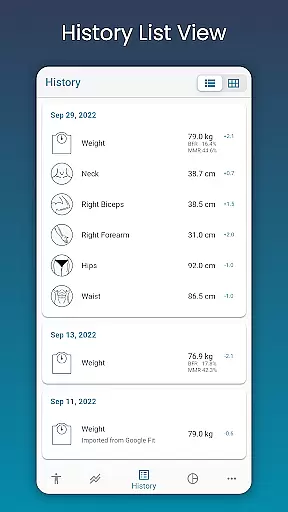
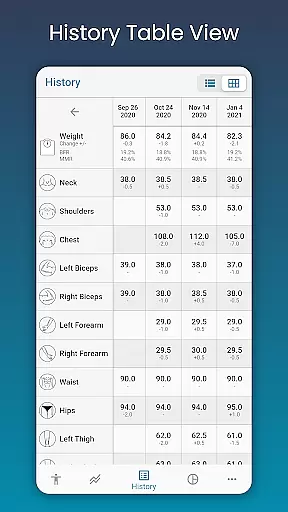
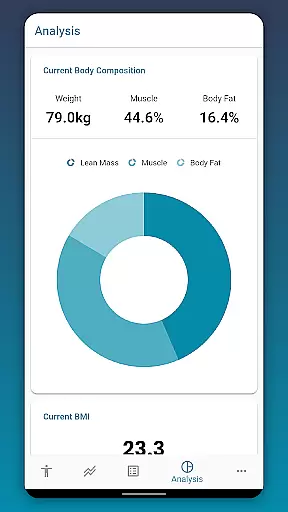
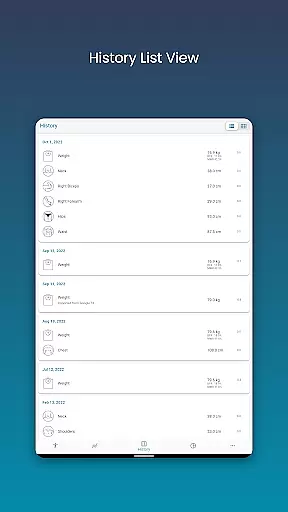
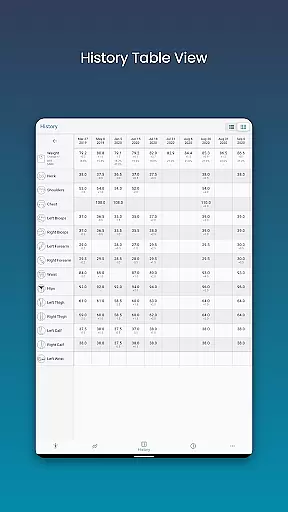
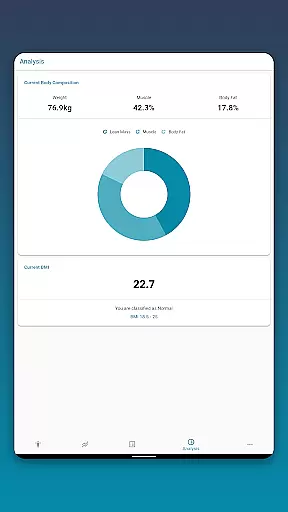
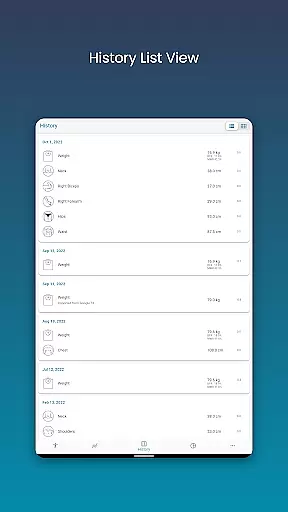
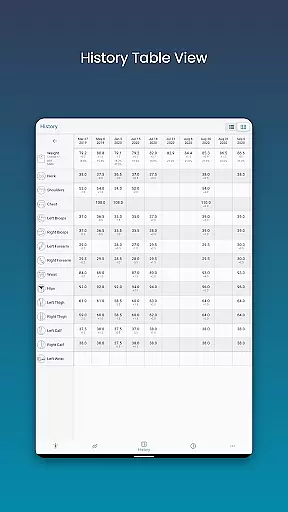
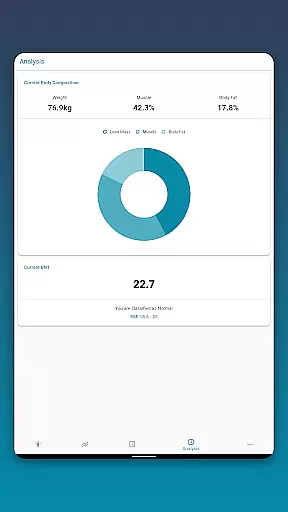
Additional notable features include BMI calculation, body composition analysis, and multiple data viewing formats (chart, table, list). The built-in backup and restore functionality ensures data security, while integration with Google Fit enables synchronization with other health applications, creating a unified health tracking ecosystem.
Personalized planning in Body Measurement Tracker offers tailored strategies for users aiming to lose weight or gain muscle. The app's interface simplifies the process of recording and tracking body measurements, making it easier to follow progress over time.
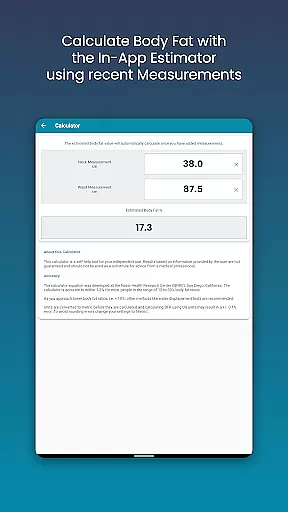
With features like the in-app body fat calculator and the ability to add past measurements, users can accurately monitor their body composition changes. This level of detail allows for precise tracking that is crucial for personalized health planning.
The app provides various data visualization options such as charts, tables, and lists which help users understand their progress in a format that makes sense to them. These tools are essential for setting realistic goals and adjusting plans based on clear feedback.
By integrating with Google Fit, Body Measurement Tracker ensures that users can sync their data across platforms, providing a comprehensive view of their fitness journey. This connectivity enhances the personalization aspect by allowing a more holistic approach to health management.
Progress visualization in Body Measurement Tracker is designed to make your fitness journey transparent and motivating. With unique charting capabilities, you can view all your body measurement data in one place, offering a clear picture of your progress over time.
The app allows you to toggle different measurements on and off from the legend toolbar, enabling a customizable view of your data. This feature helps in focusing on specific areas of improvement or success, enhancing the user's understanding of their body transformation.
Exporting your progress charts to PNG format lets you share your achievements with friends or trainers via popular apps. This sharing capability not only celebrates milestones but also encourages continued dedication to personal health goals.
Additionally, viewing data in table and list formats provides alternative ways to interpret your advancement, catering to different preferences for data analysis. Such versatility in tracking ensures that every user can find a method that resonates with their personal tracking style.
User-friendly interface
Comprehensive charting tools
Customizable measurement options
Google Fit integration
Cloud backup functionality
Limited social features
No real-time coaching
Premium features locked
Occasional syncing issues
Basic free version

Period Tracker, the easiest way to track your periods!
 4.50
4.50
When the night comes, we prepare your eyes for deep, sweet dreams
4.70
Use your watch as a bike computer, heart rate monitor and cycling power meter
2.50
The Crunch Mobile app - Find a gym, manage favorites, reserve & cancel classes.
4.60
Turn your steps into cash, gift cards & rewards with our step counting pedometer
3.80
Grow with self-tests and personal routine.
4.30
Memory, mind & logic exercises. Puzzle games, IQ & brain test for kids & adults
4.50
Personal step counter for you, private and accurate
4.50
Monitor blood sugar, gain insights, and manage diabetes with ease.
3.20
Home workouts for fitness & fast bodybuilding at home - no equipment needed.
4.90
Weight loss app: home workout for women to lose weight & burn calories.
4.80
Mind on steroids - relaxation, productivity, meditation and sleep!
4.60
Blood Pressure Log, HRV & Heartbeat Tracker. Pulse Checker.
4.40
Fast Body building & Weight Loss. Home Workouts with Daily Coach, No Equipment.
4.30
Interval timer for High Intensity Interval Training, Tabata and Circuit Training
4.20
Walk, track, and burn calories with step counter & GPS walking tracker
4.20
Your Health Assistant
3.90
Control your sleep in real-time wearing Garmin device
3.60
The Sleep Miracle Sound Machine: Soothes baby to sleep with a gentle "Shhh"
3.00


User Reviews