
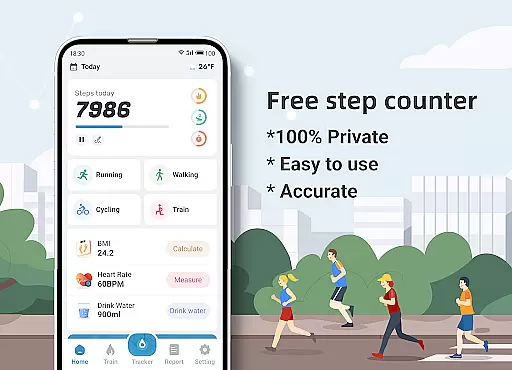
Step Counter - Pedometer & BMI is a comprehensive health and fitness application designed to track your daily steps, monitor BMI, and provide detailed activity reports. The app offers accurate step counting through your mobile device, eliminating the need for additional pedometer hardware. It stands out with unique features like GPS tracking that maps your walking or running routes while recording essential metrics such as distance and calories burned.
Beyond basic step counting, the app includes personalized training plans to help users establish and achieve their fitness goals. Whether you're a beginner looking to start with short jogging sessions or aiming to maintain a consistent workout routine, Step Counter provides tailored guidance. The built-in BMI calculator adds another layer of health monitoring, allowing users to track their body mass index over time.
This app proves especially valuable for health-conscious individuals who want to maintain an active lifestyle while keeping tabs on their overall fitness progress. With its privacy-focused approach, all your data stays on your device, making it an excellent choice for those concerned about data security in health applications.
Step Counter - Pedometer & BMI distinguishes itself through several notable features. First is its advanced step-tracking algorithm that works seamlessly with your phone's sensors to deliver precise step counts. Users can adjust sensitivity settings to match their walking style, ensuring optimal accuracy regardless of whether they're strolling through the park or climbing stairs.
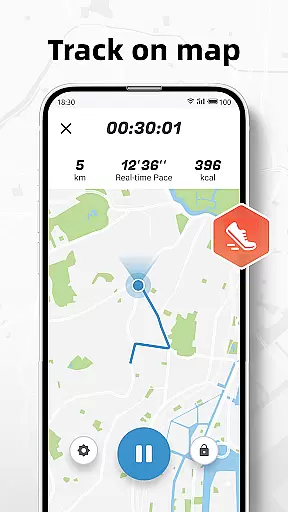
The app's mapping functionality sets it apart from basic pedometers. As you walk or run, it creates detailed route maps while simultaneously tracking crucial fitness data points including distance traveled and calories burned. This feature is particularly beneficial for outdoor enthusiasts who want to review their exercise paths.
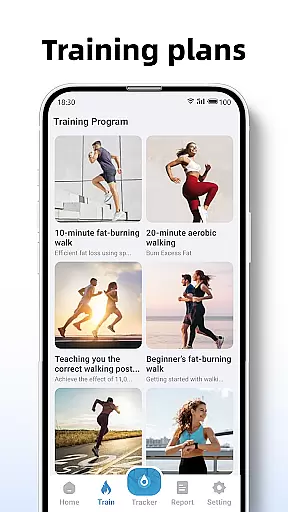
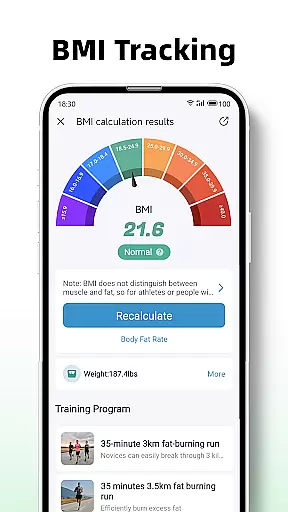
Another standout feature is the collection of structured training plans. These programs guide users through various workout routines, from beginner-friendly 10-minute jogging sessions to more advanced regimens. Each plan incorporates real-time tracking of active time, distance, and calorie expenditure. Additionally, the BMI tracking function provides users with valuable insights into their overall health status, helping them make informed decisions about their fitness journey.
Personalized planning in fitness applications refers to the ability to tailor workout routines and health goals according to individual user needs. Step Counter - Pedometer & BMI excels in this area by offering customizable training plans that cater to different fitness levels and objectives.
The app provides various training modes, such as a 10-minute jogging plan, which records active time, distance, and calories burned. This personal approach ensures that users can start their fitness journey regardless of their current activity level.
By integrating BMI tracking, the application further refines personalized planning. Users can calculate and monitor their BMI, using this data to maintain or achieve fitness goals. The inclusion of BMI tracking adds a layer of personal health management that is crucial for effective planning.
Overall, the personalized planning features of Step Counter empower users to take control of their fitness with tailored plans that adapt to their progress and changing goals, ensuring sustained motivation and measurable outcomes.
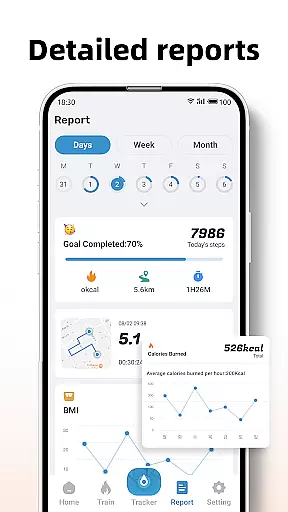
Progress visualization is a critical component of any fitness app, providing users with tangible evidence of their achievements and encouraging continued engagement. Step Counter - Pedometer & BMI offers detailed reports and graphs that display daily, weekly, and monthly data, allowing users to see their progress over time.
The app tracks steps on a map, showing users their walking or running routes. This feature not only motivates users by highlighting the distances they cover but also adds an element of discovery and fun as they explore new paths.
In addition to step tracking, the app visualizes other metrics such as active time, distance, and calories burned during workouts. These visual representations help users understand how their efforts translate into results, reinforcing positive behaviors.
With its comprehensive progress visualization tools, Step Counter ensures that users remain engaged and informed about their fitness journey, celebrating milestones and maintaining momentum towards their health objectives.
User-friendly interface
Accurate step tracking
Comprehensive reporting
Private data handling
Customizable sensitivity
Limited device compatibility
No wearable integration
Basic social features
Occasional inaccuracies
Ads in free version

Live Heart Rate Pro - Real Time Heart & Workout Data For Wear OS & Bluetooth BLE
 3.20
3.20
Insanity blocks of intense physical activity, short breaks of 30 seconds.
4.5
Easy reconstitution calc for mixing peptides and creating protocols
4.70
Using Recognise™ has been shown to reduce pain and improve performance.
4.3
Your AI pet BFF. Talk, play, and beat anxiety in this calming game.
4.60
Your personal BP tracking companion, focus on helping you achieve wellness goal.
4.10
Easy to use step counter, calorie counter helps lose weight, count steps offline
4.80
Jogging app for calorie counter and distance tracker. Running app to lose weight
4.20
Monitor blood sugar, gain insights, and manage diabetes with ease.
3.20
sobriety counter app to help and motivate people to stop drinking alcohol.
4.90
Protect your healthy sleep
4.80
Mind on steroids - relaxation, productivity, meditation and sleep!
4.60
The Crunch Mobile app - Find a gym, manage favorites, reserve & cancel classes.
4.60
Binaural Beats - Fully Customizable Waves - Pure Sound - No Loops
4.50
50 HD sounds to help you relax during the day and sleep great at night!
4.40
Understand your body’s most meaningful messages and transform your health.
3.90
Make sense of your health data.
3.80
Track sleep cycle, relax with white noise, sleep sounds & smart alarm clock
3.80
Transform your body and soul with DBFFitness, with a 40-day fitness journey.
4.4


User Reviews