
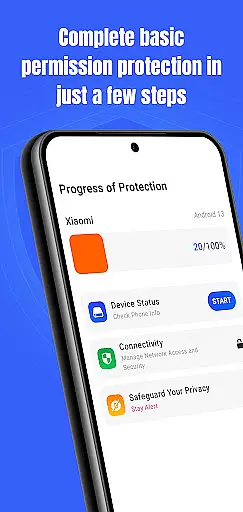
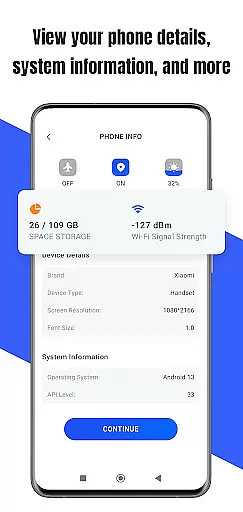
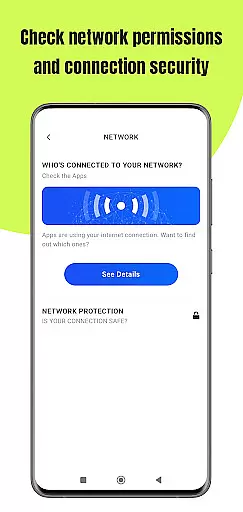
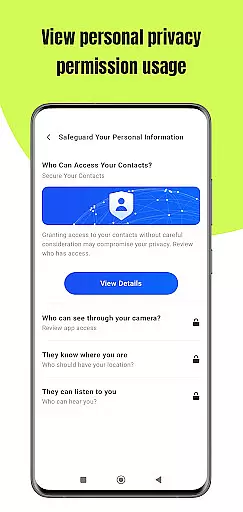
Permission Guard is a specialized security application within the Business category, designed to help users manage app permissions effectively. The core functionality revolves around monitoring and controlling the access rights of other apps on your device. It ensures that each application only accesses the data it genuinely requires, thereby protecting your privacy.
The app provides real-time alerts when an application attempts to access sensitive information or hardware components like the camera and microphone. This feature allows users to make informed decisions about which permissions to grant or revoke. Whether you're a business professional safeguarding corporate data or an individual user concerned about personal privacy, Permission Guard offers a reliable solution for maintaining control over your device's privacy settings.
One of the standout features of Permission Guard is its comprehensive permission management system. Users can view a detailed breakdown of all permissions granted to installed applications. The app categorizes these permissions into groups such as location, contacts, and storage, making it easier to understand what each app can access.
Another notable feature is the privacy advisor, which offers recommendations on which permissions to revoke based on typical usage patterns. This helps users optimize their security without compromising essential functionalities. Additionally, Permission Guard includes a built-in scanner that checks for apps with excessive permissions, alerting users to potential privacy risks. These features collectively ensure that your device remains secure while allowing you to customize your privacy settings according to your specific needs.
Collaborative work features are essential for modern business applications, enabling teams to work together efficiently and securely. Permission Guard excels in this area by providing robust tools for managing app permissions across your devices.
The application allows administrators to monitor and control permissions granted to various apps, ensuring that only necessary data is accessed. This feature is particularly useful in collaborative environments where multiple users interact with shared resources.
Users benefit from enhanced security protocols as Permission Guard actively monitors permission changes and alerts administrators of any unauthorized access attempts. This ensures that sensitive information remains protected while facilitating seamless collaboration.
By maintaining strict permission controls, businesses can prevent data breaches and ensure compliance with privacy regulations. Permission Guard's collaborative work features empower organizations to maintain a secure and productive work environment.
Effective task management is crucial for optimizing productivity in business settings. Permission Guard offers comprehensive task management capabilities focused on overseeing app permissions and safeguarding device integrity.
The app provides detailed insights into which permissions are granted to installed applications, allowing users to review and modify these settings as needed. This granular control helps streamline task management processes related to device security.
With its intuitive interface, Permission Guard makes it easy for users to identify apps with excessive permissions and take corrective actions. This proactive approach to task management enhances overall device performance and security.
By integrating task management with permission monitoring, Permission Guard ensures that businesses can maintain optimal operational efficiency while protecting valuable assets from potential threats.
Enhanced Security
User-Friendly Interface
Real-Time Alerts
Comprehensive Reports
Customizable Settings
Limited Free Version
Occasional False Positives
Drains Battery
Not Compatible with All Devices
Requires Regular Updates

 4.70
4.70
The revolutionary flexible staffing platform
4.40
ANDROID'S TOP MOBILE OFFICE - Word, Excel, PowerPoint and PDF at your fingertips
4.50
BuildCalc - the easiest AND the most advanced construction calculator app.
4.80
TurboScan turns your phone into a full-featured PDF document scanner.
4.80
Paychex Flex - Save Time and Stay Connected
4.60
enjoy effortless PDF reading anytime, anywhere
3.90
From Gone to Back Again — In Just a Few Taps
4.50
ADP Mobile Solutions is an employee self service app
4.50
Manage Your Shop
4.70
Earn free swag, G-Cards & food • Enter sweepstakes • Find stores • So much more.
4.70
Ask Accio anything about business. Alibaba-backed, built by experts, not just AI
4.60
All Your Gig Work. One App.
4.30
Say hello to the mobile work experience built to help you thrive at work.
4.30
FX Plus adds media, networking, and cloud capabilities to FX File Explorer.
4.10
The Penny Puss app with DG penny finder
4.10
On the go? Take FedEx with you.
4.00
Completed Course Lectures on how to use IBM Maximo in Maintenance issues
4.3
viewing and sharing PDFs and other files—anytime, anywhere!
4.5


User Reviews