
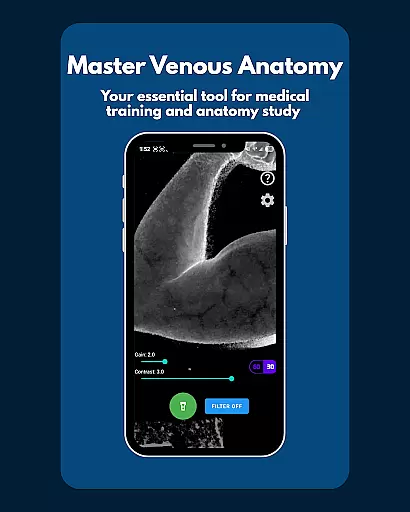
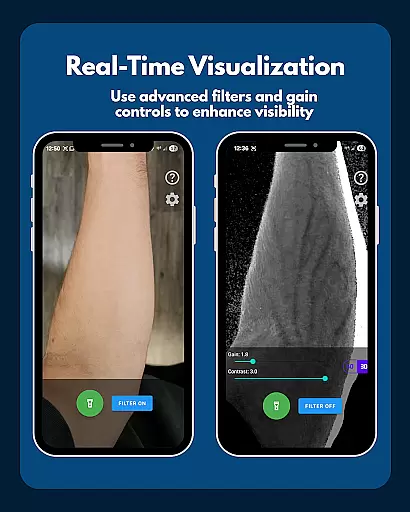
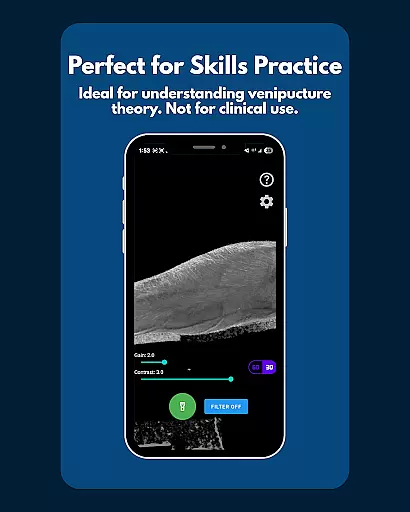
VeinFinder is an innovative educational tool designed to assist medical students and educators in mastering venous anatomy. Using advanced GPU-accelerated image processing, the app enhances vein visibility directly through your device's camera, eliminating the need for additional hardware. This makes it an invaluable resource for practical learning and teaching scenarios.
The app offers precise control over gain and contrast settings, ensuring optimal vein visualization across various skin tones and lighting conditions. With its integrated flashlight feature, VeinFinder maintains consistent performance even in low-light environments. Whether preparing for exams or conducting classroom demonstrations, this app bridges the gap between theoretical knowledge and hands-on practice.
VeinFinder stands out with its instant comparison feature, allowing users to toggle between enhanced and raw camera views seamlessly. This functionality provides a clear understanding of how image processing improves vein visibility. The app's precision controls enable fine-tuning of gain and contrast, catering to diverse user needs and environmental factors.
Privacy and security are paramount in VeinFinder's design. All image processing occurs locally on the device, ensuring that no data is transmitted or stored externally. Additionally, the app is optimized for Samsung devices while maintaining compatibility with most Android models. Continuous updates aim to enhance performance across all supported devices, making VeinFinder a reliable choice for educational purposes.
VeinFinder stands out in the realm of educational tools by providing highly accurate and authoritative content for students and educators focused on anatomy and physiology. The app leverages advanced GPU-accelerated image processing to enhance the visibility of veins, ensuring that users receive a precise representation of venous structures.
This level of accuracy is achieved through sophisticated algorithms that optimize gain and contrast settings, adapting to diverse skin tones and lighting conditions. Such precision ensures that learners can rely on VeinFinder as a trustworthy resource when studying for exams or preparing for practical applications like venipuncture and phlebotomy site mapping.
The app's commitment to quality extends to its privacy policy; all image processing occurs locally on the device, reinforcing the authenticity and security of the educational content provided. This approach not only enhances learning but also instills confidence in users who require dependable information to support their studies or teaching activities.
While VeinFinder focuses primarily on delivering accurate anatomical visuals, it also supports personalized learning experiences by allowing users to fine-tune various settings. Students and educators can adjust gain and contrast controls to cater to individual preferences and specific study requirements, creating a tailored educational journey.
The ability to toggle the vein-enhancing filter on and off provides an interactive way to compare raw camera feeds with enhanced views. This feature encourages self-paced learning, enabling users to grasp complex venous structures at their own speed and according to their unique learning style.
Moreover, VeinFinder's optimization for different devices and ongoing updates ensure that each user has access to the best possible performance. By accommodating varying device capabilities and continually improving functionality, VeinFinder effectively adapts to the needs of its diverse user base, promoting an inclusive and customized educational experience.
User-friendly interface
Enhanced vein visibility
On-device processing
Low-light optimization
Educational focus
Not for clinical use
Device-dependent performance
Limited refund window
Requires good lighting
Skin tone variability

Dinosaurs coloring book game. Drawing and painting dinos.
 4.50
4.50
Hebrew Vocab
4.90
Designed for Calculator 84 users
4.20
Flashnote Derby is the fun way for kids to learn music notes and memorize them.
3.40
MONOPOLY JUNIOR brings Hasbro's classic the board game to life.
3.00
Your best partner for learning Japanese words. Based on a best-selling textbook.
2.80
School Communication
4.30
Learn & Speak New Languages
4.70
Plant identifier: Identify plants, trees, weeds, flowers. Disease diagnosis.
4.30
Explore myths and gods across cultures with in-depth insights and stories.
5.00
Experience the sky, planet earth and the solar system like never before
4.90
Memorize anything efficiently with AnkiDroid! Many pre-built decks available.
4.80
Learn Words Daily in Just Minutes - Boost Your Language Skills Fast!
4.60
SkyView®, an augmented reality space app, brings stargazing to everyone!
4.40
The FE Clock is a way to track sun & moon around the circle of the earth.
4.30
Build math skills in: addition, subtraction, multiplication and division.
4.10
An aviator’s preparation, study and test tool for FAA Knowledge Exams.
4.00
Enrich the experience of your visit to the Pantheon with our audiotour.
1.60
Pickleball guide complete with illustrated Pickleball drills and helpful info
4.0


User Reviews