
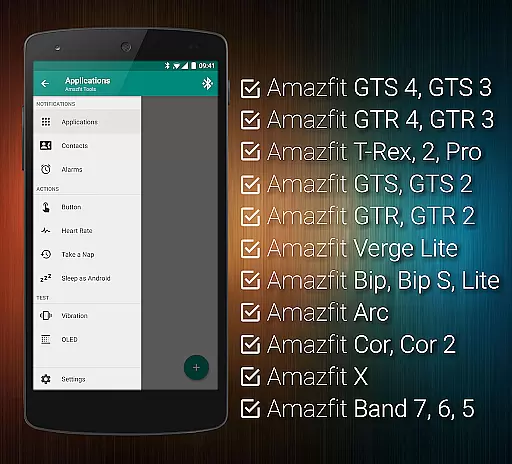
Tools & Amazfit is a comprehensive utility application designed to maximize the functionality of your Amazfit smart bracelet. This app offers advanced features such as customizable notifications for calls and apps, continuous heart rate monitoring, and integration with Sleep as Android. It supports various models of Amazfit devices and works seamlessly with Android versions from 4.3 to 13+. Whether you want to fine-tune notification settings or energize your brain with the power nap feature, Tools & Amazfit provides all the tools necessary to enhance your wearable experience.
In addition to its core features, this app allows users to create custom button control profiles, set up idle alerts, and even export/import settings to the cloud. These capabilities ensure that you can personalize your device to fit your lifestyle perfectly. The app's ability to display full text notifications directly on your Amazfit device ensures you never miss important information. With its wide range of supported devices and advanced customization options, Tools & Amazfit is an essential companion for any Amazfit user looking to get the most out of their smart bracelet.
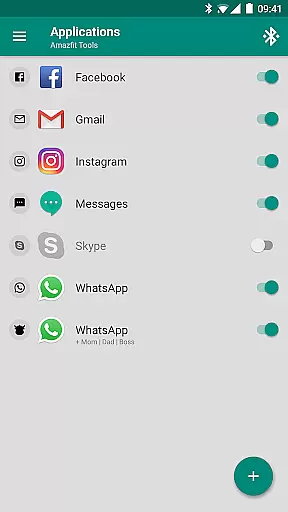
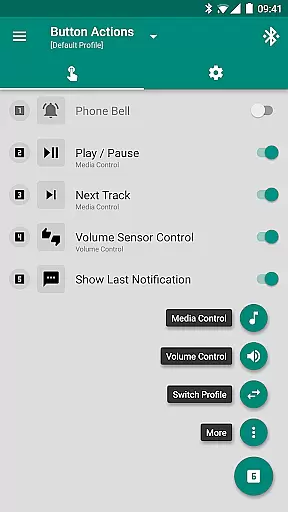
Tools & Amazfit boasts an impressive array of features tailored to enhance your smart bracelet experience. One standout feature is the Display Text Support, which allows users to see caller contact names and full notification contents directly on their Amazfit device. Additionally, the Button Control & Sensor Control feature lets you assign specific actions to button presses or hand movements, providing a new level of interactivity.
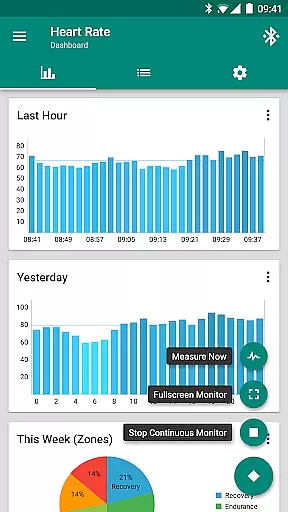
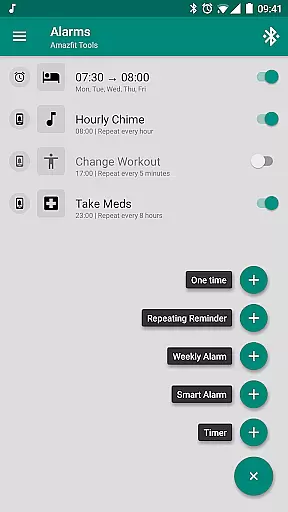
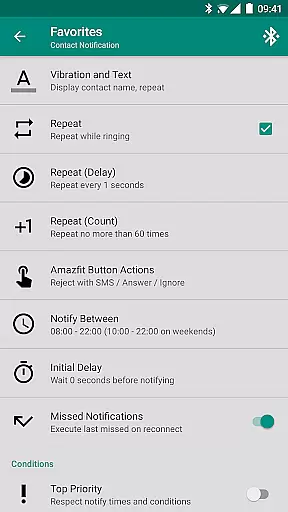
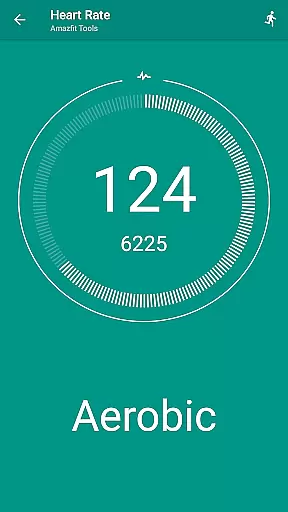
The app also includes powerful health and productivity tools like Continuous Heart Rate Monitoring, configurable heart rate dashboard charts, and the Power Nap feature, which helps you recharge during a busy day. Users can set up custom repeating notifications for reminders, configure content filters for specific notifications, and integrate with other apps like Sleep as Android. These features collectively offer a highly personalized and efficient user experience, making Tools & Amazfit an indispensable tool for managing both your health and daily tasks.
Personalized planning in health and fitness applications refers to the ability to tailor workout and wellness routines according to individual user needs. This feature is crucial as it ensures that users receive recommendations that align with their specific goals, whether it's weight loss, muscle gain, or general fitness improvement.
Tools & Amazfit offers personalized planning through advanced features like continuous heart rate monitoring, customizable notifications for various activities, and integration with other health apps such as Sleep as Android. Users can configure custom patterns for each notification, set up alarms, and even schedule power naps, ensuring a comprehensive approach to personal health management.
By leveraging these capabilities, users benefit from a highly customized experience that adapts to their lifestyle and fitness objectives. The app's ability to fine-tune content filters and create custom action profiles allows for an unprecedented level of personalization, enhancing user engagement and adherence to fitness plans.
Progress visualization is a key component in health and fitness apps, providing users with graphical representations of their achievements and milestones. This feature is essential for motivation, as it allows users to see tangible results of their efforts over time.
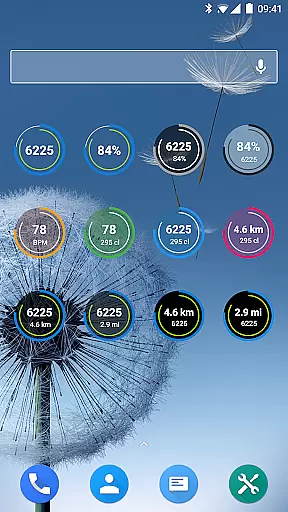
With Tools & Amazfit, progress visualization is achieved through fully customizable widgets that display daily fitness goal progress, heart rate trends, and bracelet battery status. These visual elements help users track their performance metrics easily and make informed decisions about their fitness routines.
The appu2019s detailed charts and graphs offer insights into sleep patterns, heart rate fluctuations, and activity levels, empowering users to understand their health data better. By presenting this information in an accessible format, Tools & Amazfit enhances user motivation and supports long-term commitment to personal health goals.
User-friendly interface
Extensive customization options
Advanced health monitoring
Wide device compatibility
Regular updates and improvements
Premium features require payment
Occasional bugs reported
Complex setup for beginners
Limited iOS support
High battery consumption

Easy access to health benefits
 4.70
4.70
Home workouts for fitness & fast bodybuilding at home - no equipment needed.
4.90
Meditation app, head space app provides calm music to help you meditate & sleep
5.00
The OFFICIAL Couch to 5K® running training app! A 9 week walk-run workout plan.
4.50
Your AI pet BFF. Talk, play, and beat anxiety in this calming game.
4.60
Your portable blood pressure tracker. Record, monitor, and analyze BP anytime.
4.30
Walk, track, and burn calories with step counter & GPS walking tracker
4.20
Blood Pressure Log, HRV & Heartbeat Tracker. Pulse Checker.
4.40
Mood journal, habits, self-care tracker, self-love
4.90
Medbridge GO gets you moving - get back to doing what you love, faster!
4.90
The simplest way to track your 21 Day Program containers, exercises, and water.
4.50
Personal Measurements - Track your gains!
4.50
Binaural Beats - Fully Customizable Waves - Pure Sound - No Loops
4.50
For Absolute Novices to Strength Training. Simple. Effective.
4.40
Focus on BP & Health
3.80
FitCloudPro takes care of your health every minute.
3.70
Enjoy the Gluten Free living with the best app. SCAN the barcodes & SEARCH.
3.60
Live Heart Rate Pro - Real Time Heart & Workout Data For Wear OS & Bluetooth BLE
3.20
Using Recognise™ has been shown to reduce pain and improve performance.
4.3


User Reviews