
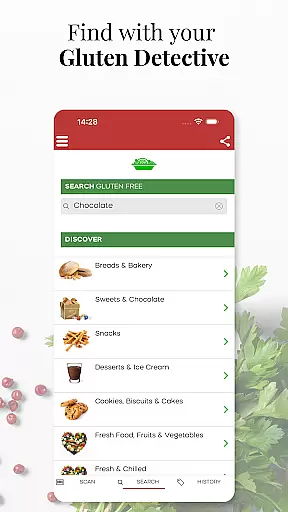
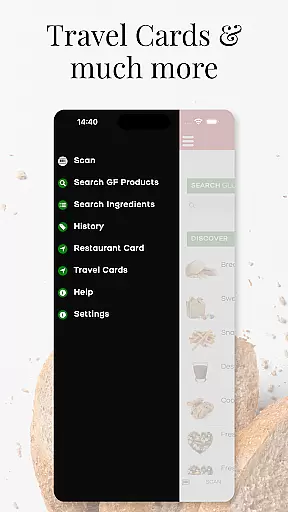
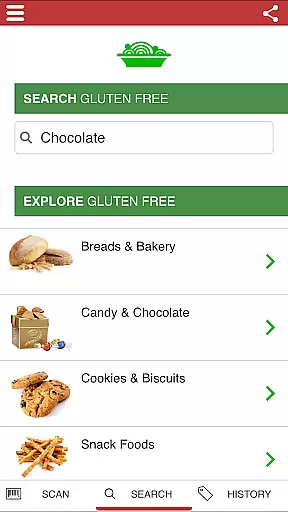
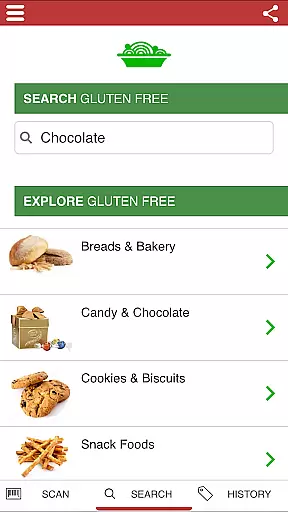
The Gluten Free Scanner is a comprehensive tool designed specifically for individuals with gluten intolerance or celiac disease. This app allows users to search through an extensive database of over 500,000 products, including 80,000 gluten-free options, by product name, brand, or category. With features like the 'DISCOVER GLUTEN FREE' option and unlimited scans, it simplifies the process of finding safe food choices.
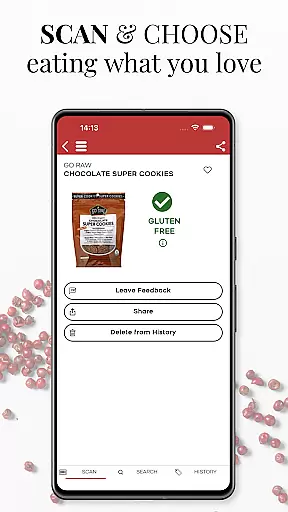
One of the standout capabilities of this app is its use of barcode scanning technology. Users can quickly scan product barcodes using their phone's camera to receive detailed information about gluten content. The app evaluates each product on four levels, ensuring users have all the necessary details to make informed decisions. Additionally, the inclusion of dining cards and travel cards makes eating out both domestically and internationally safer and more convenient.
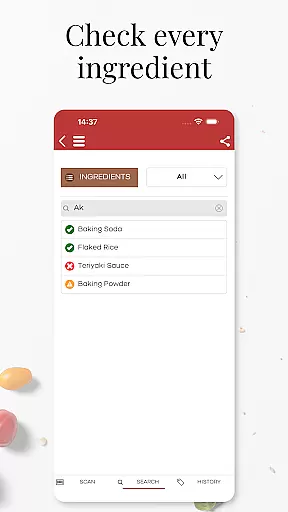
This app is particularly useful for those who frequently shop for groceries or dine out. By providing a searchable list of safe and unsafe ingredients, it empowers users to take control of their dietary needs. Whether you're at home or traveling, the Gluten Free Scanner offers peace of mind and enhances your ability to maintain a gluten-free lifestyle.
The Gluten Free Scanner boasts a variety of features that set it apart from other health and fitness apps. One of its primary functions is the ability to perform unlimited scans of product barcodes. This feature leverages a vast, regularly updated database maintained by registered dietitians, nutritionists, and researchers, ensuring accuracy and reliability in detecting gluten presence.
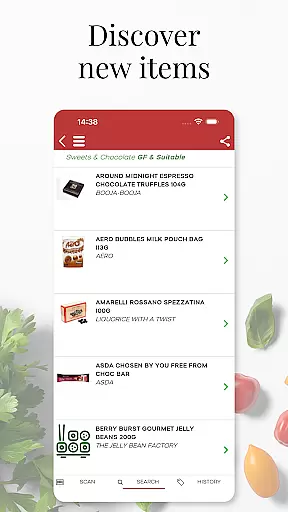
In addition to barcode scanning, the app includes a 'DISCOVER GLUTEN FREE' option, which helps users find new gluten-free favorites. This feature is complemented by a comprehensive dining card and travel card system, allowing users to eat safely in restaurants both domestically and abroad. These cards are invaluable tools for anyone with gluten intolerance, offering clear communication with restaurant staff about dietary restrictions.
Another notable feature is the searchable list of safe and unsafe ingredients. This list provides users with detailed information about potential gluten sources, enabling them to make informed choices. The app also incorporates user reviews and feedback, fostering a community-driven approach to maintaining and expanding its database. Overall, these features collectively enhance the user experience and provide robust support for maintaining a gluten-free lifestyle.
Personalized planning in The Gluten Free Scanner offers tailored solutions for individuals managing gluten intolerance. This feature leverages a vast database of over 500,000 products, including 80,000 gluten-free options, to recommend suitable products based on user preferences and needs.
The app's search functionality allows users to filter by product name, brand, or category, ensuring that the recommendations are closely aligned with their dietary requirements. A team of registered dietitians, nutritionists, and researchers maintain the accuracy of this database, providing reliable suggestions.
Users benefit from the 'DISCOVER GLUTEN FREE' option, which helps them find new favorite gluten-free products effortlessly. By receiving personalized recommendations, users can make informed decisions about the foods they choose, enhancing their overall dining experience while maintaining a gluten-free lifestyle.
This personalized approach not only simplifies grocery shopping but also empowers users to explore new products confidently, knowing that each recommendation is backed by thorough research and expert validation.
Progress visualization in The Gluten Free Scanner provides users with clear insights into their gluten-free journey through detailed analytics and reporting features. Every scan is analyzed on four levels, offering comprehensive information about the product's gluten content and safety.
This analytical approach enables users to track their progress over time, helping them understand how well they adhere to a gluten-free diet. Visual representations such as charts and graphs display trends and patterns in purchasing behavior, highlighting areas where improvements can be made.
By visualizing their progress, users gain motivation and encouragement to continue making healthy choices. The app's ability to present complex data in an easily digestible format ensures that users remain engaged and committed to their dietary goals.
Ultimately, progress visualization enhances user accountability and fosters a sense of achievement, reinforcing positive habits and supporting long-term success in managing gluten intolerance effectively.
User-friendly interface
Extensive product database
Accurate gluten detection
Unlimited product scans
Helpful dining cards
Limited to US market
Requires internet connection
Premium version costs
No multilingual support
Occasional database lag

Mind on steroids - relaxation, productivity, meditation and sleep!
 4.60
4.60
The OFFICIAL Couch to 5K® running training app! A 9 week walk-run workout plan.
4.50
Pupillary distance PD with camera quick and easy, checking glasses frames on you
3.70
Turn your steps into cash, gift cards & rewards with our step counting pedometer
3.80
Raccoon AI Calorie Counter. Intermittent Fasting & Timer. Macro, Carb, Protein
4.50
Understand your body’s most meaningful messages and transform your health.
3.90
Point, scan, and unlock truth in every bite.
4.50
Focus on BP & Health
3.80
Workouts for everyone
4.70
Show your support for the development of FitNotes - Gym Workout Log
4.90
Your AI pet BFF. Talk, play, and beat anxiety in this calming game.
4.60
Relax to calm sounds, white noise, music, guided meditation and bedtime stories
4.40
See what's really going on inside your head! Real time EEG graphs from your Muse
4.40
Eat smarter with Eato, your personal calorie counter and nutrition tracker!
4.40
Download MadMuscles to start your positive body transformation!
4.30
Control your sleep in real-time wearing Garmin device
3.60
Transform your body and soul with DBFFitness, with a 40-day fitness journey.
4.3
Using Recognise™ has been shown to reduce pain and improve performance.
4.0
Using Recognise™ has been shown to reduce pain, and improve performance.
4.5


User Reviews