
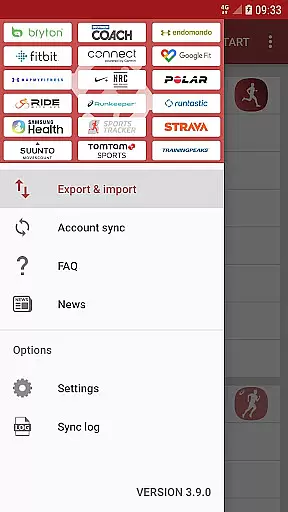
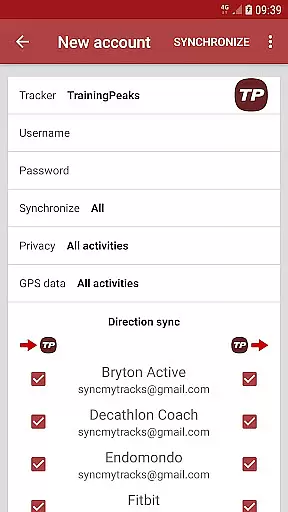
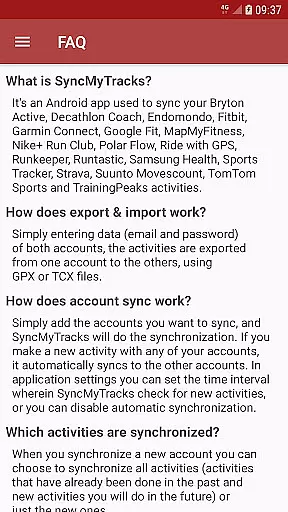
SyncMyTracks is an innovative Android application designed to synchronize fitness activities across multiple sports tracking services. The app supports the most popular tracking platforms, enabling users to maintain a unified record of their fitness data. With SyncMyTracks, you can effortlessly transfer your activities between different accounts using GPX or TCX files.
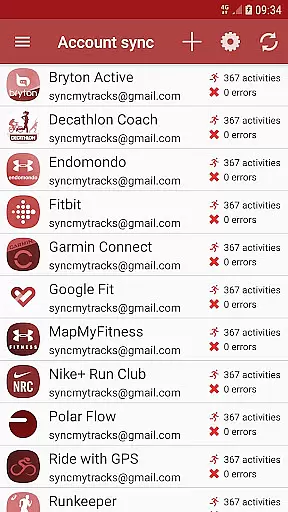
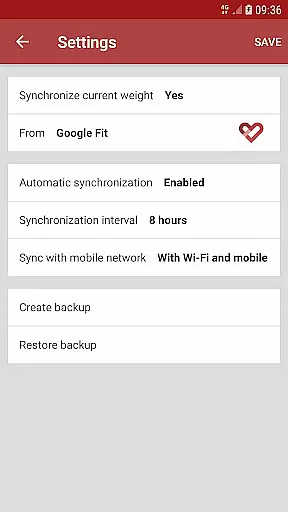
The application's standout feature is its automatic synchronization capability. Users can link multiple accounts, and any new activity recorded will be automatically synced across all connected platforms. This ensures that your fitness data remains consistent and up-to-date regardless of which service you use. Additionally, SyncMyTracks provides granular control over what data gets synchronized and how often, giving users both flexibility and peace of mind.
This app is particularly useful for fitness enthusiasts who utilize several tracking services or are considering switching platforms without losing their historical data. By preventing activity duplication and safeguarding existing records, SyncMyTracks offers a reliable solution for managing your fitness journey across various platforms.
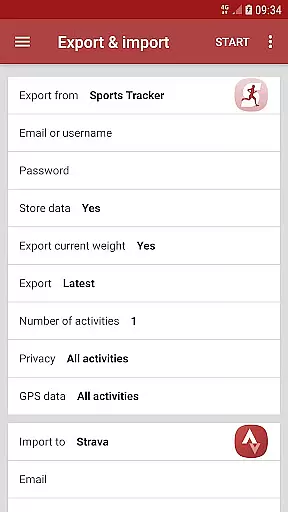
SyncMyTracks boasts an array of features that cater to the needs of active individuals managing multiple sports tracking accounts. One of its primary functionalities is the ability to export and import activities between accounts simply by entering email and password credentials. This process uses standardized GPX or TCX file formats, ensuring compatibility and ease of transfer.
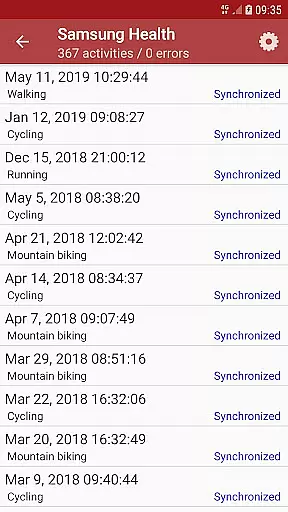
A key highlight is the app's synchronization mechanism. Users can add multiple accounts for automatic syncing of activities. You have the option to sync all past activities or only new ones moving forward. The app meticulously synchronizes detailed activity metrics such as time, duration, distance, pace, maps, and even advanced metrics like heart rate, cadence, power, and temperature when supported by the services.
SyncMyTracks also emphasizes user security and control. Account credentials are encrypted and stored locally on your device. The app operates independently of the tracking services it supports, maintaining user privacy. While the free version offers substantial functionality including activity export/import, the paid version removes ads and lifts limitations on the number of activities you can export, providing enhanced value for regular users.
SyncMyTracks offers personalized planning by allowing users to synchronize their fitness activities across multiple platforms. This ensures that all user data, including time, duration, distance, pace, and even heart rate, is consistently updated and available wherever they choose to track it.
The app supports a variety of popular sports tracking services, making it versatile for users who rely on different platforms for various activities. By integrating these services, SyncMyTracks provides a seamless experience where users can maintain continuity in their fitness journey without worrying about losing historical data or starting over on a new platform.
Additionally, SyncMyTracks allows users to customize which activities are syncedu2014whether they want to include past activities or only future ones. This flexibility ensures that each user's plan aligns perfectly with their personal fitness goals and preferences.
With its ability to prevent duplication of activities and secure handling of sensitive information like email and passwords through encryption, SyncMyTracks delivers a reliable and tailored approach to managing oneu2019s fitness data effectively.
One of the standout features of SyncMyTracks is its robust progress visualization capabilities. Users can effortlessly view their activity metrics such as time, duration, distance, pace, and map details directly within the app. This visual representation helps users understand their performance trends over time, motivating them to achieve better results.
SyncMyTracks goes beyond basic metrics by also supporting advanced data points like heart rate, cadence, power, and temperature when compatible with the respective services. These comprehensive insights allow users to fine-tune their training regimens based on accurate and detailed feedback.
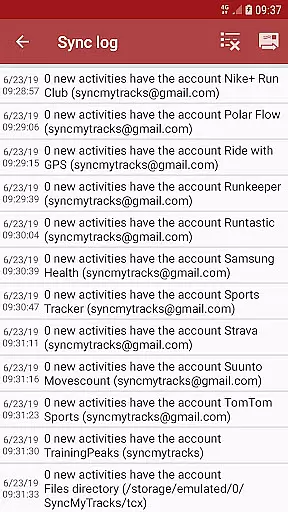
Moreover, the automatic synchronization feature ensures that every new activity is instantly reflected across all linked accounts. This real-time update capability means users always have an up-to-date overview of their progress without manual intervention, enhancing convenience and accuracy.
By offering both free and paid versions, SyncMyTracks caters to diverse user needs while maintaining high standards of data integrity and security. Whether exporting the last 40 activities or enjoying unlimited syncs in the premium version, users benefit from clear, actionable visualizations that drive their fitness journey forward.
User-friendly interface
Automatic activity sync
Local data encryption
Flexible sync options
Independent service operation
Limited free version
No social login support
Paid version required
Manual account entry
Activity limit in free plan

Your Health Has Met Its App (℠)
 3.90
3.90
Personal Measurements - Track your gains!
4.50
The app helps you address digestive symptoms based on the Fast Tract Diet.
3.50
HRV4Training helps you optimize goals and improve performance. No sensors needed
3.30
Protect your healthy sleep
4.80
Medbridge GO gets you moving - get back to doing what you love, faster!
4.90
Monitor, analyze, track, and convert blood sugar & help you control diabetes.
4.10
Walk, track, and burn calories with step counter & GPS walking tracker
4.20
Dexcom G7 Continuous Glucose Monitoring
3.70
Meditation app, head space app provides calm music to help you meditate & sleep
5.00
Beauty Care, Makeup & Skin Care Scanner | Pregnancy App For A Mom | Healthy Baby
5.00
a fun app full of surprises :)
4.70
Build Healthy Habits!
4.60
50 HD sounds to help you relax during the day and sleep great at night!
4.40
The most accurate heart rate app to monitor and track your heart rate & pulse.
4.40
Fast Body building & Weight Loss. Home Workouts with Daily Coach, No Equipment.
4.30
Understand your body’s most meaningful messages and transform your health.
3.90
Pupillary distance PD with camera quick and easy, checking glasses frames on you
3.70
Your plan in your pocket 24/7
3.00


User Reviews