
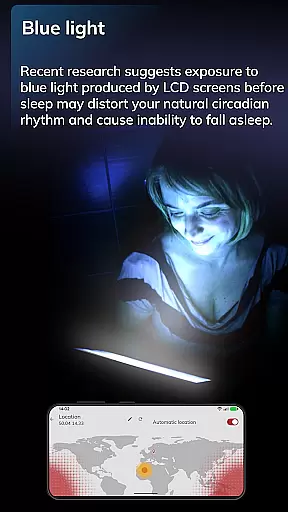
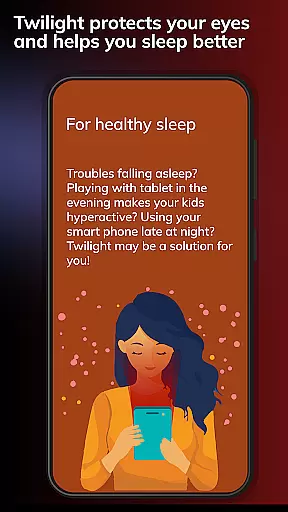
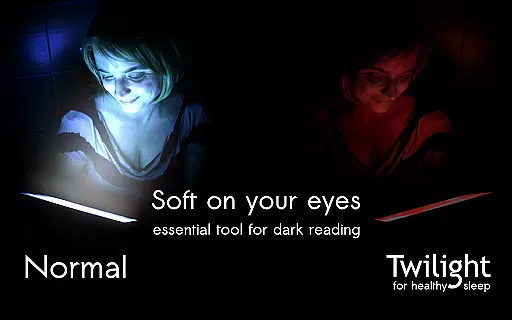
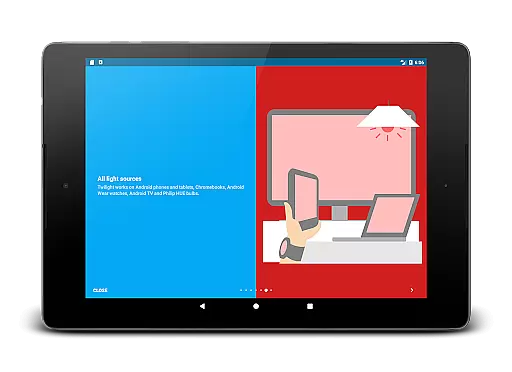
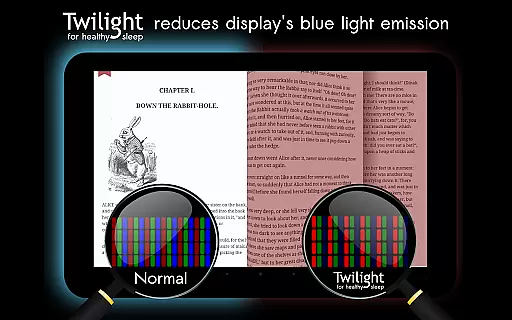
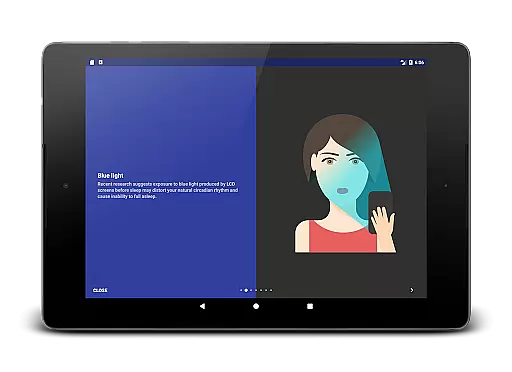
Twilight Pro Unlock is a specialized application designed to improve sleep quality by adjusting the screen's blue light emission according to the time of day. This Health & Fitness app helps users who struggle with sleep disturbances, particularly those sensitive to blue light exposure from their devices before bedtime.
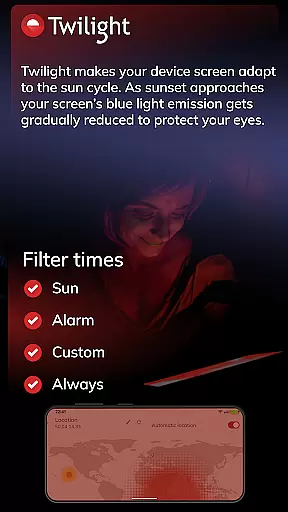
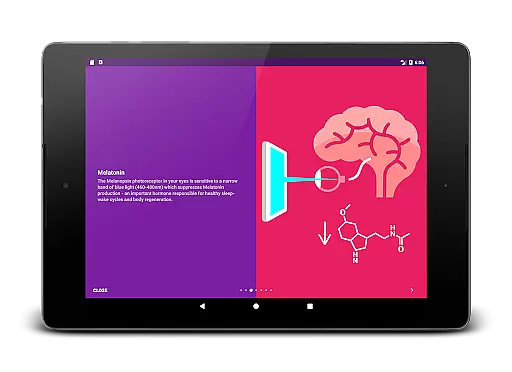
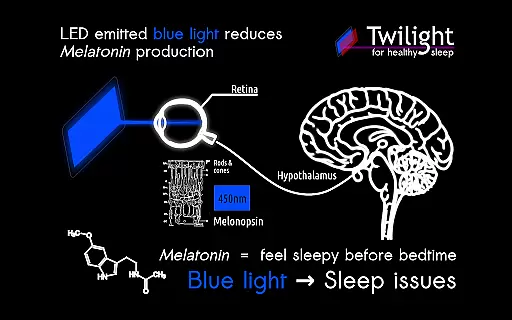
The app intelligently adapts the screen's color temperature based on local sunrise and sunset times, creating a more eye-friendly display that supports the body's natural circadian rhythm. By filtering out stimulating blue light, Twilight promotes better melatonin production, which is essential for healthy sleep patterns.
With its advanced customization options and smooth transition features, this app is especially beneficial for individuals who use their smartphones or tablets during evening hours. Twilight Pro offers an effective solution for people seeking to minimize sleep disruption caused by digital screen usage.
Twilight Pro Unlock stands out in the Health & Fitness category through its sophisticated approach to managing blue light exposure. The app's core functionality revolves around its ability to automatically adjust screen color temperature based on the user's location and time of day.
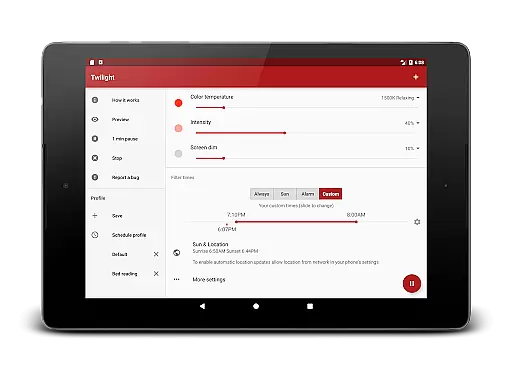
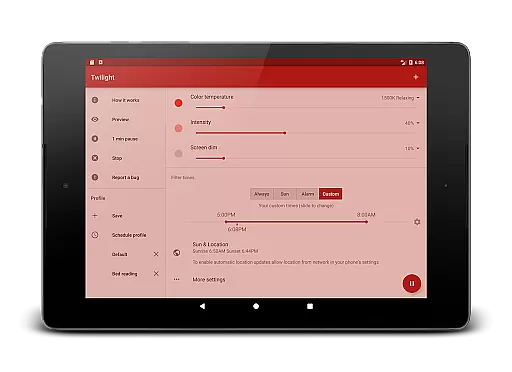
Among its notable features are multiple customizable profiles, adjustable transition periods between different light settings, and the option to disable the service during inactive hours. These PRO features provide users with greater control over their screen's impact on sleep patterns compared to the basic version.
The application's strength lies in its scientific foundation, drawing from extensive research on circadian rhythms and melatonin suppression. Users benefit from precise control over their device's light emission, with the added advantage of new features being introduced to the PRO version first, ensuring access to the latest advancements in sleep-friendly technology.
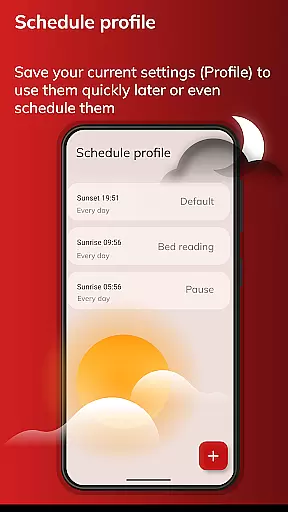
Personalized planning in the context of Twilight Pro Unlock refers to the app's ability to adapt its blue light filtering based on individual user schedules and local sunset and sunrise times. This feature is crucial for maintaining a natural circadian rhythm.
The application intelligently adjusts the screen's color temperature throughout the day, aligning with your body's melatonin production. Users can set custom preferences, ensuring that their screen remains comfortable for nighttime use without disrupting sleep patterns.
By offering more than two predefined profiles and adjustable transition times, Twilight Pro allows users to tailor the experience to their specific needs. This customization ensures that each user receives the appropriate level of blue light reduction at the right time.
The benefits are clear: by using Twilight Pro's personalized planning features, users can enjoy improved sleep quality and reduced eye strain. The app effectively supports healthier device usage habits, especially during evening hours when blue light exposure is most harmful.
Progress visualization within Twilight Pro Unlock involves tracking and displaying the changes in screen filtering over time. This feature helps users understand how their screen's blue light emission is gradually reduced as night approaches.
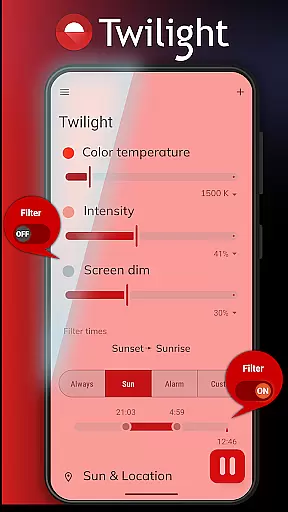
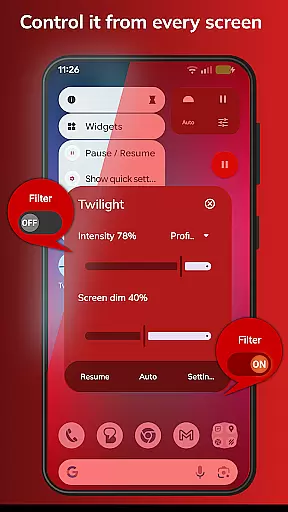
Twilight provides visual feedback through its interface, showing how the red filter intensifies after sunset. This not only reassures users about the app's functionality but also educates them on the importance of reducing blue light exposure during evening hours.
Users can observe how different settings affect their screen's appearance, allowing them to make informed decisions about their preferred level of blue light reduction. The app's smooth adjustment to the sun cycle creates an intuitive understanding of its protective effects.
This visualization of progress offers tangible value: it empowers users to maintain better control over their digital environment while promoting healthier sleep patterns. By seeing these changes, users can actively participate in managing their circadian rhythm and overall well-being.
Scientifically backed
Customizable profiles
Smooth transitions
Advanced scheduling
Regular updates
Paid version only
Device compatibility
Learning curve
Battery consumption
Occasional bugs

a fun app full of surprises :)
 4.70
4.70
Histamine intolerance, low FODMAP diet and irritable bowel syndrome (IBS)
4.00
Mind on steroids - relaxation, productivity, meditation and sleep!
4.60
Walk. Earn: Get rewarded for every step! Walk, move, and earn real rewards.
4.70
Blood Pressure Log, HRV & Heartbeat Tracker. Pulse Checker.
4.40
Track sleep cycle, relax with white noise, sleep sounds & smart alarm clock
3.80
GloryFit is a companion app for the smart bracelet.
3.60
Pedometer that gives you sweatcoins for steps. It pays to walk!
4.10
Comprehensively record and manage your health
4.50
Beauty Care, Makeup & Skin Care Scanner | Pregnancy App For A Mom | Healthy Baby
5.00
Medbridge GO gets you moving - get back to doing what you love, faster!
4.90
Easy to use step counter, calorie counter helps lose weight, count steps offline
4.80
A brain game that moves you
4.70
Step Counter, track steps when you walk or run
4.70
Get lasting results with Chair Yoga, Wall Pilates, and Walking workouts!
4.60
Point, scan, and unlock truth in every bite.
4.50
Eat smarter with Eato, your personal calorie counter and nutrition tracker!
4.40
3D Body Measurement System
3.60
The app helps you address digestive symptoms based on the Fast Tract Diet.
3.50


User Reviews