
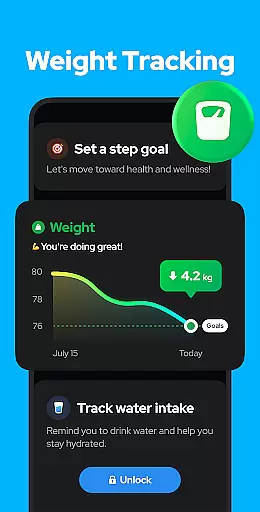
Personalized planning in fitness applications refers to the ability to tailor exercise routines and health goals according to individual user needs. Step Counter - Pedometer excels in this area by offering adjustable settings that adapt to various user parameters such as age, weight, and step length.
The app allows users to input personal data to refine the accuracy of calorie calculations and distance tracking. This ensures that each step taken contributes optimally towards the user's fitness objectives, whether it is weight loss or improved overall health.
Moreover, the sensitivity of the built-in sensor can be fine-tuned for more precise step counting. This level of customization means that users receive a personalized experience that aligns with their unique walking patterns and lifestyle.
By providing these personalized planning features, Step Counter - Pedometer empowers users to take control of their fitness journey with tailored insights and recommendations that suit their individual pace and goals.
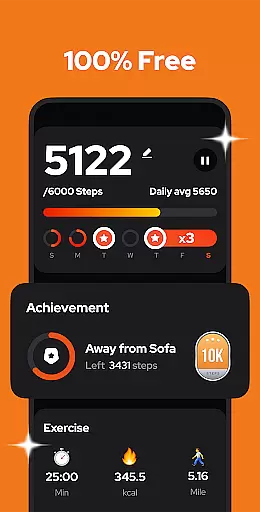
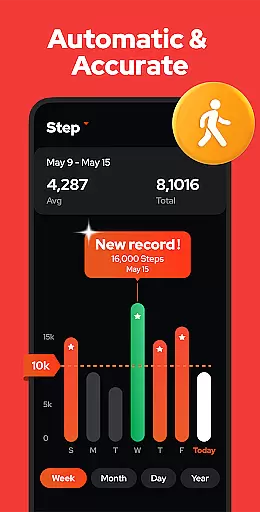
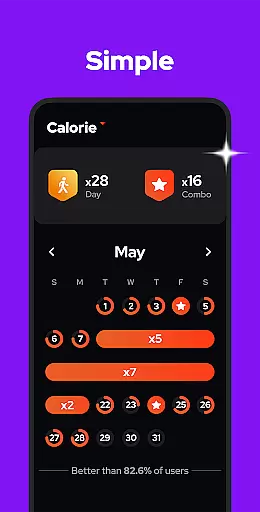
Progress visualization is a critical component of any fitness app, allowing users to see their achievements and stay motivated. Step Counter - Pedometer offers robust visualization tools that present users' walking data through intuitive charts and graphs.
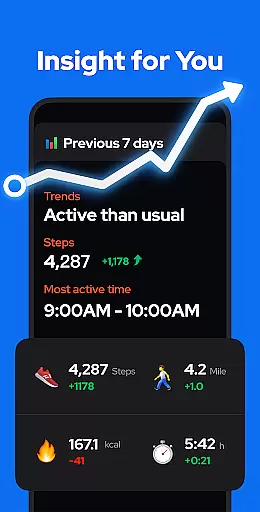
Users can view their step count, calories burned, walking duration, and distance traveled over customizable periodsu2014be it daily, weekly, monthly, or yearly. This feature not only tracks progress but also helps identify trends and patterns in physical activity.
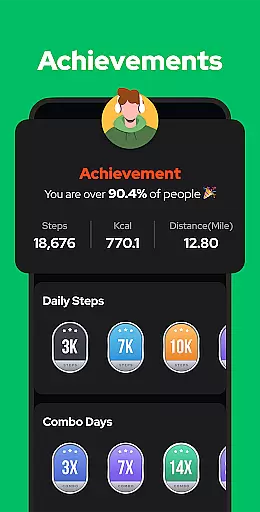
The app's graphical representation makes it easy to comprehend complex data at a glance. For instance, seeing a consistent increase in daily steps can reinforce positive behavior and encourage users to hit their daily goal of 10,000 steps.
With its comprehensive progress visualization, Step Counter - Pedometer transforms raw data into actionable insights, helping users maintain their fitness regimen and achieve long-term health benefits.

Home workouts for fitness & fast bodybuilding at home - no equipment needed.
 4.90
4.90
Power-lifting, weightlifting and Wendler 531 app to track your workout program.
4.90
The app helps you address digestive symptoms based on the Fast Tract Diet.
3.50
Period Tracker, the easiest way to track your periods!
4.50
Meditation app, head space app provides calm music to help you meditate & sleep
5.00
Measure your Pupil Distance for Eyeglasses and VR headsets in 3 quick steps.
4.70
You deserve easy access to important insurance information. Download for FREE.
4.70
Dexcom G7 Continuous Glucose Monitoring
3.70
Understand your body’s most meaningful messages and transform your health.
3.90
Medbridge GO gets you moving - get back to doing what you love, faster!
4.90
Drink water reminder app. Track water intake. Smart simple hydration tracker.
4.70
The OFFICIAL Couch to 5K® running training app! A 9 week walk-run workout plan.
4.50
Relax. Sleep Better. Feel Better.
4.50
Pilates, Calisthenics, Yoga
4.50
Fast Body building & Weight Loss. Home Workouts with Daily Coach, No Equipment.
4.30
Walk, track, and burn calories with step counter & GPS walking tracker
4.20
Looking to take control of your health? Our psychology-based programs can help.
4.10
FitCloudPro takes care of your health every minute.
3.70
Using Recognise™ has been shown to reduce pain, and improve performance.
4.1


User Reviews