
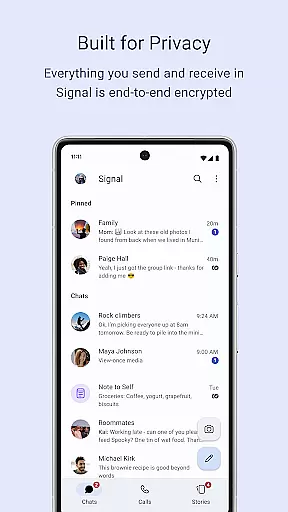
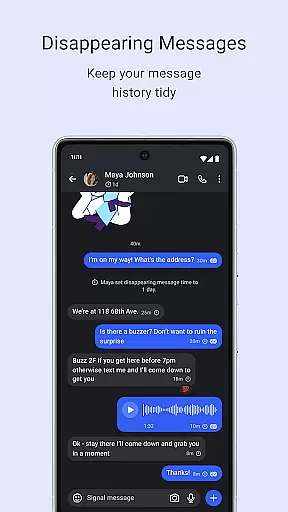
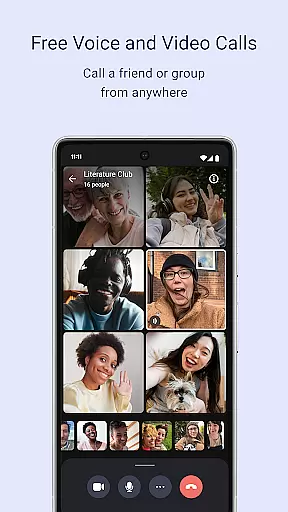
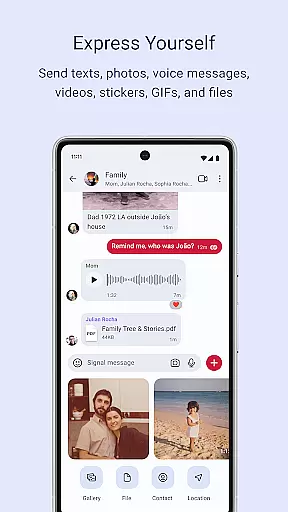
Signal Private Messenger is a secure communication app that prioritizes user privacy through end-to-end encryption. It allows users to send texts, voice messages, photos, videos, and files without incurring SMS or MMS fees by utilizing the phone's data connection. The app supports crystal-clear encrypted voice and video calls, including group calls for up to 50 participants.
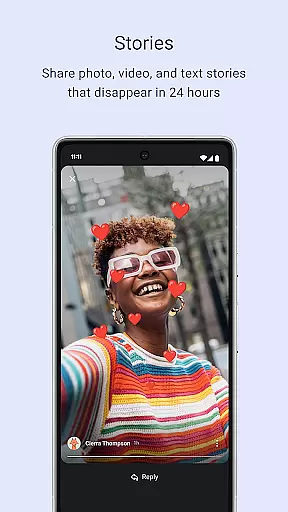
In addition to individual and group messaging, Signal offers Stories that disappear after 24 hours, with customizable privacy settings. Built on an open-source protocol, Signal ensures that no one, not even the developers, can access your communications. As a nonprofit organization, Signal does not collect user data or display ads, ensuring a private and uninterrupted messaging experience.
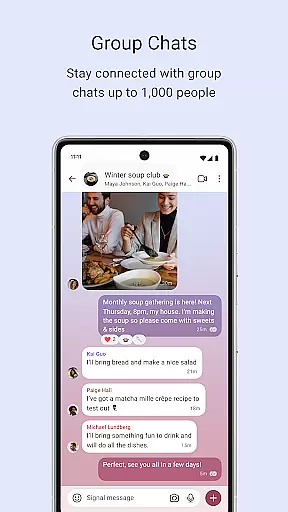
Signal Private Messenger stands out with its robust security features. The app employs end-to-end encryption for all communications, ensuring that only the sender and recipient can access the content. This includes text messages, voice and video calls, and file transfers. Group chats support up to 1,000 members with admin controls for managing posting permissions.
Another notable feature is the ability to share Stories that automatically expire after 24 hours, giving users control over their temporary content. Privacy settings allow precise management of who can view each Story. Signal's commitment to privacy extends to its nonprofit status, meaning it operates without advertisers or investor influence, relying solely on user donations.
The app also provides resources for transparency and community engagement. Users can access support at the provided help center URL, review the source code on GitHub, and follow Signal on social media platforms like Twitter and Instagram for updates and news.
Signal Private Messenger excels in providing real-time messaging with impressive speed and reliability, ensuring that your communications are delivered instantly and securely. The app leverages end-to-end encryption to maintain the privacy of your messages, making certain that only you and the intended recipients can read them.
The architecture of Signal is designed for efficiency, utilizing your phone's data connection to send texts, voice messages, photos, videos, GIFs, and files without delay. This approach not only avoids traditional SMS and MMS fees but also enhances the delivery speed, which is crucial for maintaining fluid conversations.
Users benefit from knowing their communications remain private and are transmitted without third-party interference. With its robust infrastructure, Signal ensures that messages are reliably delivered across various network conditions, providing peace of mind when it matters most.
Beyond text-based communication, Signal Private Messenger offers comprehensive media sharing support, allowing users to send various types of content seamlessly. You can share images, videos, documents, and more, all protected by the same strong encryption that secures your messages.
The app facilitates group calls for up to 50 participants and supports group chats with as many as 1,000 members, making it versatile for both personal and professional use. Admin controls provide the ability to manage who can post within groups, adding an extra layer of control over shared media.
Additionally, Signal's Stories feature enables ephemeral sharing of images, texts, and videos that disappear after 24 hours, with customizable privacy settings. This ensures that while you can share moments temporarily, you retain ultimate control over your digital footprint and who views your shared content.
End-to-end encryption
No data collection
Free to use
Supports large group calls
Open-source protocol
Limited to data connections
No built-in games
Stories limited to 24 hours
Requires internet access
Nonprofit funding model

We’re taking the yada yada out of wireless—now we’ve taken it out of your app.
 4.70
4.70
Identify unknown numbers, block spam calls, customize calls with cool themes.
4.60
Adblock & VPN Browser: Blocks banners, pop-ups and video ads, fast downloader!
4.60
Browse fast on Opera Mini, with Data Saving, News, Football Scores, and Download
4.60
Official NDI app: turn your phone into a professional live-streaming IP camera.
3.20
Create a secure hotspot on-the-go with Portable WiFi - Mobile hotspot.
4.40
Watchgram for Telegram: Experience seamless Telegram messaging on your watch
1.80
Call & Text Anywhere With A Canadian Number.
3.60
Measure BHP, Torque & 0-60 Clear car OBD faults View engine data in Google Earth
4.00
فیلتر شکن قوی پرسرعت کلید جدید برای اندرویدسریع ترین وی پی ان برای همه اپراتورها
4.70
Welcome to the future of phone service.
4.60
Messenger, an MMS & SMS messages app with Blockers, Driving mode & Private box
4.60
Stay in touch with the people who matter most.
4.60
Get through your inbox faster with the mail app designed to simplify your life.
4.40
2nd Phone Number Line for Anonymous Texting, Calling, and Picture Messages
4.30
Use this SMS app standalone or as a TREK: Total Interface companion.
4.30
Fast and simple walkie talkie app
4.20
Messages is Private SMS Messenger 2023 with text message, instant messaging.
4.00
Fun, free app that lets kids video call and message family and close friends.
3.80


User Reviews