
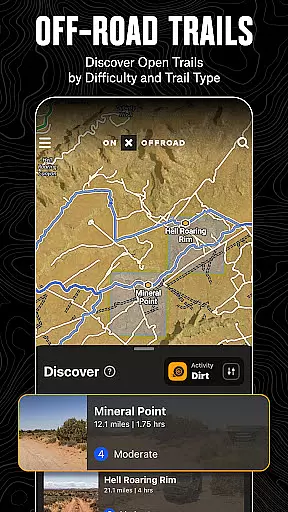
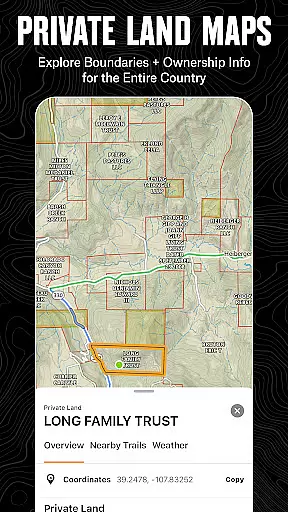
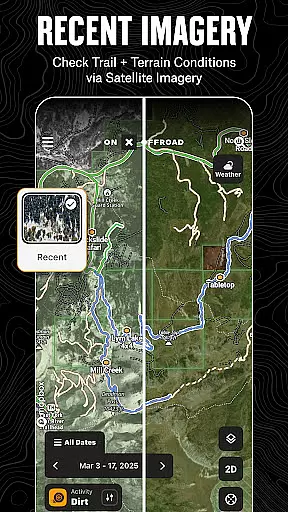
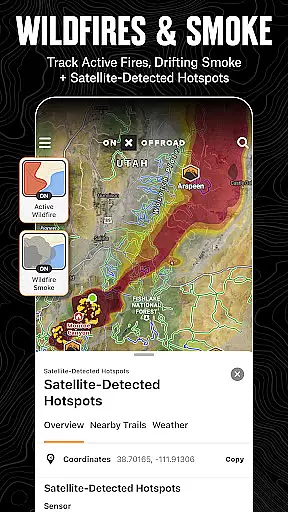
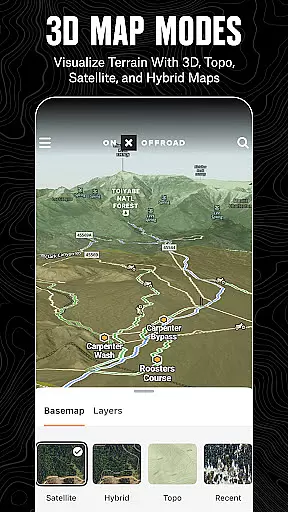
onX Offroad is a premier off-road navigation app designed for outdoor enthusiasts. With 3D trail maps, GPS mapping, and compass navigation, it helps users discover trails tailored to their preferred activities like 4x4, SxS, dirt bikes, and more. The app provides crucial information such as property lines, private landowner details, and wildfire activity, ensuring safety and compliance while exploring remote areas.
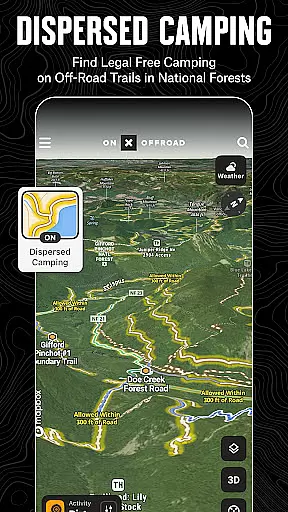
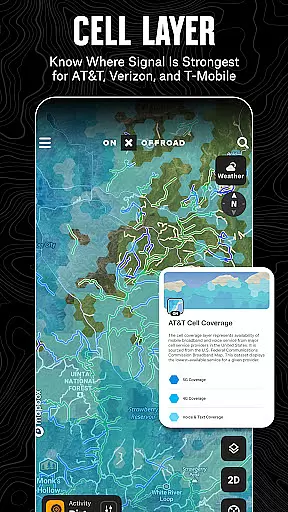
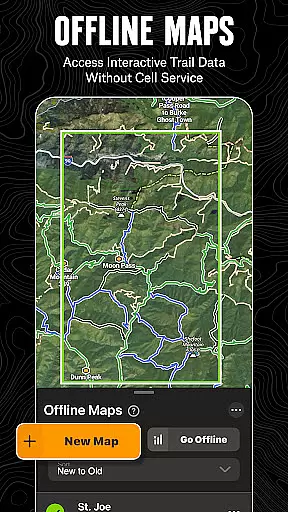
One standout feature is the Motorized Dispersed Camping Layer, which identifies legal, free camping spots in National Forests using verified USFS data. Additionally, offline map functionality allows adventurers to navigate without cell service, while Cell Coverage Layers display real-time network availability for major providers. Whether you're planning your next overland expedition or tracking a weekend ride, onX Offroad equips you with tools to explore confidently and return safely.
onX Offroad offers an extensive suite of features that cater to off-road explorers. Its interactive map layers include options for weather, land boundaries, and cell coverage, empowering users to make informed decisions on the trail. The app's route builder and trip tracker allow for precise planning and execution of adventures, complete with waypoints for campsites, fuel stations, and points of interest.
For those seeking advanced capabilities, the app provides nationwide property line data and access to public lands, including BLM and National Parks. Users can also take advantage of turn-by-turn navigation synced with Android Auto, ensuring seamless guidance even in remote areas. With detailed trail condition reports and difficulty ratings, onX Offroad ensures every journey is both safe and enjoyable.
Map accuracy is essential for any navigation app, and onX Offroad excels in this area. The application provides users with detailed 3D trail maps, topographic maps, and satellite imagery, ensuring that adventurers have access to the most precise mapping data available. This level of detail allows users to navigate off-road terrains confidently.
The app's map accuracy is further enhanced by its comprehensive property line information and land ownership details. Users can view public and private land boundaries, including those of National Forests, BLM, and National Parks. This feature is crucial for off-roaders who need to stay informed about their location relative to legal riding areas and private properties.
onX Offroad also integrates real-time data layers such as wildfire activity and cell coverage maps. These layers are updated regularly, providing users with current information on potential hazards and communication capabilities along their routes. Such features ensure that explorers can make informed decisions and stay safe during their adventures.
By offering these accurate and up-to-date mapping services, onX Offroad empowers users to explore new terrains with confidence. Whether planning a trip or navigating on the fly, the app's commitment to map accuracy ensures that users always know where they are and what lies ahead, making every journey as smooth and secure as possible.
Route planning is a critical component of off-road exploration, and onX Offroad offers advanced tools to help users chart their courses effectively. With features like turn-by-turn navigation and route building, the app simplifies the process of getting from one point to another, even in remote areas. This functionality is particularly beneficial for off-road enthusiasts who require precise directions over challenging terrains.
The Route Builder tool within onX Offroad allows users to create custom routes that automatically snap to existing roads and trails. This ensures that planned paths are both feasible and efficient. Additionally, users can view trail conditions, difficulty ratings, and open/close dates, which are all vital pieces of information when preparing for an off-road adventure.
For those who venture into areas without reliable cell service, the ability to save offline maps is invaluable. onX Offroad enables users to download maps complete with interactive land and trail data, ensuring that they can continue to navigate even when disconnected from the internet. This feature, combined with Android Auto integration, provides a seamless navigation experience both on and off the road.
Ultimately, onX Offroad's route planning capabilities enhance the overall user experience by providing reliable, detailed, and customizable navigation solutions. These tools not only facilitate safer and more enjoyable trips but also encourage users to explore new territories with the assurance that they can always find their way back home.
Comprehensive trail maps
Offline navigation support
Real-time wildfire updates
Verified camping locations
Interactive property info
Premium features require subscription
Limited free trial duration
Some data limited by region
Occasional syncing issues
Steep learning curve

Route schedules, maps, and real-time tracking of MTA buses in New York City.
 4.20
4.20
Navigate via GPS Maps of GPS Voice Navigation, driving directions to find routes
3.60
Get route map navigation with 3D satellite view, and live earth camera streaming
3.70
Explore Live Earth Map with 3D World Map & locate cites, mountains real time.
3.80
ParkWhiz, an Arrive Mobility brand, part of the Arrive Network
4.30
Live Satellite view app for find GPS navigation Direction and live location map
3.70
Find radar, speed camera, flight tracker. Use hud, location tracker, speedometer
4.20
Lets explore the world's famous places by using Live Cams, GPS & Satellite View.
4.20
Navigation, weather, offline maps & tools for smarter, safer travel planning.
4.00
Track friends in real-time and explore worldwide live cameras.
4.60
Find trails, organize your locations and navigate with offline maps.
4.60
Rideshare, taxi cabs, and more for your airport travels and everyday trips.
4.50
Route tracker, Speedometer, Odometer, Fuel, HUD mode, save route as .GPX
4.40
"Balad" is a map and navigator with a Persian voice assistant and a complete city guide
4.40
Drive safe with real-time speed camera radar, police, and traffic alerts
3.80
Discover over 800 points of interest along the canal.
3.70
Explore Earth with live GPS, satellite view & street navigation
3.60
Explore offline maps with radar, satellite view, and real-time alerts.
3.60
Explore the world with Live Satellite View, 3D Maps, GPS Navigation & Earth Map.
2.90


User Reviews