
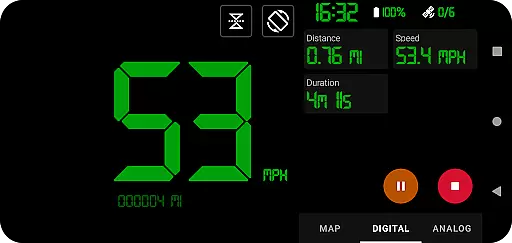
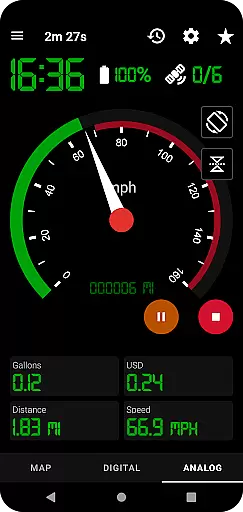
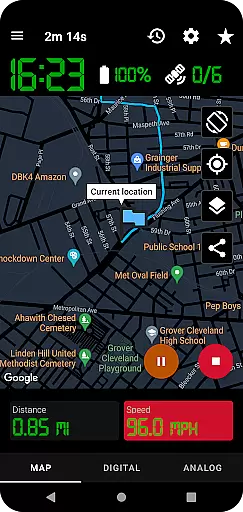
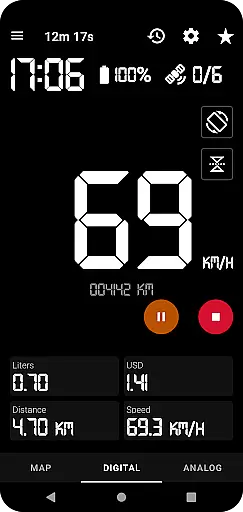
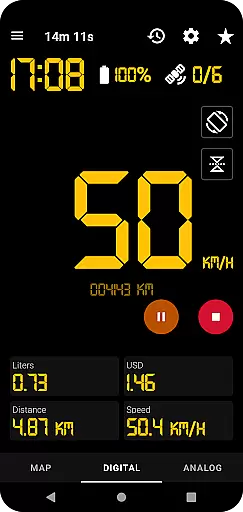
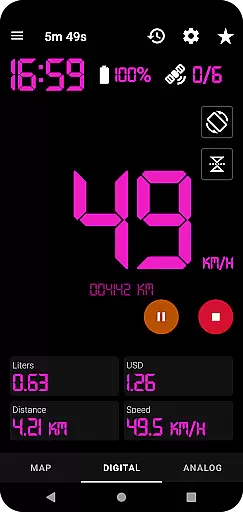
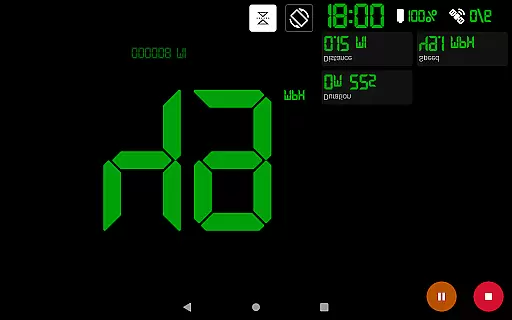
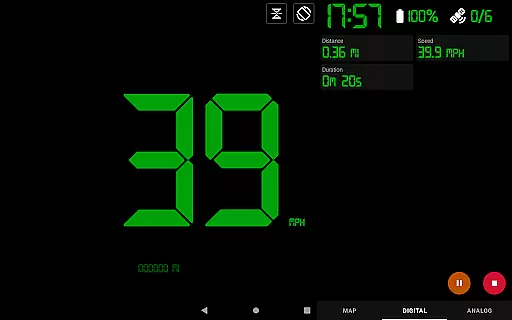
GPS Speedometer Pro is a comprehensive navigation and tracking application designed to monitor your speed, distance, and routes using your phone's built-in GPS. The app offers multiple display modes including analog, digital, and head-up display (HUD) options, making it versatile for various activities such as driving, running, or cycling.
One of the standout features of this app is its ability to operate seamlessly in the background, allowing users to multitask on their phones without interrupting the tracking process. Whether you're commuting, exercising, or exploring new terrains, GPS Speedometer Pro provides accurate real-time data while offering advanced functionalities like fuel cost estimation, over-speed alerts, and route history management.
The app also supports downloading tracked routes in .gpx file format, enabling users to analyze their journeys through third-party software. With customizable themes, map types, and unit preferences, this tool caters to both casual users and professionals who require detailed tracking capabilities.
GPS Speedometer Pro stands out with its rich set of features tailored for precise location tracking and speed monitoring. The app utilizes your smartphone’s GPS to record routes and speeds with high accuracy, ensuring reliable performance whether you're driving, biking, or walking.
Among its notable functionalities are the analog and digital speedometer displays, odometer readings, and HUD mode for enhanced visibility during nighttime use. Users can also estimate fuel costs based on their trips, receive over-speed alerts even when the app runs in the background, and switch between different map themes such as light, dark, or terrain views. Additionally, the app allows exporting recorded tracks in .gpx format and sharing them via images or text.
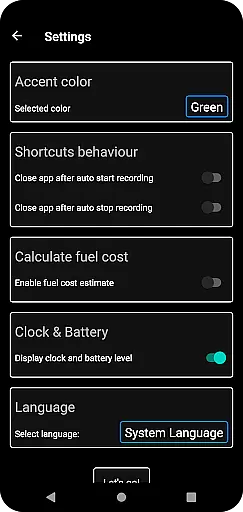
Other innovative features include shortcuts for one-tap start/stop operations, orientation flexibility between portrait and landscape modes, and privacy assurance with no sign-in required. These aspects make GPS Speedometer Pro not only functional but also user-friendly and secure.
GPS Speedometer Pro leverages your phone's built-in GPS to deliver precise location tracking for various activities such as driving, running, or cycling. The app ensures high map accuracy by providing multiple map types including light, dark, and terrain views, which adapt to different environmental conditions and user preferences.
The application goes a step further by allowing the map to follow your current location during tracking sessions. This dynamic tracking feature ensures that users always have a clear and accurate visual representation of their route in real time, enhancing the overall navigation experience.
With the ability to download routes in .gpx file format, GPS Speedometer Pro enables users to review their tracks in third-party software, offering an additional layer of accuracy verification. This feature is particularly beneficial for those who require detailed and precise records of their movements for professional or personal purposes.
Beyond simple tracking, GPS Speedometer Pro offers advanced route planning capabilities. Users can switch between analog and digital speedometers, access an odometer, and estimate fuel costs, all of which contribute to more efficient trip planning and execution.
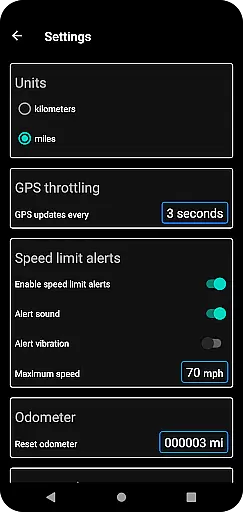
The app includes practical alerts, such as over-speed notifications, even when the app runs in the background. This feature not only aids in maintaining safety but also helps in planning routes that avoid speed-related issues, ensuring a smoother journey.
Additionally, the functionality to pause, stop, and resume tracking at any time adds flexibility to route planning. Whether you need to take a break or change your course, the app accommodates these needs seamlessly, making it a versatile tool for both casual and professional navigational tasks.
User-friendly interface
Accurate GPS tracking
Customizable display options
Background operation support
Privacy-focused design
Limited offline maps
No live traffic updates
Premium feature lock
Battery consumption concern
Occasional GPS lag

Find AI powered cameras, ALPRs, and other surveillance infrastructure near you
 4.70
4.70
Instant diesel discounts - save big with each fill up!
4.40
Track accurate speed & distance with GPS Speedometer. Check speed limit & time.
4.50
Find radar maps, GPS coordinates, altitude, offline maps, location, travel route
4.40
Phone Tracker and GPS Location Sharing
4.20
Bolt is a ride-hailing app for requesting fast, safe, and affordable transport
4.80
ParkWhiz, an Arrive Mobility brand, part of the Arrive Network
4.30
MapQuest is your go-to app for maps, GPS, voice navigation & live traffic.
3.80
Avoid delays. Get real-time GPS navigation, safety alerts and live traffic.
4.10
Airport parking, with airport shuttle (TPS shuttle), reservations, and Spot Club
4.80
Affordable rides and food delivery with incredible discounts in just one app.
4.50
Find radar, speed camera, flight tracker. Use hud, location tracker, speedometer
4.20
Find routes fast with GPS Maps, GPS Navigation & driving directions.
4.10
GPS Navigation: Get map directions and find the shortest routes to avoid delays!
4.00
Drive safe with real-time speed camera radar, police, and traffic alerts
3.80
Live Satellite view app for find GPS navigation Direction and live location map
3.70
Off-Roading Navigation App With Trails, Public Lands, & Private Property Info
3.30
Find 93 Octane Gas: Locate Gasoline Stations Selling Premium 93 Octane or Higher
4.4
Fully offline 1:50k New Zealand topographical map North Island
4.0


User Reviews