
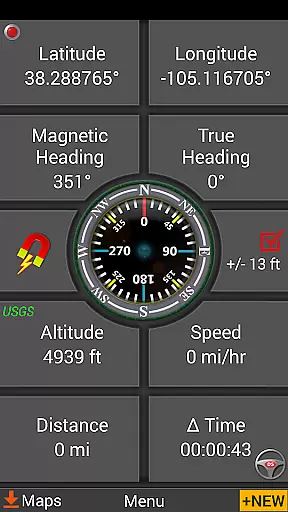
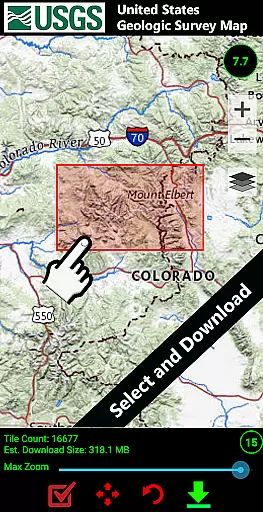
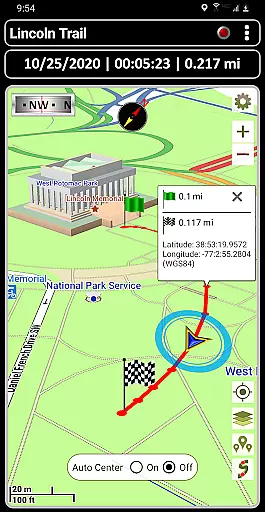
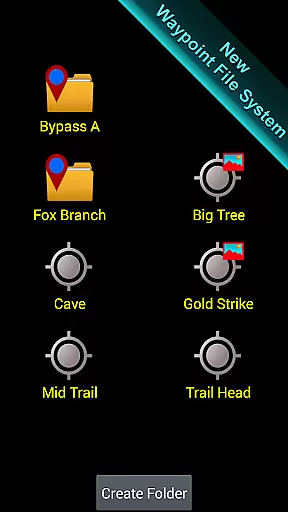
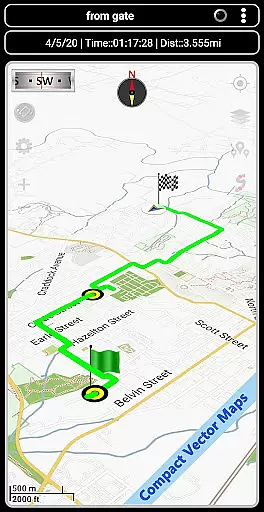
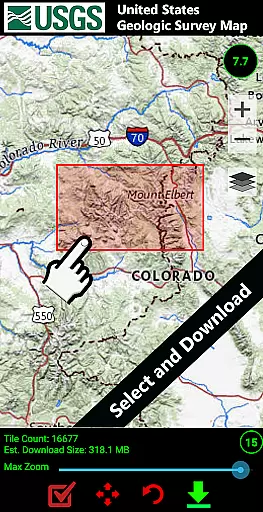

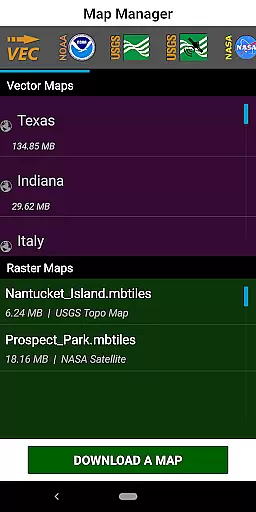
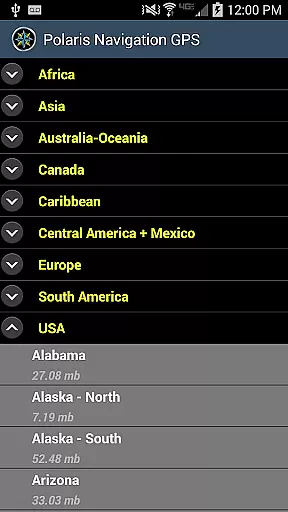
GPS Waypoints Navigator is a comprehensive navigation app that transforms your phone into a powerful GPS tool. It offers offline maps and tools for use in areas without network coverage, making it ideal for wilderness exploration, maritime navigation, and urban adventures. The app provides access to over 400 maps in its 3D vector map library, which can be downloaded for offline use and transferred to an SD card to save internal memory.
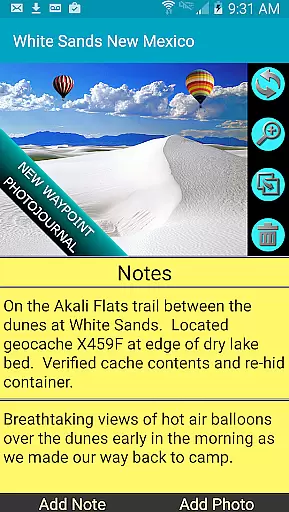
With features like searchable waypoint management, trail recording, and photo-tagging capabilities, users can efficiently organize and document their journeys. The app supports multiple map sources including Topo Maps, Google Maps, Satellite Maps, and more. It also allows importing and exporting of KML, GPX, and KMZ files, enabling data sharing with platforms like Google Earth. Whether you're hiking trails or navigating city streets, GPS Waypoints Navigator equips you with the necessary tools to navigate confidently.
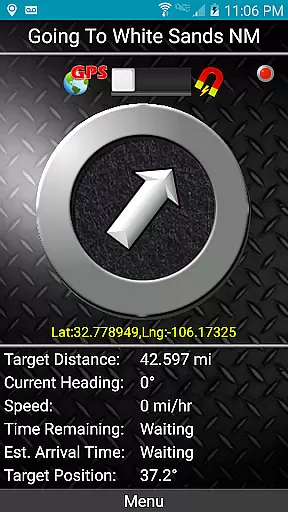
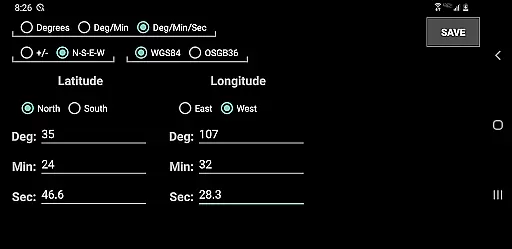
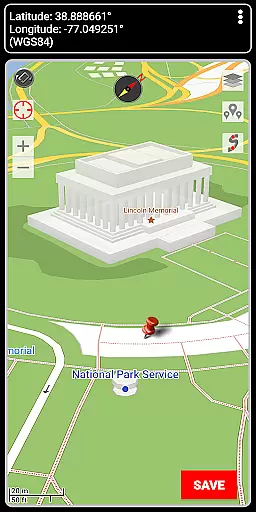
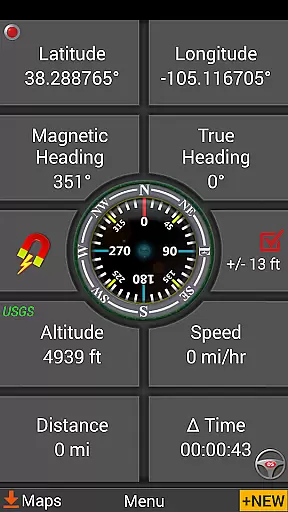
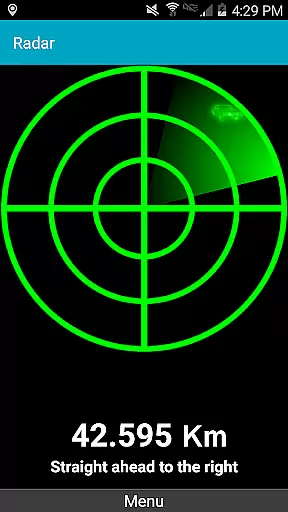
GPS Waypoints Navigator stands out with its extensive set of features tailored for diverse navigation needs. One key feature is the dynamic waypoint compass that consistently points to your target, along with GPS Reflected Pseudo-Radar for enhanced guidance. Users can create waypoints through various methods such as entering coordinates, dropping pins on the map, or saving current positions.
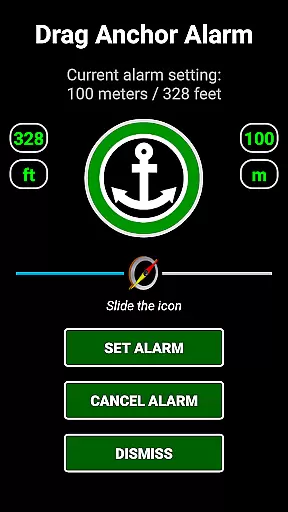
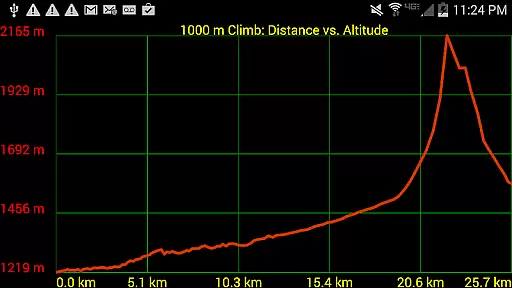
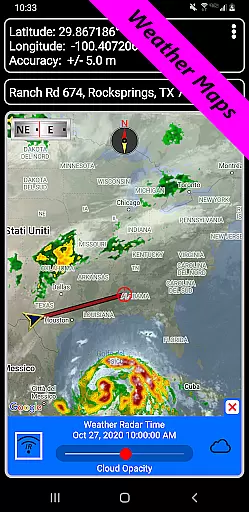
The app includes specialized tools like a drag anchor alert for maritime activities and military coordinate finders for precision tasks. Additionally, it offers altitude profiles for trails and measurement tools for distances and bearings between waypoints. With support for different coordinate formats and live Doppler radar weather maps, users gain a versatile toolkit for planning expeditions and staying informed about environmental conditions. These robust functionalities ensure that every navigation experience is efficient and reliable.
Map accuracy is essential for reliable navigation, and GPS Waypoints Navigator excels in this area. The app offers access to a vast library of over 400 maps, including offline options, ensuring users have precise data even without network coverage. These maps cover various terrains and are meticulously detailed, providing clear visual references for both urban and wilderness exploration.
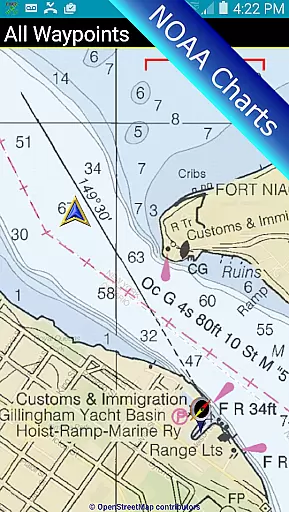
The app supports multiple map sources such as Topo Maps, Google Maps, Satellite Maps, and specialized charts like NOAA Nautical Charts. This diversity ensures that users can select the most appropriate map type for their specific needs, whether it's maritime navigation or trail hiking. With regular updates and high-resolution imagery, the maps deliver current and accurate geographical information.
Users benefit from advanced features like Military Coordinate Finder and UTM/MGRS support, which enhance location precision. These tools allow for exact positioning and coordinate logging, crucial for activities like surveying or geocaching. Additionally, the ability to transfer maps to an SD card optimizes device storage while maintaining comprehensive map access.
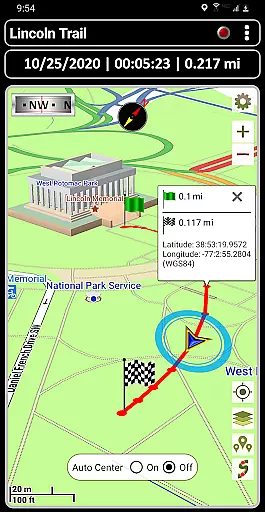
Effective route planning is a cornerstone of successful navigation, and GPS Waypoints Navigator provides robust tools for this purpose. Users can create and organize waypoints, record trails, and utilize advanced drawing boards to outline planned routes. This systematic approach allows adventurers to prepare detailed itineraries before setting out on their journeys.
The app includes two Waypoint Guidance Systems, offering dynamic compass directions and pseudo-radar guidance towards selected targets. These features ensure that users remain on course, even in challenging environments. Furthermore, the drag anchor alert function helps maintain position within a specified radius, particularly useful for maritime activities.
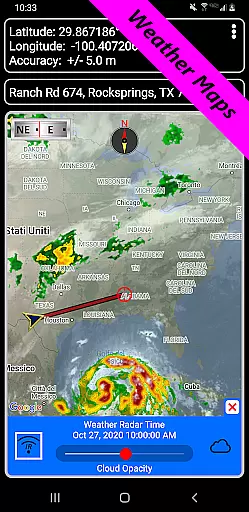
For those requiring environmental awareness, GPS Waypoints Navigator integrates weather maps with live Doppler radar and cloud patterns. This information aids in anticipating changing conditions and adjusting plans accordingly. Combined with sunrise, sunset, and moon phase reporting, users gain valuable insights into optimal travel times and potential hazards, enhancing overall trip safety.
User-friendly interface
Offline map availability
Comprehensive waypoint management
Multi-language support
Integration with Google Earth
Occasional GPS inaccuracies
Complexity for beginners
Limited USGS altitude data regionally
High battery consumption
Large storage requirements

Offline maps & GPS for hiking, travel, fieldwork & outdoor adventures
 4.70
4.70
Navigate with your watch and keep the phone in your pocket!
4.60
Route tracker, Speedometer, Odometer, Fuel, HUD mode, save route as .GPX
4.40
America’s largest public fast charging network, with over 500 charging stations.
4.50
MapQuest is your go-to app for maps, GPS, voice navigation & live traffic.
3.80
Find radar, speed camera, flight tracker. Use hud, location tracker, speedometer
4.20
Lets explore the world's famous places by using Live Cams, GPS & Satellite View.
4.20
Get there with the Waymo Driver — The World’s Most Experienced Driver™
4.90
Rideshare, taxi cabs, and more for your airport travels and everyday trips.
4.50
LIRR and Metro-North tickets and trips
4.80
Turn your Android device into a real off-road GPS using off-line topo maps!
4.40
"Balad" is a map and navigator with a Persian voice assistant and a complete city guide
4.40
Get real-time bus and train schedules for easy, hassle-free city transportation.
3.90
NJ TRANSIT information and ticketing at your fingertips
3.70
Gas Station & Fuel Rewards Points
3.70
Navigate via GPS Maps of GPS Voice Navigation, driving directions to find routes
3.60
Play in the outdoors with Android as your Handheld GPS and offline topo maps!
3.50
Turn your tablet or Android powered unit into a full blow Android Auto headunit.
2.30
All of NHSA's trail information at your fingertips for the 2025-2026 season
4.5


User Reviews