
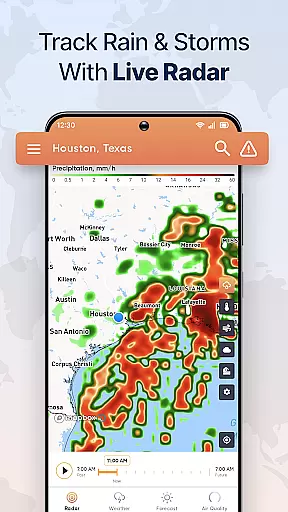
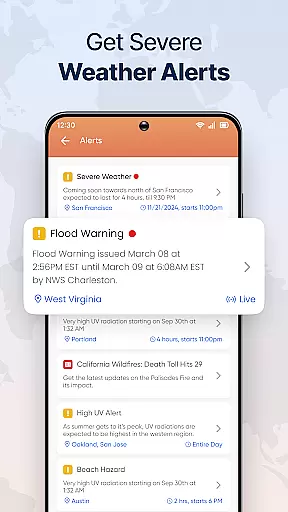
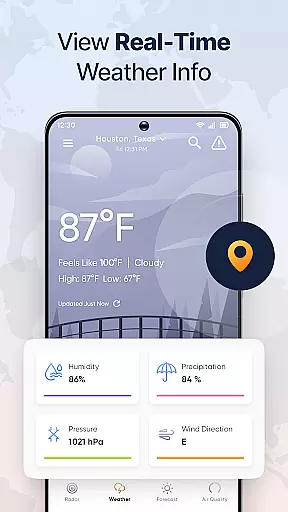
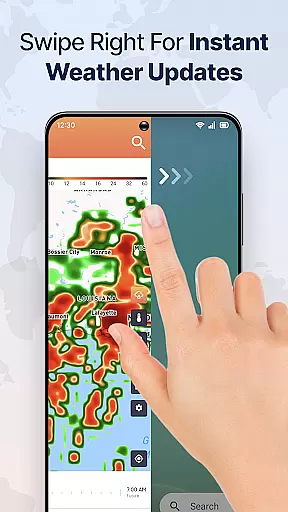
Live Weather Radar Launcher is a comprehensive weather application designed to provide users with real-time weather tracking and forecasting. The app's standout feature is its live weather radar, which allows users to monitor changing weather conditions as they happen. This functionality is complemented by detailed forecast maps that predict weather patterns up to six hours in advance, ensuring users are prepared for any meteorological event.
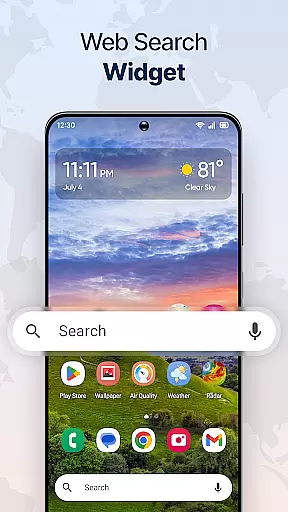
In addition to the radar and forecasting tools, the app offers an array of features such as air quality index tracking, temperature forecasts, and customizable map modes. Users can personalize their experience with weather-themed wallpapers and home screen widgets that display essential weather information at a glance. Its intuitive design integrates seamlessly with the user's device, providing one-swipe access to critical weather data from the home screen.
This app is particularly useful for individuals who need to stay informed about sudden weather changes, such as outdoor workers or travelers. By delivering accurate and timely weather updates, Live Weather Radar Launcher empowers users to make informed decisions regarding their daily activities and safety.
Live Weather Radar Launcher stands out due to its rich set of features tailored for weather enthusiasts and everyday users alike. One of its primary capabilities is the live weather radar, which provides real-time tracking of precipitation, allowing users to anticipate sudden weather shifts. The radar map layers offer additional insights into rain, snow, temperature patterns, cloud cover, wind forecasts, and sea level pressure, giving users a holistic view of atmospheric conditions.
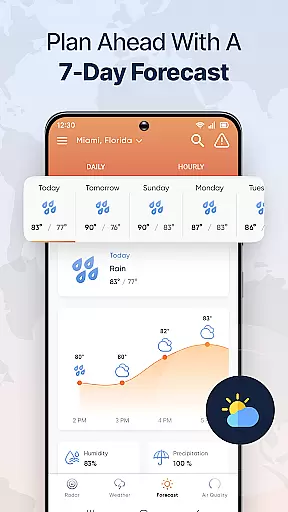
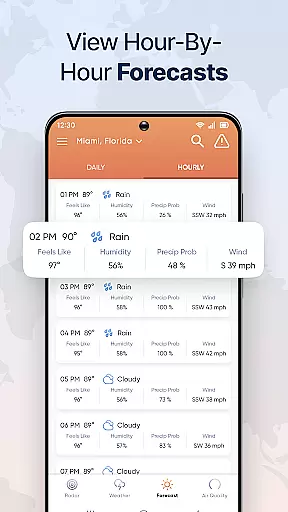
The app also includes an advanced forecast playback feature, enabling users to review past weather patterns and project future conditions up to six hours ahead. With map modes that toggle between light, dark, and satellite views, users can customize their visual experience based on preference or lighting conditions. Furthermore, the hourly and seven-day forecast ensures users have both immediate and long-term weather outlooks, aiding in better planning and preparation.
Additional functionalities include air quality index monitoring, multi-touchpoint search capabilities powered by Yahoo, and personalized home screen shortcuts for quick access to weather updates. These features collectively enhance user engagement and provide a versatile tool for managing weather-related information efficiently.
Forecast accuracy and data credibility are crucial for any weather application, ensuring users receive reliable information to make informed decisions. Live Weather Radar Launcher excels in this area by providing real-time weather updates through its live radar maps and forecast features.
The app's live weather radar allows users to track changing weather conditions as they happen, offering a detailed view of precipitation areas. This feature ensures that users are never caught off guard by sudden weather changes, enhancing their preparedness and safety.
In addition to live tracking, the app offers an advanced radar forecast map that displays past weather patterns and predicts conditions up to six hours ahead. The forecast playback feature provides both historical and future forecasts, giving users a comprehensive understanding of expected weather trends.
Live Weather Radar Launcher also includes air quality index (AQI) monitoring, which is essential for assessing environmental health risks. By delivering accurate temperature forecasts alongside AQI data, the app empowers users to plan their activities while considering both weather and air quality factors.
Temporal and spatial forecast range refers to the ability of a weather app to provide accurate predictions across different timeframes and geographical areas. Live Weather Radar Launcher stands out with its capability to offer extensive forecasting options that cater to various user needs.
With the hourly forecast feature, users can access detailed weather outlooks for up to 96 hours ahead. This extended temporal range enables individuals to plan their daily activities with confidence, knowing they have precise weather information at their fingertips.
The app also includes a 7-day forecast function, allowing users to prepare for the entire week. Whether planning outdoor events or scheduling travel, having a reliable long-term forecast helps users organize their schedules effectively.
Moreover, Live Weather Radar Launcher supports multiple map modes, including light, dark, and satellite views. These options enhance spatial awareness by enabling users to visualize weather patterns over wide areas, ensuring they stay informed about regional climate conditions.
User-friendly interface
Real-time weather updates
Customizable map views
Comprehensive forecast options
Integrated home screen widget
Home screen layout changes
Limited to weather functions
Requires internet connection
No offline functionality
Potential ads in free version

Live local weather updates: various widgets & radar maps & hourly forecast.
 4.70
4.70
Moon phase calendar with live wallpaper, lunar widget, & 3D simulation.
3.60
Weather for Indiana, Kentucky and Ohio
4.90
My Aurora Forecast is the app for Northern Lights and Aurora Borealis alerts.
4.60
Road weather, live radar, wind, snow, and conditions along your driving route.
4.70
Determine Best Hunting Times for any date, any location.
2.50
14-day & 24-hour Forecast | Real-time Alert | Accurate & Fast
4.40
Precision Weather, Right at Your Fingertips
4.40
Weather channel forecasts weather daily & hourly, local and national air quality
4.70
Local weather forecast app, your personal 7*24 local weather forecast assistant.
4.90
NOAA forecast & radar for your exact location.
4.80
Weather Forecast, Trending News, Hurricane & Storm Tracker, Alerts & Live Radar.
4.80
My Aurora Forecast Pro is the app for the Northern Lights and Aurora Borealis.
4.70
The weather channel, tiempo weather forecast, weather radar & weather map
4.70
Weather forecast & live radar map
4.20
Your Reliable Weather Companion
4.10
Storm Radar, Alerts & Live Weather Forecasts Right on Your Home Screen
3.70
A powerful weather forecast to get real-time weather information
3.60
Your local weather app with storm radar, rain tracker, weather maps & AQI.
4.3


User Reviews