
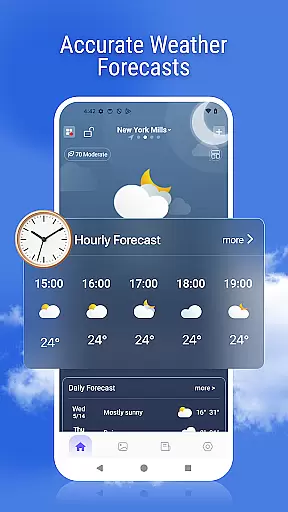
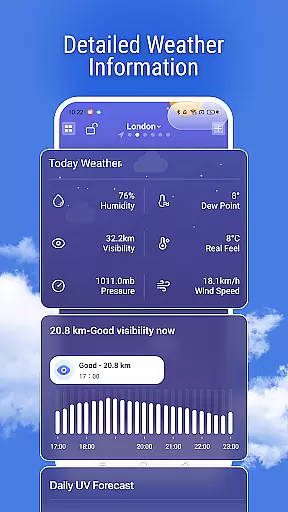
Weather Pro is a comprehensive weather forecasting application designed to provide users with real-time updates and detailed meteorological information. The app's core functionality revolves around delivering accurate hourly and daily weather forecasts for any location worldwide. Users can access essential data points such as air quality index, UV levels, and activity recommendations, making it an invaluable tool for planning outdoor activities.
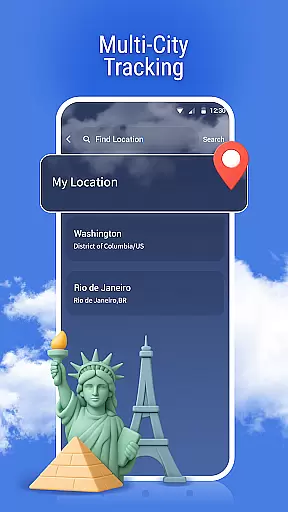
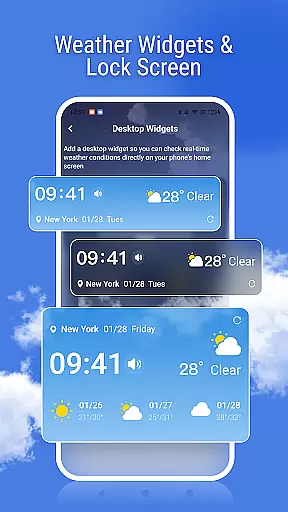
A standout feature of Weather Pro is its multi-city tracking capability, allowing seamless switching between different locations. The inclusion of advanced tools like weather radar and severe weather alerts ensures users are always prepared for changing conditions. With dynamic weather backgrounds and customizable widgets, the app offers both aesthetic appeal and functional convenience, providing critical weather information at a glance.
Weather Pro stands out through its diverse range of innovative features tailored to enhance user experience. One of its key strengths is the provision of highly accurate weather forecasts, which cover not only temperature but also specialized indices such as health and activity metrics. This level of detail empowers users to make informed decisions about their day-to-day plans.
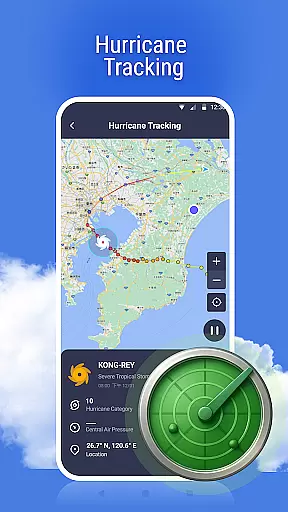
The app's weather radar and real-time storm tracking capabilities offer a visual representation of weather patterns, enabling users to monitor precipitation and anticipate weather changes. Additionally, features like sunrise and sunset times, lock screen weather updates, and dynamic backgrounds ensure that users have constant access to relevant weather information in an engaging format. These thoughtful additions demonstrate Weather Pro's commitment to combining functionality with user-centric design.
Weather forecasting is only as reliable as the data it relies on, and Weather Pro excels in this area. The app sources its information from reputable meteorological organizations, ensuring that users receive forecasts they can trust.
With real-time updates and advanced algorithms, Weather Pro provides highly accurate predictions for both short-term and long-range forecasts. This precision allows users to plan their daily activities with confidence, knowing that the weather information they rely on is dependable.
In addition to accuracy, the app offers detailed insights such as air quality, UV index, and health-related weather data. These features help users make informed decisions about outdoor activities, travel plans, and even health precautions during changing weather conditions.
By combining credible data sources with user-friendly presentation, Weather Pro ensures that its forecasts are not just numbers but actionable insights that enhance everyday life.
A key feature of any weather app is its ability to provide timely and geographically relevant forecasts. Weather Pro stands out by offering extensive temporal and spatial coverage, allowing users to access weather data across different timeframes and locations.
Users can view hourly forecasts for the current day or extend their planning horizon with detailed weekly outlooks. This flexibility makes the app suitable for various needs, whether preparing for a morning commute or scheduling events weeks in advance.
The app also supports multi-city tracking, enabling seamless switching between locations. Whether monitoring local conditions or checking the weather in another country, Weather Pro delivers precise and localized forecasts tailored to each specific area.
With radar maps and severe weather alerts included, the app ensures users stay prepared for sudden changes in weather patterns, no matter where they are located.
User-friendly interface
Accurate forecasting
Multi-city tracking
Real-time alerts
Dynamic backgrounds
Premium subscription required
Limited free features
Occasional ads
Data usage concerns
Regional limitations

Accurate weather forecast and beautiful weather & clock widgets
 4.20
4.20
Moon phase calendar with live wallpaper, lunar widget, & 3D simulation.
3.60
Thermometer shows indoor and outdoor temperature
4.70
My Aurora Forecast is the app for Northern Lights and Aurora Borealis alerts.
4.60
No ads, No data collected. Beautiful and powerfully customizable weather app
4.90
Track lightning strikes with our thunderstorms map, radar and lightning alarm.
4.70
Advanced weather toolkit, providing detailed weather information for any season!
3.50
A professional, comprehensive and accurate weather forecast app
4.90
Magnetic Compass meets smart tech: Get directions and weather alerts seamlessly
3.30
Accurate weather forecast, daily weather changes are easy to grasp
4.90
Hourly and daily weather forecast, current condition, temperature, UV and more!
4.70
The reliable and trusted global air quality, wildfire, pollen, PM2.5 forecast
4.70
72-hour weather & daily forecasts with extreme weather alerts
4.60
Local weather forecast, reliable daily weather report
4.30
Personal Weather Station PRO - Meteo monitor to check your WU info and charts.
4.20
Download now and give your smartwatch a fresh, premium look!
4.20
Live NOAA weather app to track storm, rain, wind, lightning & real local updates
4.20
Instant weather updates, easy to check anytime on your home screen.
3.50
A tool that provides real-time and 5-day weather info.
4.1


User Reviews