



Hometown Fan is a comprehensive digital ticketing solution designed specifically for fans to manage their event experiences. This app allows users to search, purchase, and store tickets for school or organizational events with ease. Whether you're looking for K-12 games, collegiate performances, or other local happenings, Hometown Fan provides a professional-level ticketing platform that operates seamlessly on mobile devices.
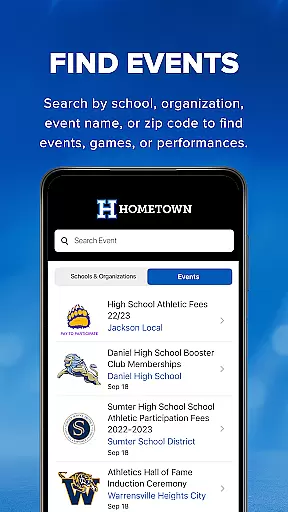
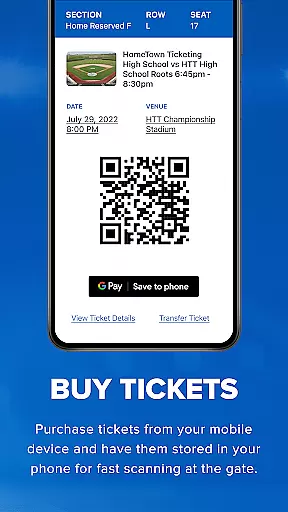
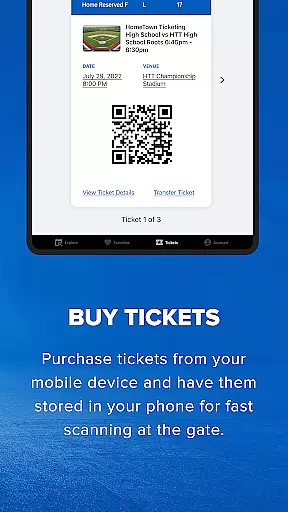
One of the standout features is its intuitive interface that simplifies the entire ticketing process. Users can easily find events by searching through schools, organizations, event names, or zip codes. Once purchased, tickets are stored directly in the app, eliminating the need for physical copies. The convenience of using your phone as a ticket, complete with QR code scanning at entry points, makes attending events hassle-free.
This app is particularly beneficial for families and individuals who frequently attend school-related events. With the ability to save favorite venues and receive updates on upcoming events, Hometown Fan ensures you never miss an important game or performance. Its automated system not only saves time but also enhances the overall experience by providing a reliable and efficient way to handle all your ticketing needs.
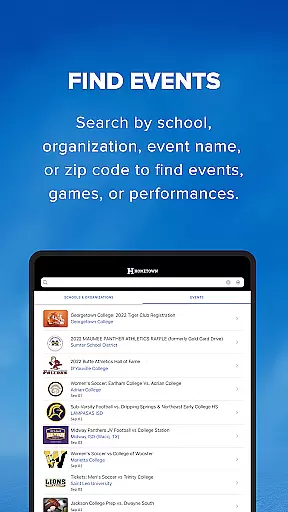
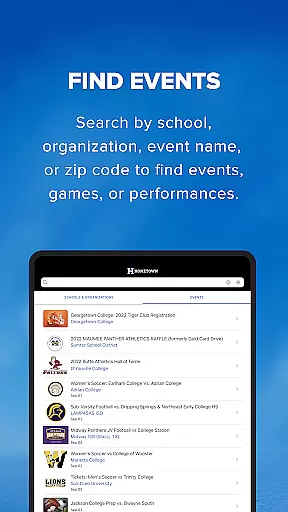
Hometown Fan offers a robust set of features tailored to enhance the ticket-buying and event management experience. First and foremost, the app's search functionality is incredibly versatile, allowing users to look for events by various criteria such as school, organization, event name, or even zip code. This flexibility ensures that finding the right event is quick and straightforward.
Another significant feature is the seamless purchasing process. Users can buy tickets directly through the app, avoiding long lines and the hassle of traditional ticket buying. Once purchased, tickets are stored securely within the app, accessible via a QR code that can be scanned at event entrances. This digital approach not only streamlines entry but also reduces paper waste.
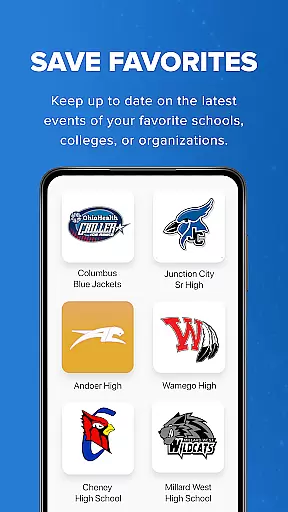
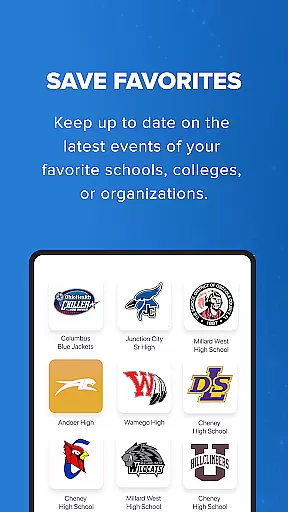
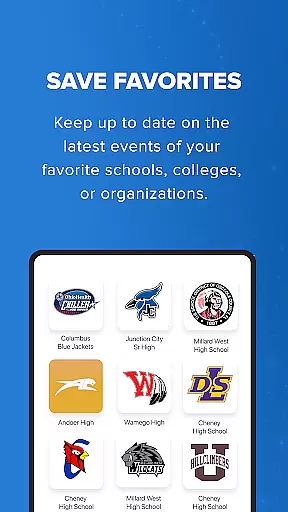
Additionally, the app includes a 'Save Favorites' function, enabling users to keep track of their preferred schools, colleges, or organizations. This feature ensures that users are always informed about the latest events from their favorites. Overall, these capabilities make Hometown Fan an indispensable tool for anyone looking to simplify their event attendance while enjoying a modern, efficient ticketing solution.
Task creation and detail customization are essential for managing event tickets efficiently. The Hometown Fan App excels in this area by providing users with the ability to search for events using multiple criteria such as school, organization, event name, or zip code.
This flexibility ensures that users can easily find and select the events most relevant to them. Once an event is chosen, the app allows for seamless ticket purchasing tailored to individual preferences, including selecting specific seats or ticket types.
The level of detail available during the customization process enhances user experience significantly. Fans can manage their entire ticketing journey within the app, from discovery to entry at the event gate.
By offering such comprehensive task creation and customization options, the Hometown Fan App empowers users to tailor their event participation according to their unique needs and interests, making it an invaluable tool for anyone looking to attend school or organizational events conveniently.
Reminder settings play a crucial role in ensuring that users never miss an important event. The Hometown Fan App incorporates robust reminder functionalities that keep fans informed about upcoming games, performances, and other activities.
Users have the option to save their favorite schools, colleges, or organizations within the app. This feature not only keeps them updated on the latest events but also allows the app to send timely reminders based on user preferences.
In addition to saving favorites, the app's reminder system is designed to be highly flexible. Fans can set notifications for various aspects of their ticketing experience, such as purchase confirmations, event start times, and even pre-event alerts.
By integrating these advanced reminder settings, the Hometown Fan App ensures that users remain engaged and well-informed throughout their event attendance journey, enhancing both convenience and enjoyment.
User-friendly interface
Secure digital storage
Quick event search
QR code entry
Favorite saving option
Limited to certain regions
Occasional bugs
No offline mode
Requires internet
Premium fees

Manage all your events, leads, ticketing, payments and check-ins.
 4.30
4.30
Audio guide companion APP for SEE's Michelangelo's Sistine Chapel
3.50
It is an Event Planning Application.
4.5
Here you can choose tickets for films, performances, concerts and other events
4.60
Community for Mods, Addons, Melsaves, Melmods for Melon Playground
4.0
Find tickets to upcoming concerts, sports events, festivals, shows, attractions
4.70
Rocket Monkey - Space rocket launch schedule for launch sites around the world
4.20
ETH Mining provides secure way to mine Ethereum & earn ETH in Cloud mining app
3.50
Freebie Games for Epic Games, Steam, Amazon, Rockstar etc.
4.40
CUE Live utilizes ultrasonic sound waves to sync devices at CUE enabled events
4.80
Save money on concert, sport, and theater tickets, and discover upcoming events.
4.80
Wedding planner app with wedding venues, wedding checklist, countdown & budget.
4.60
Get live football here
4.30
The world's largest selection of tickets is now at your fingertips
3.90
Instant photo sharing for every occasion
3.80
No invest, Easy way to earn USDT through crypto cloud mining
3.80
RAISE-365 makes fundraising easy and fun!
3.20
Create Birthday Cards in Birthday Invitation Maker and Birthday Card Creator App
3.00
Some connections are better kept private
4.3


User Reviews