

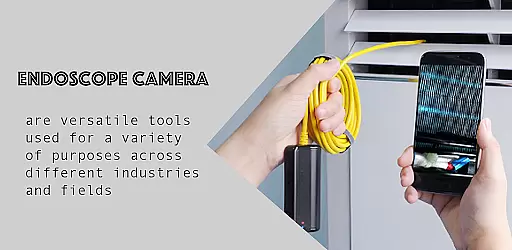
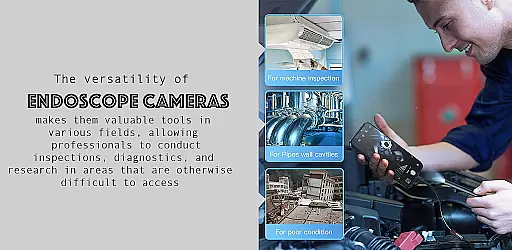
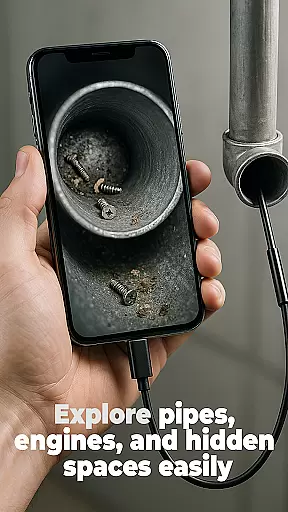
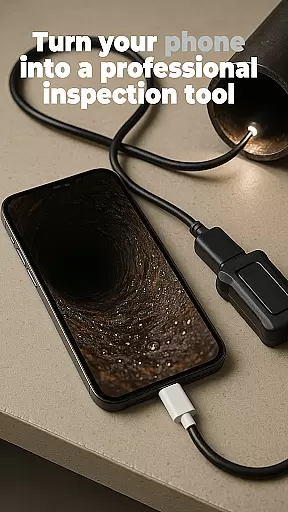
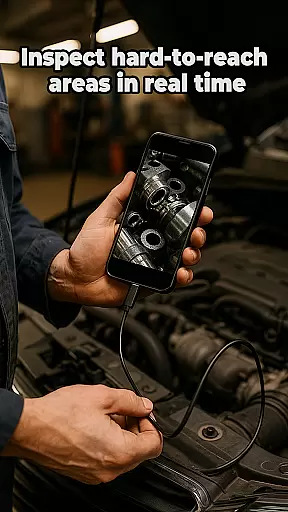
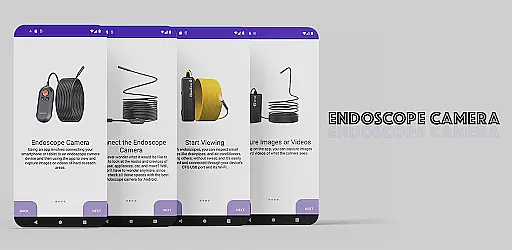
The Endoscope Camera app is a versatile tool designed to connect your smartphone with various external camera devices, including endoscopes, USB cameras, borescopes, and sewer inspection cameras. This functionality makes it an ideal solution for inspecting hard-to-reach areas such as blocked drains or pipes without the need for costly plumbing services. The app supports quick setup through OTG USB connections and allows users to capture high-quality photos and videos.
One of the standout features of the Endoscope Camera app is its intuitive interface that simplifies the process of connecting and using external cameras. Once connected, users can easily take photos and record videos, which are then stored in a built-in gallery. This gallery not only allows for easy viewing but also provides straightforward options for managing and deleting files. Whether you're a professional plumber or a DIY enthusiast, this app offers practical solutions for all your inspection needs.
The Endoscope Camera app boasts several key features that enhance its usability and effectiveness. Firstly, it supports a wide range of external camera devices, making it adaptable to various inspection scenarios. The quick and easy setup process via OTG USB ensures that users can start inspections promptly without any hassle. Additionally, the app's ability to capture high-quality photos and videos ensures that users get clear visuals of the inspected areas.
Another notable feature is the built-in gallery, which provides a centralized location for managing all captured media. Users can effortlessly view, organize, and delete photos and videos directly within the app. This streamlined approach to media management enhances user experience by reducing the need for external storage solutions. Overall, these features make the Endoscope Camera app a comprehensive tool for anyone needing to inspect confined spaces efficiently.
Functionality completeness is a critical aspect of any application, especially for specialized tools like the Endoscope Camera app. This app offers comprehensive support for various external camera devices, including endoscopes, USB cameras, borescopes, and sewer inspection cameras.
The app's functionality allows users to connect their smartphones seamlessly with these external devices via OTG USB, providing an accessible solution for inspecting hard-to-reach areas such as blocked drains or pipes. With just a few taps, users can capture high-quality photos and videos, making it indispensable for both professional plumbers and DIY enthusiasts.
Beyond capturing media, the Endoscope Camera app includes a built-in gallery feature. This feature enables users to manage their captured content efficientlyu2014viewing, organizing, and deleting files as needed. Such extensive functionality ensures that users have all the necessary tools at their fingertips, enhancing productivity and ease of use.
Usability and operational smoothness are vital for ensuring a seamless user experience, particularly in applications designed for practical tasks like the Endoscope Camera app. The app excels in offering an intuitive interface that simplifies the process of connecting and using external camera devices.
Upon opening the app and connecting the endoscope camera via USB, users are guided through a straightforward setup process. The app provides clear instructions: click the camera icon, confirm the connection, and start viewing live footage instantly. This streamlined approach eliminates unnecessary complexity, allowing users to focus on the task at hand.
Moreover, the app supports essential operations such as taking photos, recording videos, and managing captured content through its integrated gallery. Users can easily navigate the gallery to view their media, delete unwanted files, and even choose preferred video players for playback. These features collectively contribute to a smooth and efficient operational experience, empowering users to conduct inspections with confidence and precision.
User-friendly interface
Wide device compatibility
High-quality media capture
Quick and easy setup
Built-in gallery for media management
Limited to compatible devices
Requires OTG USB adapter
No advanced editing tools
Potential connectivity issues
Basic feature set

Do you want to drive easy ? do you wanna full mirror link Mobile with your car
 4.10
4.10
Wireless reverse charging using phone now is possible
4.30
Sad ringtones full of feeling, sad music ringtones
3.90
Test DPC is a sample device policy controller for use with Android Enterprise.
4.20
Block, disable and secure phone camera from secretly taking photos by spyware.
4.50
Mirror link car connector to share your screen with car dashboard
3.80
An impressive collection of tools, characters, weapons, skins and more!
4.30
A Pydroid Quick Install repository provider.
4.00
Manage apps & elevate your gaming experience with Game Launcher: Gaming Hub app.
4.30
SmartCast mirrors Android phone to TV screen With Cast Screen, Chromecast.
4.80
Demo for Key Attestation feature of the Android system.
4.80
Study Bible King James Version: the correct way to learn the Bible with audio
4.80
Recite Quran Majeed القران with special 16 line real Kuran page in hand
4.30
Demo version of the mcpro24fps manual video camera. Try and buy a full version!
4.00
Use your Phone as Drone Controller.
3.70
Ps2 plugins for 64 bit artitechture
3.70
DamonSx2 is the open Source LGPL Emulator
3.20
A great tool help you to format Micro SD memory Card
3.10
Turn your phone into a wireless Xbox controller – play, stream & control anytime
4.2


User Reviews