
Drone Remote Controller is an innovative application that transforms your Android phone into a powerful drone control system. This app allows users to seamlessly operate various drones using their smartphones, replicating the functionality of traditional RC controllers. With intuitive configuration and familiar controls, it provides an accessible solution for both amateur enthusiasts and professional pilots.
The application supports advanced features such as flight planning, automated operations, and live FPV streaming. Users can create detailed flight paths on their devices, automate takeoff and landing procedures, and capture images during flight. The app's compatibility with latest drone models and its ability to stream real-time video makes it an essential tool for modern drone operations.
Whether you're looking to control your own drone or manage multiple units, Drone Remote Controller offers a comprehensive solution. Its versatility extends to managing drone cameras, recording videos, and capturing images, making it perfect for aerial photography and videography projects.
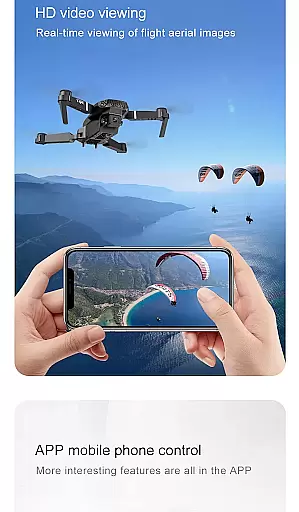
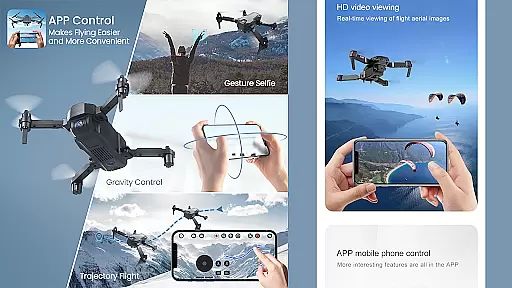
Drone Remote Controller stands out with its comprehensive feature set designed for optimal drone management. The application enables users to establish WiFi connections with camera-equipped drones, providing real-time video feeds directly to their mobile devices. This functionality allows operators to capture high-quality images and record videos while maintaining precise control over their drone's movements.
A key advantage of this app is its automation capabilities. Users can program complex flight patterns, schedule automated takeoffs and landings, and set up image capture sequences. The single-tap override feature ensures pilots can quickly regain manual control when needed. Additionally, the app supports uninterrupted mapping missions, making it ideal for surveying large areas efficiently.
The application's interface mirrors traditional RC controllers while incorporating modern enhancements. It includes specialized controls for camera operation, video recording, and image capture. The app's compatibility with latest drone models ensures smooth performance and reliable connectivity, though some older hardware might experience limitations in functionality.
Functionality completeness in a drone remote controller app is crucial for ensuring seamless control and operation of drones. The Drone Remote Controller Application offers extensive features that cover all essential aspects of drone management.
This includes the ability to create detailed flight plans on any device, automate critical functions such as takeoff, flight navigation, image capture, and landing. Additionally, it provides live streaming in First Person View (FPV), which enhances real-time control and monitoring.
Users benefit from the app's comprehensive functionality, which supports advanced operations like disabling auto-flight and resuming manual control with a single tap. This ensures non-interrupted flights, especially useful when mapping large areas or capturing continuous footage.
The inclusion of video and capture FPS functionalities further enriches the user experience, making this app a versatile tool for both amateur enthusiasts and professional drone operators.
Usability and operational smoothness are vital for any application, particularly one designed for controlling sophisticated devices like drones. The Drone Remote Controller excels in providing an intuitive and user-friendly interface that simplifies complex operations.
With easy configuration and use, the app mirrors the traditional RC drone controls, allowing users to quickly adapt without a steep learning curve. Its compatibility with the latest drones and integration capabilities with WiFi camera devices ensure a smooth operational experience.
Users can effortlessly connect to their drone's camera, receive live views, take pictures, record videos, and control the droneu2014all from their Android device. This streamlined process eliminates the need for multiple physical controllers, reducing clutter and enhancing ease of use.
Overall, the app's focus on usability ensures that users can enjoy a hassle-free experience, making drone control accessible to everyone, regardless of their technical expertise.
User-friendly interface
Advanced automation tools
Real-time video streaming
Wide device compatibility
Free to use
Limited old model support
Requires stable connection
Device-specific functions
Battery consumption high
Learning curve present

Read Holy Quran Feel Like Real Quran & Listen Al Quran Mp3 Audio Online Offline.
 4.70
4.70
Connect and find your Smarttag devices through our app.
4.00
Android secret code for smart phone, mobile codes, with secret codes app
4.20
Block, disable and secure phone camera from secretly taking photos by spyware.
4.50
Zlink Carplay Android a mirror link app with a Carplay interface style
4.5
a wireless controller that provides a seamless and gaming experience for players
3.80
Mirror phone to TV effortlessly! Stream, share & connect with Airplay ease.
3.60
Experience virtual reality on your smartphone with Cardboard.
3.50
Expo is a free & open source platform to build apps using JavaScript and React.
4.70
Demo for Key Attestation feature of the Android system.
4.80
Game booster GFX may reduce interruptions and improve gaming experience.
4.50
use your smartphone as Remote control drones .
4.20
Easily evaluate the performance of Scandit's barcode and ID scanning SDK
4.10
charging your phone by other phone easly
4.00
The best PS2 games from your childhood come to life in their mobile version!
4.00
Now Available on Android ™
3.40
DamonSx2 is the open Source LGPL Emulator
3.20
Collection of high-quality, trendy skins and outfits!
4.5
Mirror Link Car Display to share your screen with car dashboard wirelessly
4.2


User Reviews