
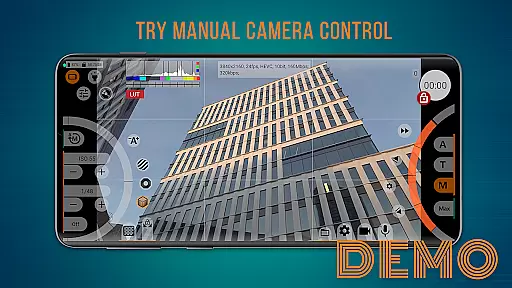
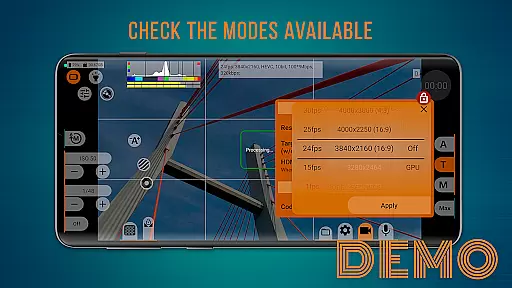
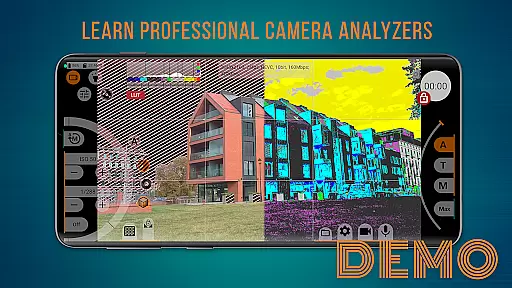
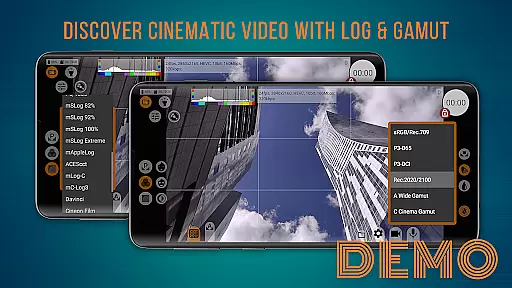
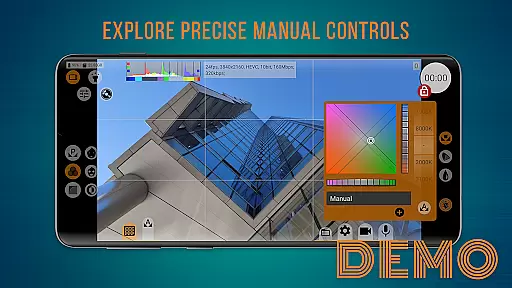
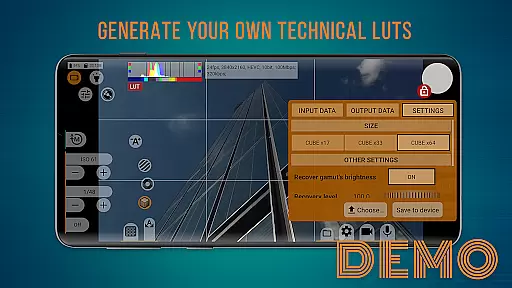
mcpro24fps demo serves as a free demonstration version of the professional camera app mcpro24fps, designed to showcase advanced video shooting capabilities on your smartphone. This app allows users to explore various professional shooting modes and familiarize themselves with the interface before committing to the full version.
With manual settings and advanced tools, it offers an authentic experience of using a professional camcorder, except for actual recording functionality. Users can evaluate the convenience and features available, ensuring informed decisions regarding the purchase of the complete application.
The mcpro24fps demo provides access to a wide array of professional video shooting features, including manual controls for ISO, focus, and exposure. These functionalities allow users to adjust settings according to their specific needs, mimicking a real camcorder experience.
Additionally, the app includes an intuitive interface that helps users navigate through different modes effortlessly. By installing this demo, users can explore all available options, ensuring they understand the app's capabilities and how it can enhance their videography skills.
When evaluating a demo application like mcpro24fps, functionality completeness is crucial to understanding its capabilities. This app provides users with a comprehensive set of professional video shooting features, allowing them to explore various modes and settings available on their specific smartphone model.
The interface closely mirrors the full version, offering manual controls and advanced tools that give users an authentic experience. From adjusting ISO to experimenting with shutter speed, the app ensures that all essential functionalities are covered, except for actual video recording. This allows potential buyers to make informed decisions based on firsthand experience.
By installing this demo, users can familiarize themselves with every feature they would get in the paid version. The thorough representation of options helps users verify compatibility and usability before committing financially, ensuring satisfaction with their purchase.
Usability is a key factor when assessing any application, especially demos designed to showcase premium features. The mcpro24fps demo excels in operational smoothness by providing an intuitive interface that mimics the full version's environment without overwhelming new users.
Users can easily navigate through different settings such as ISO adjustments, focus control, and white balance configurations thanks to well-organized menus and responsive controls. This seamless interaction enables users to evaluate not just what features are available but also how smoothly these functions operate within the appu2019s ecosystem.
This attention to detail extends beyond mere functionality; it enhances user confidence in transitioning from demo to full version. By delivering consistent performance across all simulated operations, mcpro24fps assures users of a reliable and efficient toolset awaiting them post-purchase.
User-friendly interface
Wide range of manual controls
Authentic professional camera experience
Free demonstration version
Comprehensive feature exploration
Limited to demo features
No actual video recording
Some advanced settings disabled
Requires full version for complete access
Premium version must be purchased

Game Booster GFX for smoother gaming experience. Enjoy 120 FPS and 4x Game Space
 4.20
4.20
Record with Double Camera Video Recording using Dual Camera Front and Back Video
3.00
Read Quran pak offline & listen online mp3 Quran in Al Quran Majeed app
4.0
use your smartphone as Remote control drones .
4.20
Block, disable and secure phone camera from secretly taking photos by spyware.
4.50
Mirror link car connector to share your screen with car dashboard
3.80
CloudEye 365 is a easy-handling APP
3.60
Barcode scanning made simple!
4.40
Experience virtual reality on your smartphone with Cardboard.
3.50
Block and secure the microphone and protect from secret listening and recording.
4.50
Popular mods fnaf mods for melon playground
4.50
An essential GFX utility developed for specific FPS mobile games
4.50
View your cameras anywhere and anytime
4.20
With Endoscope Camera Connector you can connect your phone with endoscope cam
3.70
Mobile Connect To TV - HDMI USB & WiFi Screen Mirroring
3.70
Connect and find your Smart Tag 2 devices through our app.
3.60
Connect and Find your smart tag via our app.our app is compatible with smarttag.
3.30
DamonSx2 is the open Source LGPL Emulator
3.20
Turn your phone into a wireless Xbox controller – play, stream & control anytime
4.1


User Reviews