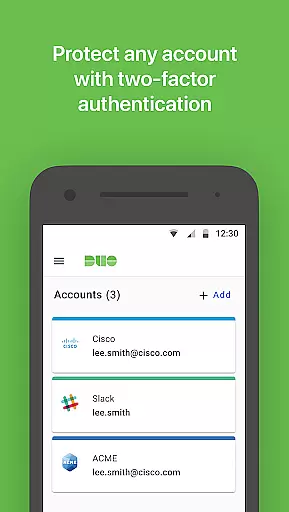
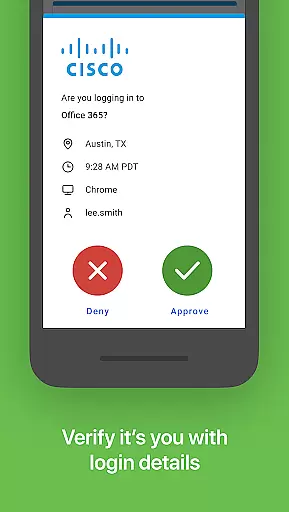
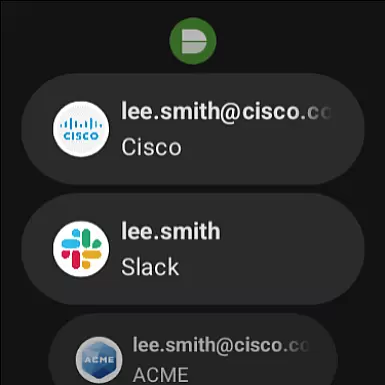
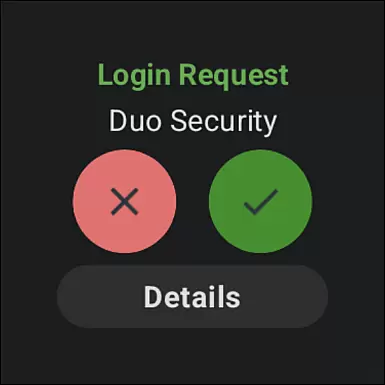
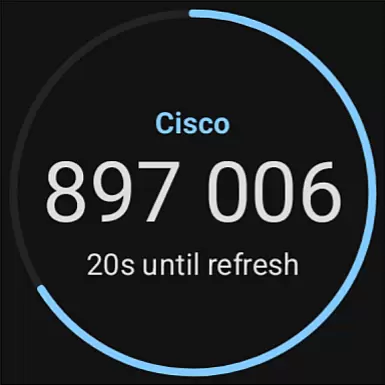
Duo Mobile is a security application designed to enhance login protection through two-factor authentication. The app generates passcodes and provides push notifications for easy, one-tap authentication, making secure access both convenient and reliable.
In addition to supporting Duo Security accounts, the app allows users to manage two-factor authentication for various other applications and web services. With its companion app for Wear OS, Duo Wear, users can enjoy an even more seamless experience on their smartwatches.
Whether you're accessing sensitive work data or securing your personal accounts, Duo Mobile offers a robust layer of security that's simple to use yet highly effective in preventing unauthorized access.
Duo Mobile stands out with its comprehensive two-factor authentication capabilities. The app not only generates time-based passcodes but also supports push notifications, allowing users to authenticate with just one tap.
One notable feature is its compatibility with third-party applications and web services, enabling users to centralize their two-factor authentication management within a single app. Furthermore, Duo Mobile extends its functionality to Wear OS devices through the Duo Wear companion app, ensuring that users can authenticate quickly even when they're on the go.
The app requires activation via a link received during the enrollment process, and it requests camera access solely for scanning QR codes during setup. This ensures a streamlined activation process while maintaining user privacy and security.
Companion app integration is a crucial feature for applications that extend their functionality to wearable devices. Duo Mobile excels in this area by offering seamless synchronization with its Wear OS companion app, Duo Wear.
The integration allows users to receive authentication requests directly on their smartwatches, providing an additional layer of convenience and security. This ensures that even when the phone is not immediately accessible, users can still authenticate quickly and securely.
Duo Mobile's companion app support demonstrates its commitment to multi-device usability. The application maintains all essential two-factor authentication features across devices, ensuring that users do not experience any compromise in functionality or security.
By leveraging the full potential of companion app integration, Duo Mobile enhances user experience through cross-device consistency and operational continuity, making secure authentication more accessible than ever before.
Device compatibility is a fundamental aspect of any mobile application, especially those designed for wearable technology. Duo Mobile ensures comprehensive compatibility with Wear OS devices, allowing users to take full advantage of its security features on their smartwatches.
The application is optimized to function smoothly across various Wear OS devices, regardless of screen size or hardware specifications. This broad compatibility ensures that users can rely on Duo Mobile for secure authentication without worrying about device-specific limitations.
In addition to supporting a wide range of devices, Duo Mobile maintains high performance standards. The application's optimization for Wear OS guarantees quick response times and minimal battery consumption, which are critical factors for maintaining both security and convenience.
With its robust Wear OS/device compatibility, Duo Mobile provides users with a reliable and efficient two-factor authentication solution that seamlessly integrates into their wearable technology ecosystem.
Enhanced security
User-friendly interface
Wide compatibility
Reliable performance
Convenient smartwatch support
Requires activation
QR code dependency
Limited offline use
No biometric login
Third-party reliance

Calming & relaxing sounds for sleeping and stress relief. Stay focused all day!
 4.20
4.20
Christmas watch face. For Wear OS devices.
4.30
Animated Watch Face and Customizable with 24 Backgrounds. Perfect for Christmas!
3.90
Rose gold watch face with festive lights & customizable features.
4.60
Precision analog watch face with 7 complications and style options
4.2
Analog watch face with 8 complications and expedition styling
4.5
Let's celebrate Thanksgiving - Wear Os watch face
4.20
Ideal for surviving in the wasteland left after nuclear fallout
4.50
Stylish, Energizing and Modern Watch Face crafted by Dominus Mathias.
4.50
Digital, flexibly customizable watch face. For Wear OS 5.0, API 34+ and later.
5.00
Your second brain for organizing your life: to-do, calendar, reminder.
4.70
Walking app for weight loss: walk & step tracker, pedometer, indoor treadmill
4.60
Reliable phone calls with spam protection, caller ID and more helpful features
4.40
Your music, your playlists, and more—offline and unlimited.
4.20
Embrace the festive spirit with our Christmas Countdown watchface for Wear OS
4.10
sleep, alarm, snoring, stress, healing, focus, sound therapy, circadian rhythm
4.10
Hyper-Realistic Airplane Dashboard Watch Face With 10 Skins and Custom AOD
4.00
Structured watch face with seven complications and modular UI elements
3.90
Fitness interactive virtual pet super fighter boy watch face
4.3


User Reviews