
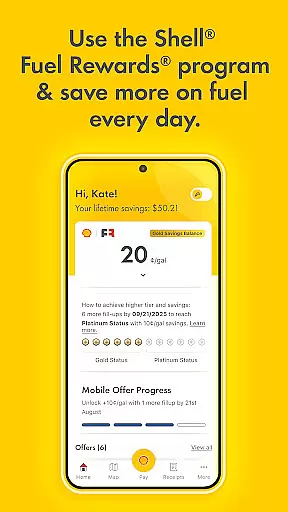
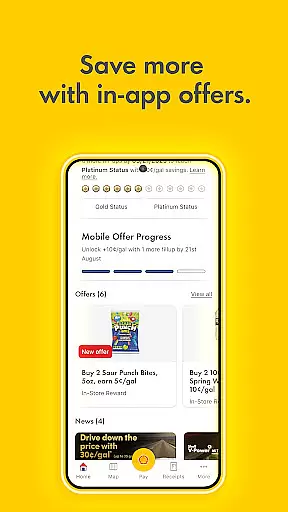
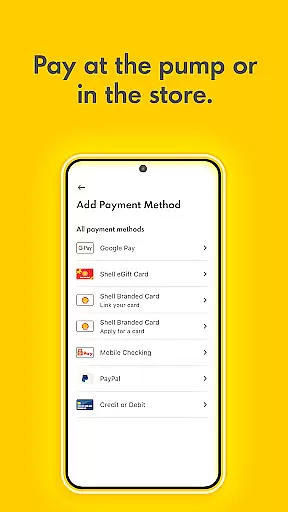
Shell App is a comprehensive automotive service application designed to enhance your experience at Shell stations. The app integrates the Shell® Fuel Rewards® Program, allowing users to save on fuel purchases while tracking their loyalty transaction history. With mobile payment functionality, customers can pay securely and conveniently using various payment methods including PayPal and Apple Pay.
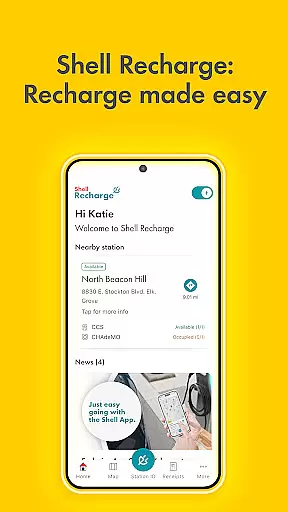
In addition to payment solutions, the app provides essential features like locating nearby Shell stations and activating in-store offers. For electric vehicle owners, Shell Recharge offers access to over 4,000 EV charging stations across the U.S., enabling users to find, use, and pay for charging services seamlessly. This makes the Shell App an all-in-one tool for modern fueling needs.
The Shell App stands out with its robust combination of rewards, payment, and navigation features. Through the Shell® Fuel Rewards® Program, users can earn significant savings on fuel, especially Platinum Status members who enjoy 10c/gallon discounts. The app's mobile payment system supports multiple payment options such as Shell branded credit cards, PayPal, and Apple Pay, streamlining the payment process.
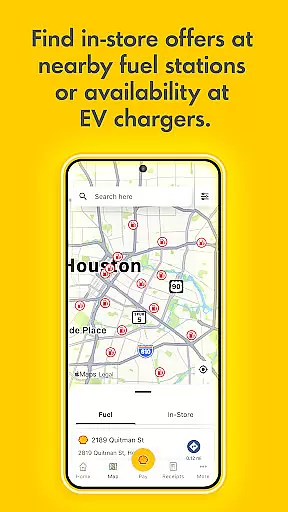
Another key feature is the station locator, which helps users find nearby Shell stations that accept mobile payments and display current in-store offers. Additionally, the Shell Recharge functionality allows electric vehicle owners to locate and utilize EV charging stations effortlessly. These features collectively ensure a convenient, cost-effective, and future-ready fueling experience for all users.
When it comes to managing your vehicle's fueling needs, having access to detailed information is crucial. The Shell App provides comprehensive details about fuel types, savings opportunities, and loyalty program benefits.
This level of transparency allows users to make informed decisions about their fuel purchases. By presenting users with specific data on Fuel Rewards and savings rates, such as the Platinum Status members' 10c/gallon discount, the app ensures that drivers can maximize their savings while keeping their vehicles running smoothly.
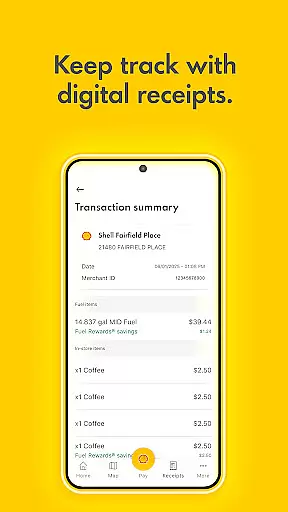
The app goes beyond just fuel, offering insights into in-store offers and transaction history. This means users can track both their fuel and retail purchases, providing a holistic view of their spending habits at Shell stations.
One of the key features of the Shell App is its commitment to price transparency. Users can easily view all available Fuel & In-store offers alongside their loyalty transaction history.
This transparency extends to the mobile payment process, where users are presented with clear pricing before finalizing transactions. Whether paying through a Shell branded credit card or services like PayPal and Apple Pay, customers know exactly what they are paying.
Additionally, the ability to add or buy Shell eGift cards directly within the app enhances this transparency by allowing users to manage their funds and rewards in one consolidated location. With these features, the Shell App ensures that users have a clear understanding of their expenses and savings.
User-friendly interface
Multiple payment options
Valuable loyalty program
Comprehensive station locator
EV charging support
Limited to Shell stations
Requires account setup
Occasional bugs reported
Geographic limitations
Dependent on network availability

OBDII - ELM327 Terminal tool for 96-00 Volvos
 4.50
4.50
* This app needs an adapter cable and a certain OBD2 adapter to work *
4.20
myAudi offers users services and Audi connect services for Audi drivers
4.10
Instant diesel savings. No credit checks or fees. Nationwide growing network.
4.40
1M+ high-quality auto parts at your fingertips. Fitment guaranteed.
4.70
Available in select states.
4.00
MySubaru: Download. Connect. Love.
4.70
Find Your Local Store or Shop Online for the Car, Truck, or SUV Parts You Need
4.70
Marathon ARCO Rewards members earn rewards & apply the rewards for fuel savings!
4.80
Take Control of Your Car
4.80
The Texaco App allows you to pay for fuel from the comfort of your car!
4.80
7-Day Returns on All Cars
4.80
The ExtraMile App allows you to pay for fuel from the comfort of your car!
4.70
Find Fast EV Chargers | Charge Your Vehicle at 1,100+ Fast Car Charging Stations
4.60
Automotive Electrical Wiring Diagrams
4.40
Control maps, media and messaging, with the Google Assistant while you drive
4.10
Blink Charging Mobile app makes finding an EV charger an intuitive experience.
3.80
PayByPhone: A quick and easy way to pay for parking.
3.80
The Smarter Way Forward
3.30


User Reviews