
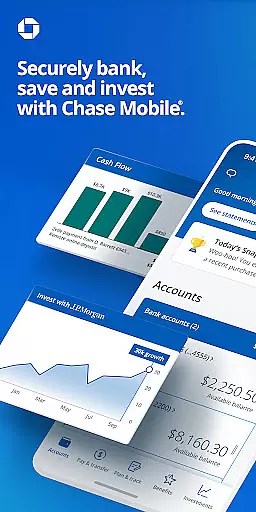
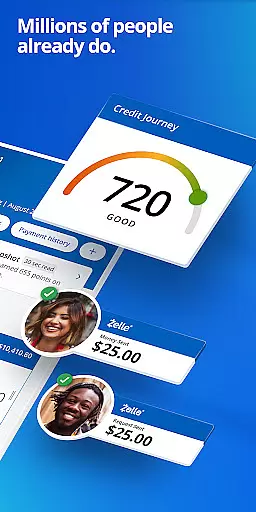
Chase Mobile® app is a comprehensive financial management tool that allows users to bank securely and efficiently. With features like Zelle® integration, check depositing, credit score monitoring, budgeting tools, and investment planning through J.P. Morgan Wealth Management, the app caters to a wide range of banking needs.
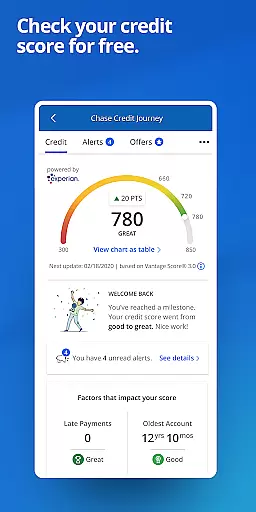
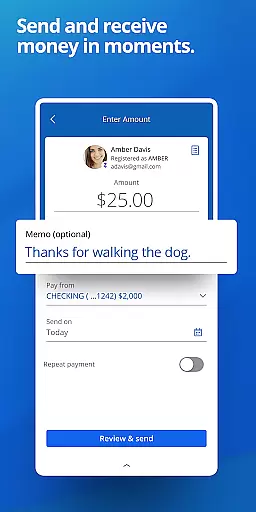
The app provides robust account management capabilities including reviewing account activity across checking, savings, credit card, home, auto, and business accounts. It also offers convenient payment options such as scheduling payments, transferring money, and sending or receiving funds with Zelle®. Users can take control of their credit health with Chase Credit Journey®, which provides free credit scores and identity monitoring.
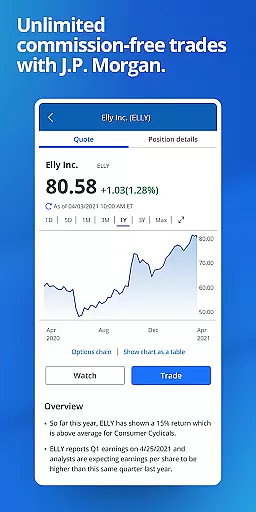
Beyond basic banking, Chase Mobile® supports long-term financial planning. The app's Wealth Plan feature helps users set and track financial goals while offering $0 online commission for equities, ETFs, and options trades. This makes it particularly useful for individuals looking to manage both their day-to-day finances and long-term investments in one secure platform.
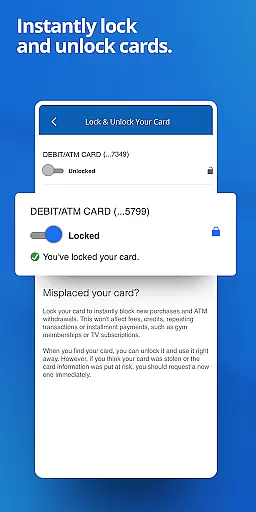
One of the standout features of Chase Mobile® is its comprehensive security measures. The app notifies users of unusual card purchases and allows them to lock and unlock their cards directly from their mobile devices. This ensures that users' accounts remain protected against unauthorized transactions.
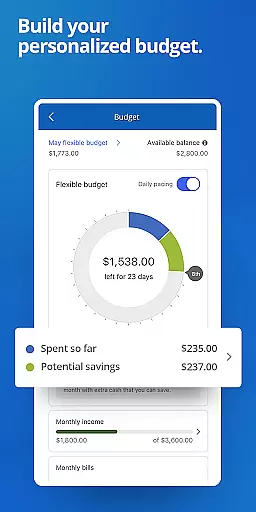
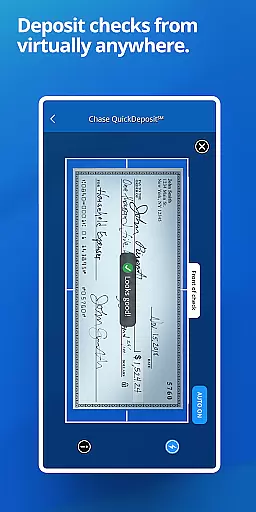
Another key aspect is the app's ability to help users manage their daily finances effectively. Through its budgeting tools, users can gain insights into their spending habits, categorize debit and credit transactions, and create budgets to better manage their money. Additionally, the QuickDeposit℠ feature enables users to deposit checks remotely, subject to certain limits and terms.
For those interested in investing, Chase Mobile® offers access to J.P. Morgan Wealth Management services. Users can plan for their future by setting financial goals, tracking progress, and even scheduling meetings with financial advisors. The app also provides rewards tracking and redemption options, allowing users to maximize benefits from their eligible credit and debit cards.
Account and fund security is a critical feature for any financial application, ensuring that users' sensitive information and assets are protected from unauthorized access. Chase Mobileu00ae app employs advanced encryption protocols and multi-factor authentication to safeguard user accounts. This ensures that only authorized individuals can access personal and financial data, providing peace of mind for users.
In addition to encryption, the app offers real-time monitoring and alerts for unusual activities. For instance, if an unfamiliar transaction is detected, users are immediately notified to verify the activity. This proactive approach helps in early detection of potential fraud, allowing users to take swift action to protect their funds.
The ability to remotely lock or unlock cards directly through the app adds another layer of security. In case a card is lost or stolen, users can quickly disable it to prevent unauthorized transactions. This feature not only enhances security but also provides convenience by eliminating the need to visit a branch or make a call to customer service.
Overall, these robust security measures ensure that Chase Mobileu00ae users can manage their finances with confidence, knowing that their accounts and funds are well-protected against various threats.
A seamless transaction experience is essential for maintaining user satisfaction and trust in a financial app. Chase Mobileu00ae app excels in this area by offering intuitive and efficient ways to send and receive money, pay bills, and transfer funds between accounts. The integration of Zelleu00ae allows users to make instant peer-to-peer payments, enhancing the overall convenience and speed of transactions.
Moreover, the app provides comprehensive tools for managing payments. Users can schedule and automate bill payments, ensuring timely settlements without manual intervention. This feature is particularly beneficial for maintaining good credit standing and avoiding late fees. Additionally, the ability to review and track past transactions helps users stay organized and informed about their financial activities.
Another standout aspect is the availability of detailed transaction histories and real-time updates. This transparency enables users to monitor their spending habits and make informed financial decisions. By having a clear overview of their financial status at their fingertips, users can better manage their budgets and plan for future expenses.
In summary, Chase Mobileu00ae app delivers a superior transaction experience by combining speed, convenience, and transparency, empowering users to handle their financial tasks efficiently and confidently.
User-friendly interface
Comprehensive security features
Free credit score monitoring
Integrated investment tools
Convenient payment options
Limited to Chase customers
Some features have eligibility requirements
Investment options may incur fees
Occasional technical issues reported
Deposits subject to review delays

Manage your account, make a payment, and redeem your rewards on the go.
 4.50
4.50
The all-in-one app to save, earn, travel, and put more money in your pocket
4.50
Secure Amex Account Access: View Balance, Make Payments, Redeem Rewards & more
3.60
Get a cash advance instantly. File taxes & cover unexpected bills in minutes.
4.60
Need help before payday? Get cash advances with no interest or credit checks.
4.60
Money transfer made easy. Send money to friends and family with great rates.
4.70
No credit check, no interest, no worries.
4.70
Easy budgeting planning on a calendar!
4.80
Manage budget, save money, or file tax. Build, track & improve your credit score
4.40
Currency Converter supports all currencies of the world.
5.00
Keep track of your subscriptions with no limitations
4.80
Your Big Financial Friend
4.70
Powerful Money Manager, Expense & Savings Tracker, Budget Planner - Pro Version
4.70
Download the MySynchrony App to manage your accounts securely and conveniently!
4.60
Real-time tracking: Stocks, Indices, Futures, Commodities, ETF, & Funds prices.
4.60 4.50
4.50
BTC, Crypto, Stocks & Options.
4.20
Earn money as a tester with Testerup, get cash testing apps and games
4.20
SuperQi, Your all-in-one Super App.
1.30


User Reviews