

In the realm of digital finance, security stands as a paramount concern for users managing their funds through mobile applications. The Amex app addresses this by incorporating advanced security measures that ensure peace of mind for its users.
One of the standout features is the biometric login option available on supported devices, offering a seamless yet secure method to access accounts. This technology leverages fingerprint or facial recognition, significantly reducing the risk of unauthorized access while maintaining user convenience.
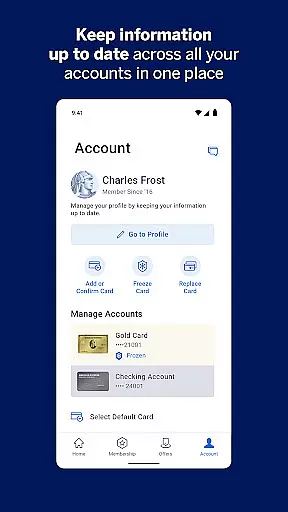
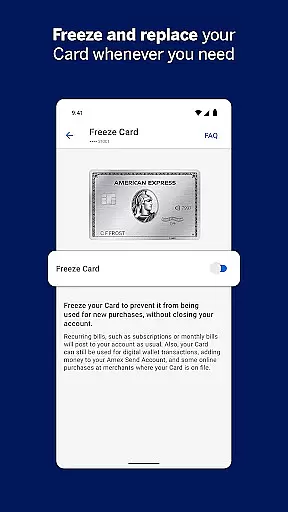
Additionally, the ability to instantly freeze and unfreeze credit cards within the app provides an unprecedented level of control over account security. This feature allows users to react swiftly to potential security threats, effectively preventing fraudulent transactions before they occur.
These robust security protocols not only protect financial assets but also reinforce trust in digital banking solutions, making the Amex app a reliable choice for managing personal finances securely.
A seamless transaction experience is crucial for any financial application, and the Amex app excels in providing users with efficient tools to manage their spending and payments effortlessly.
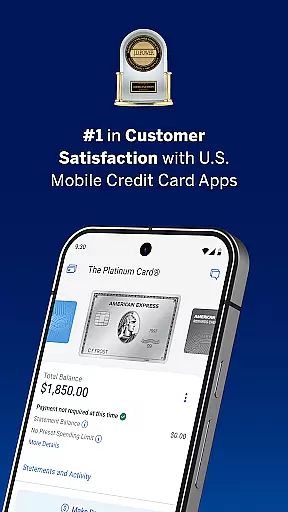
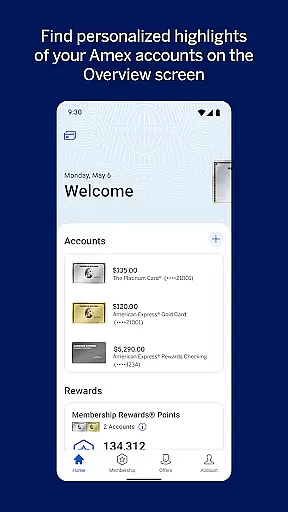
Users can easily track their account balance, review pending transactions, and sort charges by amount and date. This transparency enables better financial planning and helps users maintain control over their expenditures.
The app's AutoPay feature offers unparalleled convenience by allowing users to automate bill payments directly from their bank account each month. This functionality ensures timely payments, helping users avoid late fees and maintain a healthy credit score.
Furthermore, real-time alerts for purchases, fraud detection, and payment reminders contribute to a proactive transaction management system. These notifications keep users informed and engaged with their financial activities, enhancing overall satisfaction with the app's transaction capabilities.

Bill Manager is a simple app to help you keep track of your upcoming bills.
 4.3
4.3
Need help before payday? Get cash advances with no interest or credit checks.
4.60
Debt pay off. Build credit history. AI budget tool. Loan offers.
4.60
Get, Earn, and Save Money
4.30
Put crypto to work & earn rewards. Stake crypto like Ethereum, Solana & Cardano
4.40
BTC, Crypto, Stocks & Options.
4.20
Banking, Budgeting & Investing
4.60
Read and extract public data on NFC Contactless banking card (VISA, MasterCard
4.30
Insurance that's quick and easy to buy and use—anytime, anywhere.
4.60
The Citi Mobile® App lets you manage your accounts virtually anytime, anywhere
4.80
No credit checked needed.
4.80
Join 12M+ users. Instant cash advances, personal loans, build credit, save money
4.80
No credit check, no interest, no worries.
4.70
Send money and bitcoin easily. Invest, bank and do more with your money
4.70
Play for fun, earn for real. Collect rent by owning virtual land & get cashback
4.60
The US Debt Clock .org App gives you a Real-Time glimpse of US Financial Stats
4.60
Get up to 500, get paid early, earn interest and find work with no hidden fees.
4.40
Invest, bank & save in one app. Trade stocks, earn high APY & budget smarter.
4.00
StockTiles lets you view prices & charts of your favorite stock assets
2.30


User Reviews