
MyMoney Pro is a comprehensive personal finance management application designed to help users effectively track and control their spending. The app offers an intuitive interface that allows users to easily log expenses, categorize them, and monitor their financial habits through insightful analysis charts. With its offline functionality, users can access all features without requiring an internet connection.
A key advantage of MyMoney Pro is its robust budgeting system. Users can set monthly budgets for different categories such as food, transportation, and entertainment. This feature helps individuals limit unnecessary expenditures and achieve their savings goals. Additionally, the app provides customizable homescreen widgets, multiple account management, and personalized settings including currency selection and category icons, making it a versatile tool for personal finance management.
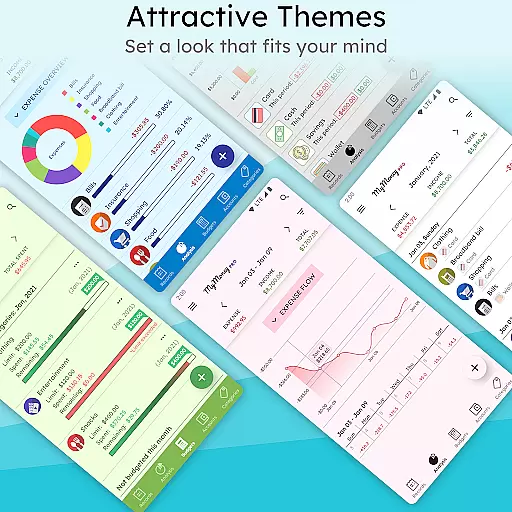
The app's value extends beyond basic expense tracking. It includes advanced features like passcode protection, multiple themes, and extended view modes up to a year. These premium functionalities ensure privacy, enhance user experience, and provide deeper insights into financial trends. Whether you're looking to manage daily expenses or plan long-term financial strategies, MyMoney Pro delivers a complete solution for maintaining financial health.
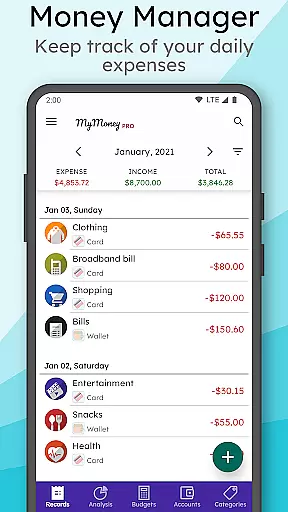
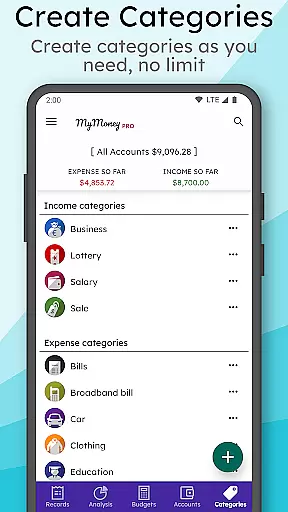
MyMoney Pro stands out with its extensive range of features tailored for effective money management. One of its core functionalities is the Expense Manager, which allows users to organize income and expenses into detailed categories such as Cars, Foods, and Clothing. This granular categorization enables precise tracking and better understanding of where money is being spent.
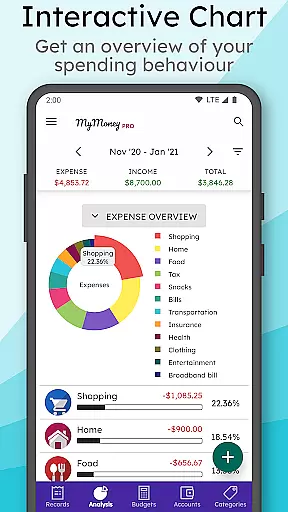
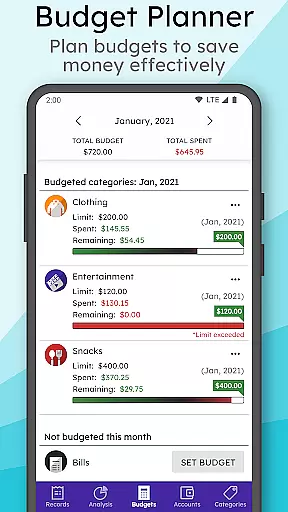
Beyond expense tracking, the app offers a powerful Budget Planner. Users can establish monthly budgets for various spending categories, helping them avoid overspending and maintain financial discipline. The app also excels in providing Effective Analysis through visually appealing charts that display monthly income and expense breakdowns. These analytics empower users to identify spending patterns and adjust their financial behaviors accordingly.
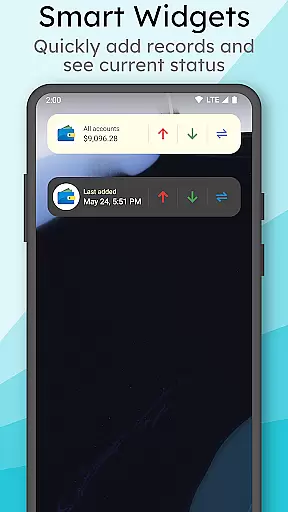
Additional standout features include a Smart Homescreen Widget for quick balance checks and record additions, full offline functionality ensuring data accessibility without internet, and multiple account support for managing wallets, cards, and savings separately. Premium features such as passcode protection, customizable themes, and extended view modes further enhance the app's utility, making it an indispensable tool for anyone serious about managing their finances.
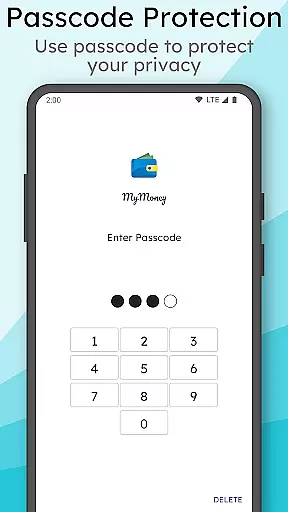
Account and fund security is a critical aspect of any financial management application. MyMoney Pro ensures the safety of your financial data through multiple layers of protection. The app offers passcode protection for privacy, which adds an extra layer of security to prevent unauthorized access.
In addition to passcode protection, MyMoney Pro allows users to keep their record data safe with backups. This feature ensures that even if your device is lost or damaged, your financial records can be restored. The ability to export worksheets also provides an option to print the records, giving users control over their physical document storage.
The app operates fully offline, meaning no internet connection is required to use MyMoney Pro. This not only enhances privacy but also reduces the risk of online hacking attempts. By limiting permissions, such as network communication being needed only for sending crash reports, the app minimizes potential vulnerabilities.
With these security measures in place, users can confidently manage their finances knowing that their personal information and transaction details are protected against unauthorized access and potential threats.
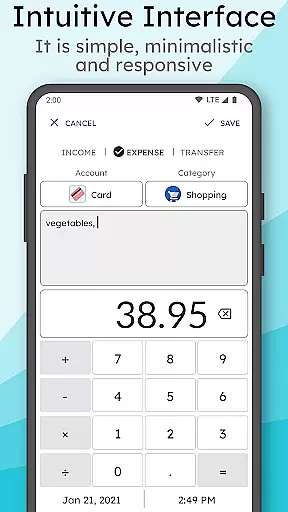
A seamless transaction experience is essential for effective personal finance management. MyMoney Pro excels in this area by providing an intuitive interface that simplifies tracking expenses. Users can easily add an expense record at the point of spending, allowing the app to automatically categorize transactions into predefined categories like Cars, Foods, Clothing, etc.
The budget planner feature enables users to set monthly budgets and receive alerts when nearing their spending limits. For example, if you're spending too much on coffee, setting a specific budget for it helps control your spending behavior without crossing the budget target. This proactive approach empowers users to make informed decisions about their expenditures.
MyMoney Pro's smart homescreen widget further enhances the transaction experience by allowing quick access to balance information and facilitating on-the-go record additions. With customizable views ranging from 3 months to yearly modes, users gain comprehensive insights into their spending patterns over time.
By combining ease of use with powerful analytical tools, MyMoney Pro delivers a superior transaction experience that helps users understand where their money goes and how they can save more effectively.
User-friendly interface
Comprehensive budgeting tools
Offline functionality
Customizable categories
Advanced security features
Premium version costly
Steep learning curve
Limited customer support
No automatic bank sync
Occasional bugs reported

Manage your account, make a payment, and redeem your rewards on the go.
 4.50
4.50
The all-in-one app to save, earn, travel, and put more money in your pocket
4.50
Manage your Discover account conveniently from anywhere.
4.80
All your crypto & stocks in one secure and trusted app.
4.40
All expenses at a glance.
4.80
Real-time tracking: Stocks, Indices, Futures, Commodities, ETF, & Funds prices.
4.60
Join 12M+ users. Instant cash advances, personal loans, build credit, save money
4.80
Wells Fargo Mobile allows you to access your investment and bank accounts.
4.80
Banking with no monthly fees, fee-free overdraft, and early payday.
4.70
Currency Converter supports all currencies of the world.
5.00
BA Financial Calculator PRO – Perfect for CFA/FRM/CPA and finance professionals
4.90
Early payday cash advance up to $150 a day with a max of $1,000 per pay period
4.70
Managing your money just got easier. Get the new Mobile app.
4.70
Get 250$ Cash Advance to solve emergencies instantly in loan app called LendMe
4.70
Need help before payday? Get cash advances with no interest or credit checks.
4.60
Access State Farm accounts, policies, ID cards and more
4.60
Put crypto to work & earn rewards. Stake crypto like Ethereum, Solana & Cardano
4.40
Read and extract public data on NFC Contactless banking card (VISA, MasterCard
4.30
Venmo is the fun and easy way to pay and get paid.
4.10


User Reviews