
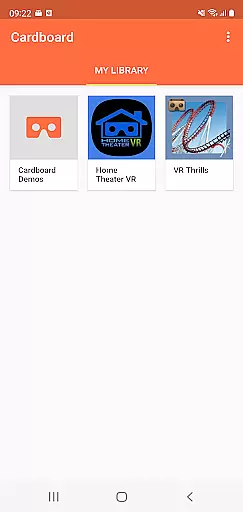
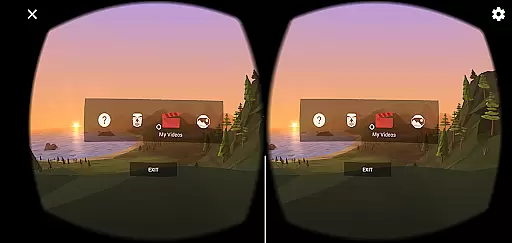
Cardboard is an innovative virtual reality platform that transforms your smartphone into a VR device. The app serves as the gateway to a wide range of immersive experiences, allowing users to explore new worlds and engage with content in unprecedented ways. With its user-friendly interface, Cardboard makes it easy to discover and launch VR apps directly from your phone.
A key feature of Cardboard is its seamless integration with Google's VR ecosystem. Users can effortlessly set up their Cardboard viewer and access a curated selection of VR experiences. Whether you're a casual user or a developer looking to test new ideas, Cardboard provides the tools needed to dive into virtual reality. Its accessibility and ease of use make it an ideal choice for anyone interested in exploring the potential of VR technology.
The true value of Cardboard lies in its ability to democratize virtual reality. By using affordable materials and leveraging the power of smartphones, it brings high-quality VR experiences to a broad audience. This approach not only lowers the barrier to entry but also fosters creativity and innovation within the VR community. For those seeking an accessible and engaging VR experience, Cardboard offers an excellent starting point.
Cardboard stands out with its comprehensive set of features designed to enhance the VR experience. One notable aspect is its intuitive setup process, which guides users through connecting their smartphone to a Cardboard viewer. This streamlined approach ensures that even first-time users can quickly begin exploring virtual environments without technical hurdles.
The app's discovery feature is another highlight, offering a diverse selection of VR experiences ranging from educational content to interactive games. Each experience is optimized for Cardboard, providing consistent performance and quality across different devices. Additionally, the app includes advanced settings that allow users to customize their VR experience, such as adjusting lens distortion and setting viewer preferences.
For developers, Cardboard provides robust tools for creating and testing VR applications. The SDK supports both Android and iOS platforms, enabling cross-platform development. Furthermore, integration with Google's VR platform allows developers to publish their creations directly to the Cardboard app, reaching a wide audience of VR enthusiasts. These features collectively position Cardboard as a versatile and powerful tool in the VR landscape.
When evaluating a Libraries & Demo app like Cardboard, functionality completeness refers to how comprehensively it enables users to experience and interact with virtual reality content. This app offers essential tools for launching VR experiences, discovering new apps, and setting up the viewer.
The Cardboard app ensures that users can fully enjoy virtual reality by providing necessary features such as head tracking, stereoscopic rendering, and user interaction methods. These core functionalities are crucial for creating an immersive VR environment on a smartphone.
By covering fundamental VR capabilities, the app allows developers and enthusiasts to explore the potential of mobile virtual reality without requiring extensive technical knowledge. This makes it accessible for a wide range of users, from beginners to experienced VR developers.
The comprehensive nature of these features ensures that users can experiment with various VR applications while maintaining a consistent experience across different devices and viewers, making it a valuable tool for both learning and development purposes.
Usability in a VR application like Cardboard pertains to how easily users can navigate and utilize its features without encountering significant obstacles or confusion. The Cardboard app excels in offering a user-friendly interface that simplifies the process of setting up and using a Cardboard viewer.
Operational smoothness is evident in the seamless integration between the app and the viewer, allowing users to quickly launch VR experiences and switch between different applications. This fluidity enhances the overall user experience, making virtual reality more approachable and enjoyable.
Additionally, the app provides clear instructions and guidance for setting up the viewer, ensuring that users can start their VR journey without frustration. This focus on operational ease is vital for retaining user interest and encouraging further exploration of VR content.
By prioritizing usability and smooth operations, Cardboard effectively lowers the barrier to entry for virtual reality, enabling more people to engage with this emerging technology in a meaningful way.
User-friendly interface
Wide range of VR experiences
Seamless viewer setup
Robust developer tools
Affordable VR solution
Limited advanced features
Dependent on smartphone specs
Occasional performance issues
Basic social interaction
Viewer quality varies

Record with Double Camera Video Recording using Dual Camera Front and Back Video
 3.00
3.00
Read Holy Quran Feel Like Real Quran & Listen Al Quran Mp3 Audio Online Offline.
4.70
Collection of high-quality, trendy skins and outfits!
4.3
Popular mods fnaf mods for melon playground
4.50
charging your phone by other phone easly
4.00
Enjoy hours of entertainment with our Roblox mobile games app
4.2
Study Bible King James Version: the correct way to learn the Bible with audio
4.80
CloudEye 365 is a easy-handling APP
3.60
DamonSx2 is the open Source LGPL Emulator
3.20
SmartCast mirrors Android phone to TV screen With Cast Screen, Chromecast.
4.80
Expo is a free & open source platform to build apps using JavaScript and React.
4.70
MirrorLink for connecting your Android phone to your car’s infotainment screen.
4.50
Enjoy Minecraft Mod Scary Neighbor Granny for Minecraft PE.
4.30
Unlock the hidden menus of your phone with our mobile secret codes app.
4.20
Mirror link car connector to share your screen with car dashboard
3.80
With Endoscope Camera Connector you can connect your phone with endoscope cam
3.70
Ps2 plugins for 64 bit artitechture
3.70
Mobs maker Minecraft help MCPE creators make their own mob by using Blockbench
3.50
Endoscope camera an app to connect with endoscope cam or any device
3.30


User Reviews